
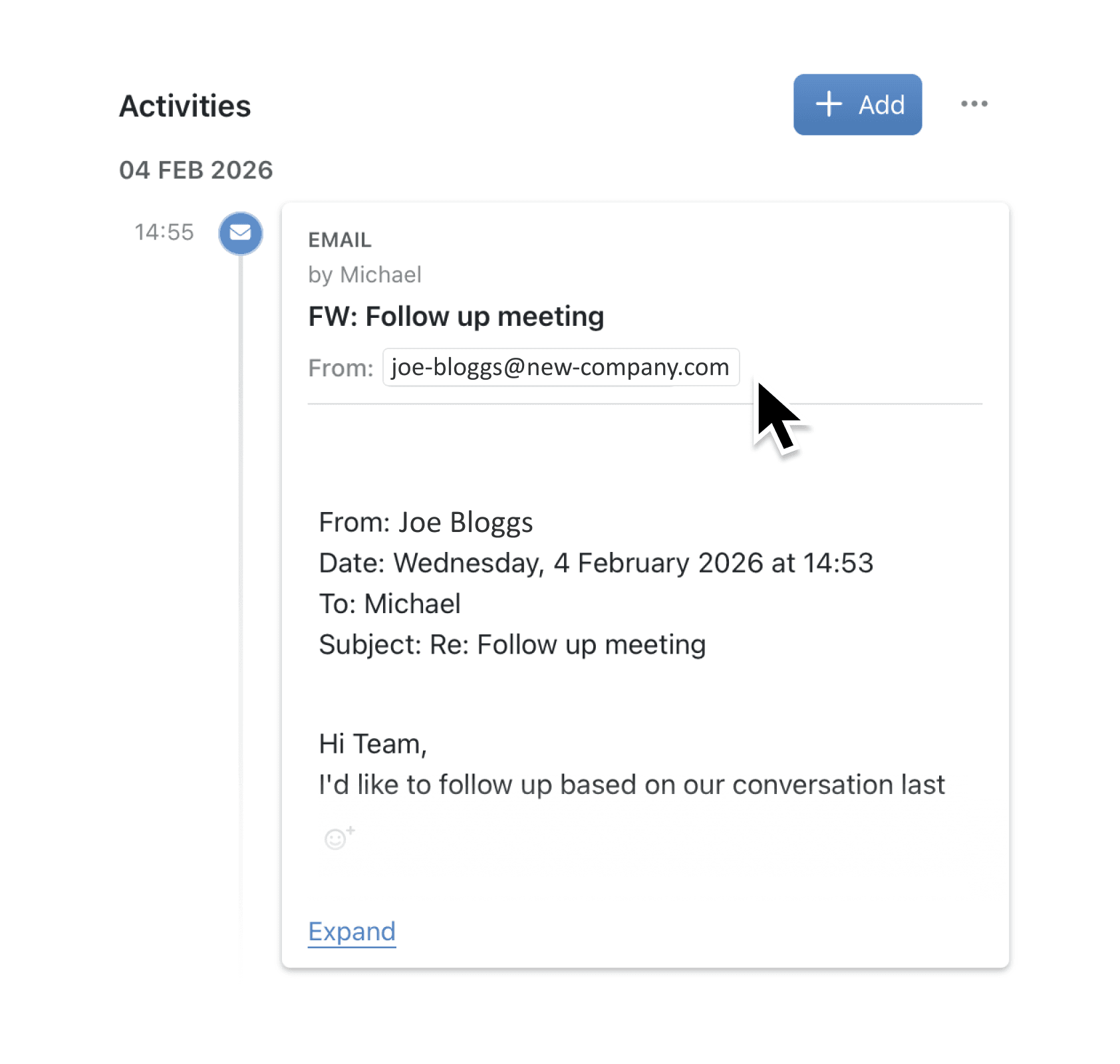
You wanted to log an important client email against a project, but Kinabase asked you to configure Contacts and Organisations first. That extra setup felt unnecessary when you just wanted to attach an email to a specific record you already knew about.
What's New:
Email forwarding now works in two independent ways. You can forward emails directly to any record using the format {collection}+{recordId}@kinabase.email without any additional configuration. This direct addressing works immediately for any collection in your workspace. If you want Kinabase to automatically match email recipients to your contacts database, you can still configure the full email integration settings separately.
Why it matters:
- Get started immediately – Forward emails to records within minutes of creating your workspace, with no setup required.
- Adopt features incrementally – Use simple record-specific forwarding now, then add automatic contact matching later when you need it.
- Reduce configuration friction – Teams using Kinabase for project management, support tickets, or other workflows no longer need a CRM-style contacts database to log emails.
- Receive clearer guidance – If you try implicit forwarding without configuration, the error message now explains your options and suggests the direct format.
How it works:
- Open any record in Kinabase where you want to log an email.
- Note the collection slug from the URL (e.g., "projects" from
/c/projects/42). - Note the record ID number from the URL (e.g., "42").
- Forward or send your email to
{collection}+{recordId}@kinabase.email(e.g.,projects+42@kinabase.email). - Check the Activities tab on your record to see the logged email.
You must send from an email address that is verified on your Kinabase account.
When to use it:
- Project managers can forward client correspondence directly to project records without maintaining a separate contacts list, keeping all communications in context.
- Support teams can log customer emails against ticket records immediately, enabling faster response workflows without waiting for CRM configuration.
- Operations staff can attach supplier communications to purchase orders or inventory items, building a complete audit trail from day one.
Next steps
Try forwarding an email to one of your records today using the {collection}+{recordId}@kinabase.email format. If you later want automatic contact matching, visit Settings → Email Integration to configure your Contacts and Organisations collections.
Try it now in Kinabase → Collections → Records → Activities
If you have questions or feedback, we would love to hear from you. Email support@kinabase.com — we’re listening.