
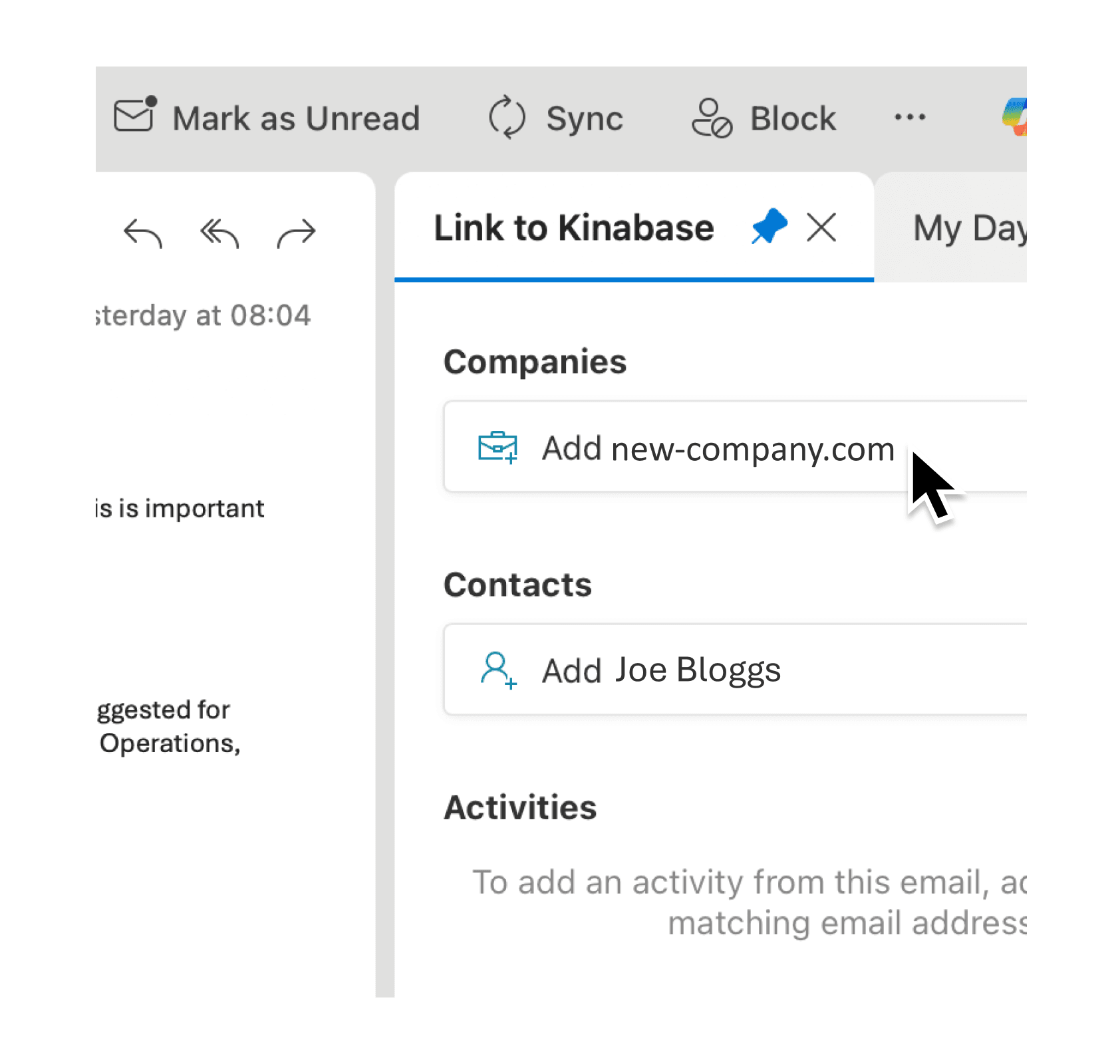
Switching between your inbox and CRM to manually copy contact details wastes time and introduces errors. When an email arrives from a new prospect, you want their information in your system quickly and accurately.
What's New:
The Outlook plugin now includes AI-powered Scan & Fill when creating new records.
When you click to add a new contact or organisation from an email, Kinabase automatically extracts relevant details from the email body and pre-fills the record form. The plugin also now supports dark mode, correctly captures all email recipients, and properly triggers automations and aggregation updates when you log email activities.
Why it matters:
- Extract contact details automatically using AI to read email content and populate fields like name, company, job title, and more when adding new records from Outlook.
- Link activities to every recipient so emails sent to multiple contacts are properly logged against each person, not just the first one in the list.
- Trigger automations reliably because email activities now update aggregation fields and fire any configured automations, keeping your data consistent.
- Work comfortably in dark mode with a fully redesigned interface that respects your Outlook theme preference.
How it works:
- Open an email in Outlook and click the Kinabase add-in panel.
- Click the button to add a new contact or organisation from the email sender.
- Review the AI-suggested field values in the form that opens in Kinabase.
- Edit any fields as needed and save the record.
- For Mac users: pin the task pane using the pin icon in the top-right corner so it updates when you switch between emails.
When to use it:
- Sales teams can instantly create lead records from inbound enquiries, with AI extracting company names, contact details, and context from the email body.
- Account managers logging client communications can now link a single email to multiple contacts when several people are on the thread, ensuring complete activity history.
- Operations managers relying on activity counts or email aggregations will see accurate totals, as the plugin now properly triggers aggregation recalculations.
Start using the enhanced Outlook plugin
Open the Kinabase add-in from any email to try AI-powered record creation.
Try it now in Kinabase → Outlook Add-in → Scan & Fill
If you have questions or feedback, we would love to hear from you. Email support@kinabase.com — we’re listening.