
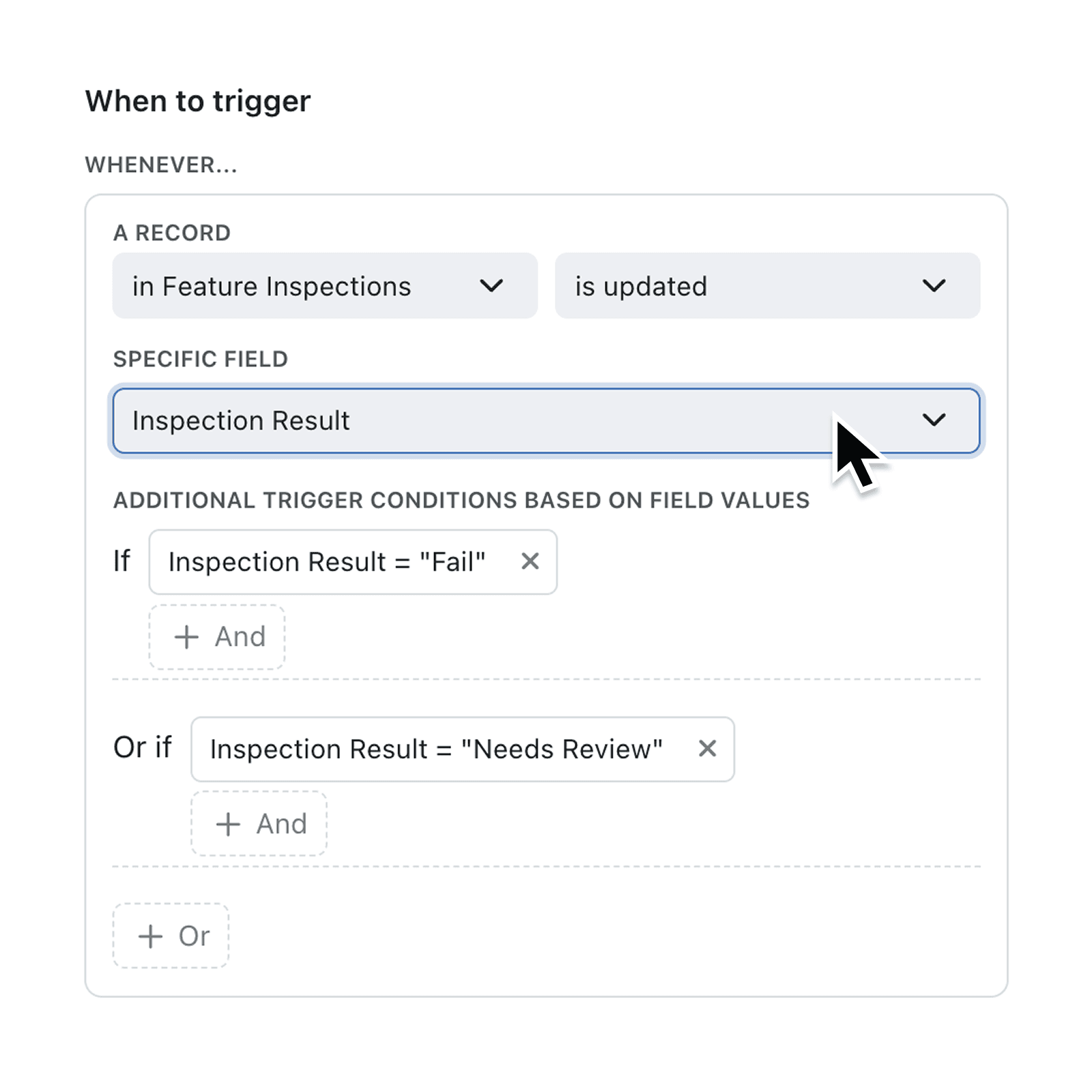
You can now trigger Automations only when a record’s field changes to a specific value, giving you laser-sharp control and fewer unnecessary runs.
Ever wanted to email a client only when Status becomes “Shipped”, not every time someone tweaks the record? Our new previous-value filter does exactly that. By comparing the old and new values of any field, you decide whether an Automation runs. No more workarounds or duplicated rules—just clean, reliable triggers that keep work flowing.
Why it matters:
- Cut noise – send alerts only when the change truly matters.
- Stay compliant – log approvals whenever Priority escalates, safeguarding audit trails.
- Build faster – one simple filter replaces layers of conditions and tests.
How it works:
- Open or create an Automation and choose the Record Updated trigger.
- Set the Specific Field that you would like to use as your trigger.
- Add your additional filter conditions.
- Pick “Previous < Field >” or “New < Field >” and set your conditions.
- You can use +And or +Or conditions, aswell as setting what value is expected.
- Finish your automation by defining your "Then" actions.
- Once happy, Save and publish—the workflow now runs only when the field becomes the value you defined.
When to use it:
- Production Planners to email a customer the moment Stage becomes “In Production”.
- Project Managers to Create a follow-up task when Priority jumps from Low to High.
- Inspectors to notify their Quality Manager when a component doesn't meet dimensional specifications.
Try it now in Kinabase → Automations.
Have feedback? Email support@kinabase.com — we’re listening.