
Need your dates to auto-shift when lead times change?
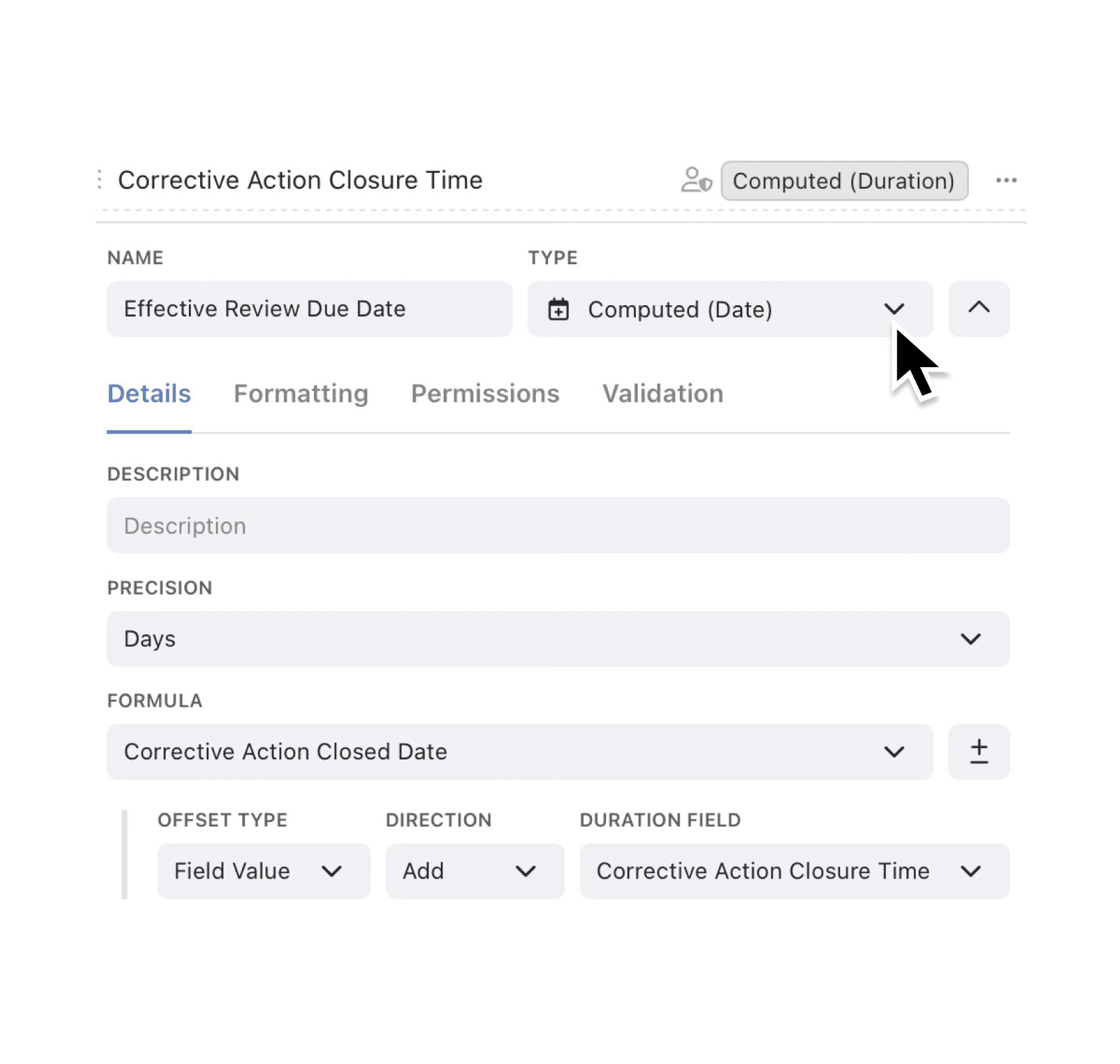
You can now reference any "Duration Field" in your "Computed (Date)" formulas and choose your precision (from seconds all the way to years), so schedules update themselves.
Your computed date expressions aren’t tied to fixed numbers any more. Pick a Duration Field—like “Service SLA” or “Warranty Length”—and Kinabase will add or subtract that value from any date you choose. Extra precision options round out your reporting and grouping tools.
Why it matters:
- Stay in sync – timelines auto-adjust when the Duration values change.
- Plan the way you talk – use seconds, minutes, hours, and up to years directly, rather than relying on workarounds.
- Cut manual edits – one formula update rolls out across every Record.
How it works:
- Edit or add a Computed (Date) field.
- Choose your precision (seconds, minutes, hours, days, weeks, months, quarters or years).
- In Formula, select the date field you are after (e.g. 'Created At') then set the following;
→ Offset Type (fixed value or field value)
→ Direction (add or subtract)
→ Duration Field (which field to use) - When you are happy with your computed date field click Save.
When to use it:
- Operations managers measuring incident resolution time and automatically setting post-incident review deadlines.
- Quality managers measuring corrective action closure time and scheduling effectiveness reviews.
- Procurement managers measuring supplier lead time and generating expected delivery dates.
Try it now in Kinabase → Collections → Fields → Computed (Date)
Have feedback? Email support@kinabase.com — we’re listening.