
When you have records linked to other collections, finding the right data often means opening each record to check details in the linked item. If you want to see all animals on farms with capacity over 50, or all projects managed by a specific team member, you previously had no direct way to filter by those linked values.
What's New:
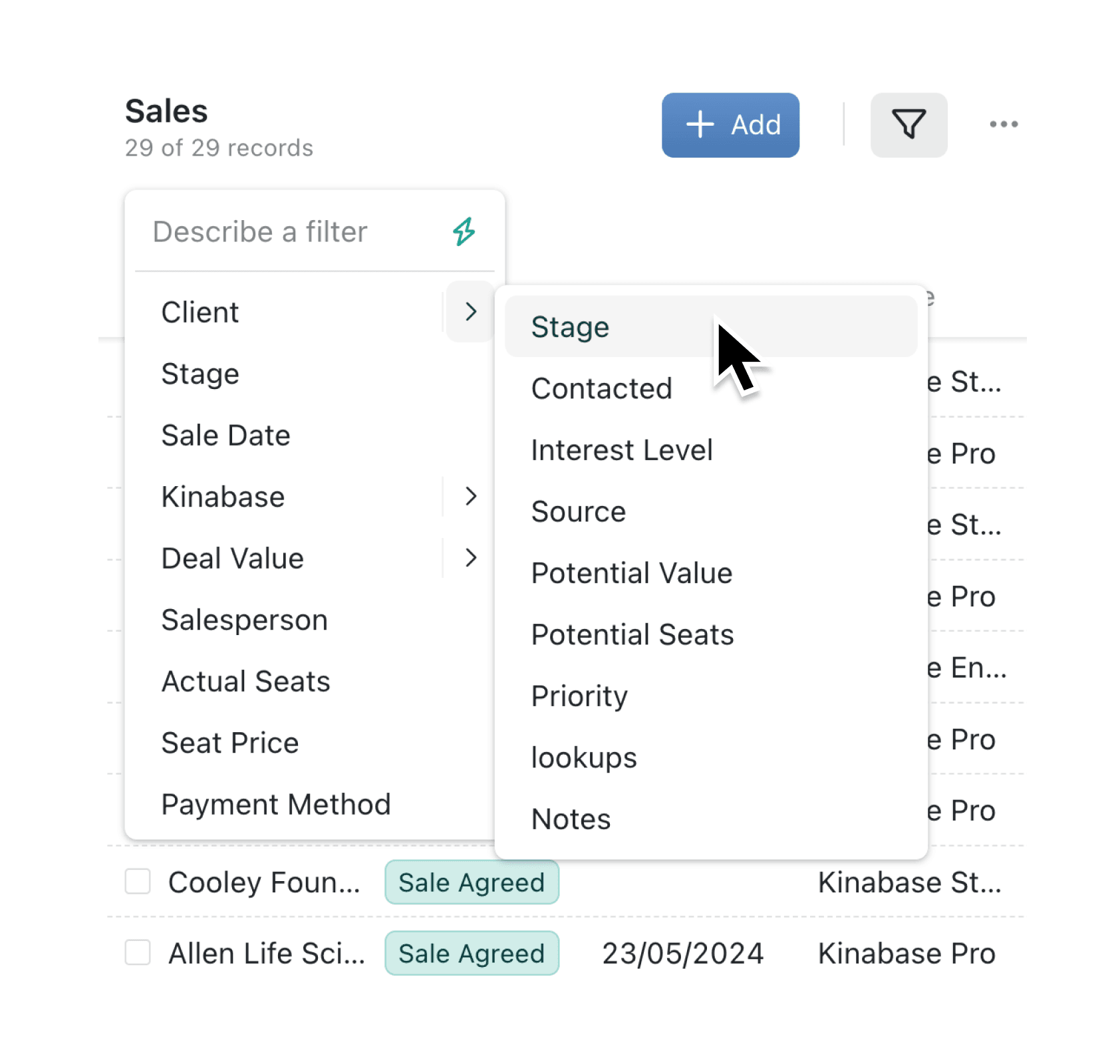
You can now filter any collection by fields in linked records. When you click "Add filter" on a collection with lookup fields, hovering over a linked field reveals a submenu showing all filterable fields from that related collection. Select any subfield to create a filter like "Farm's Capacity is greater than 50" or "Project's Account Manager is Jane Smith". The filter appears as a single, readable chip that clearly shows the relationship.
Why it matters:
- Find related records instantly — Filter your list by any property of linked records without opening each one to check
- Build complex queries visually — Combine chained filters with regular filters and each other (e.g., animals where Farm Name ends with "Farm" AND Farm Capacity exceeds 50)
- Reduce manual cross-referencing — Stop switching between collections to find records that match criteria in related data
- Discover available filters easily — The submenu automatically shows which fields from linked collections you can filter by
How it works:
- Navigate to any collection that contains lookup fields linking to other collections
- Click the "Add filter" button in the toolbar
- Find a linked record field (such as "Farm" or "Project") and hover over the chevron on its right side
- Select the subfield you want to filter by (such as "Name" or "Capacity") from the submenu that appears
- Choose your operation (contains, is greater than, is blank, etc.) and enter a value if required
Note: Clicking directly on the linked field name (rather than the chevron) creates a filter on the link itself, letting you filter by which specific record is linked.
When to use it:
- Operations managers can filter a list of maintenance tasks by the linked equipment's location, category, or status without creating complex views for each scenario
- Sales teams can quickly find all orders from customers in a specific region or with a particular account manager, filtering the Orders collection by Customer fields
- Project coordinators can identify all tasks linked to projects in a certain stage or owned by a specific team, combining multiple chained filters to narrow results precisely
Ready to try it?
Open any collection with linked records and explore the new filter submenus. Your existing views and filters continue to work as before, and you can combine chained filters with any other filter type.
Try it now in Kinabase → Collections → Views → Filters
If you have questions or feedback, we would love to hear from you. Email support@kinabase.com — we’re listening.