
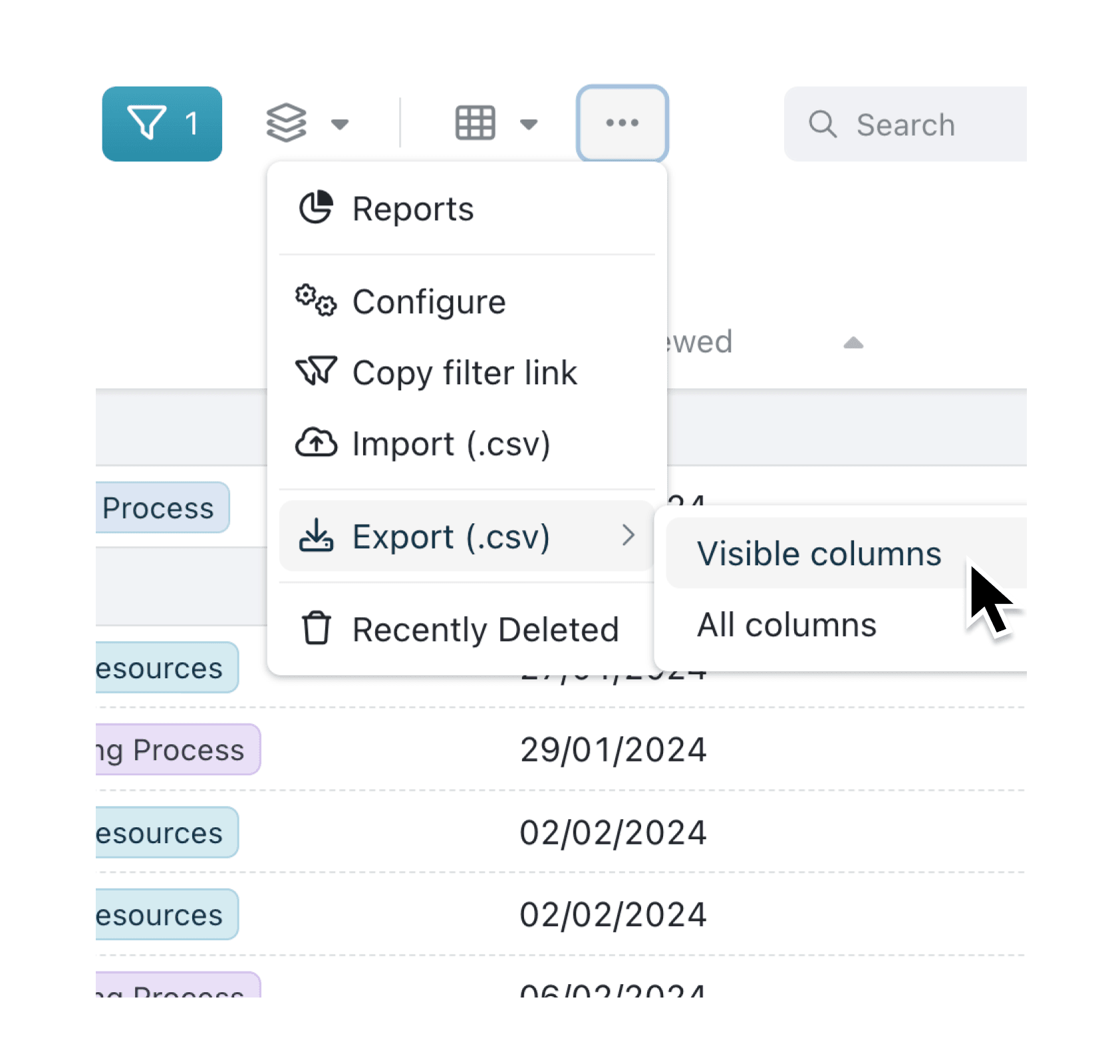
Exporting records used to mean getting a fixed set of columns, regardless of how you'd customised your table view. If you only needed certain fields, you'd have to delete unwanted columns in your spreadsheet afterwards. Now you can choose exactly which columns to export.
What's New:
When you export records from a collection that has saved views, you'll see a submenu with two options: Visible columns exports only the fields shown in your current view, while All columns exports every field in the collection. For collections without views configured, export works as before with a single click.
Why it matters:
- Export precisely what you see — The visible columns option matches your table exactly, so the CSV reflects your curated view without extra clean-up
- Get complete data when needed — The all columns option ensures nothing is missed for audits, migrations, or comprehensive backups
- Maintain data security — Admins can restrict who sees the all columns option, ensuring users without collection configuration permission can only export what's visible to them
- Work faster — Skip the step of manually removing unwanted columns in Excel or Google Sheets
How it works:
- Navigate to any collection and select the records you want to export
- Click the three-dot menu (⋮)
- Hover over Export (.csv) to reveal the submenu
- Choose Visible columns to export only what's shown, or All columns for everything
- The CSV file downloads immediately with your selected fields
Note for admins: The all columns option only appears for users who have collection configuration permission. This prevents users from exporting fields that may be hidden from their view for a reason. Collections without any saved views show a single export button that exports all columns by default.
When to use it:
- Operations managers exporting order data can use visible columns to share only relevant fields with suppliers, keeping internal pricing or notes private
- Finance teams running quarterly audits can export all columns to ensure complete records for compliance, even when their daily view shows just key metrics
- Project coordinators sharing status updates with clients can export their simplified view without exposing internal tracking fields or staff assignments
Export smarter
Try the new export options next time you download records. Select some records, open the context menu, and choose the export type that fits your needs.
Try it now in Kinabase → Collections → Export
If you have questions or feedback, we would love to hear from you. Email support@kinabase.com — we’re listening.