
When your data lives in separate collections, tracking how records connect to each other can become difficult. You might need to know which suppliers provide parts to which projects, which team members are assigned to which clients, or which documents relate to which cases. Without a clear way to see these connections, important context gets lost.
What's New:
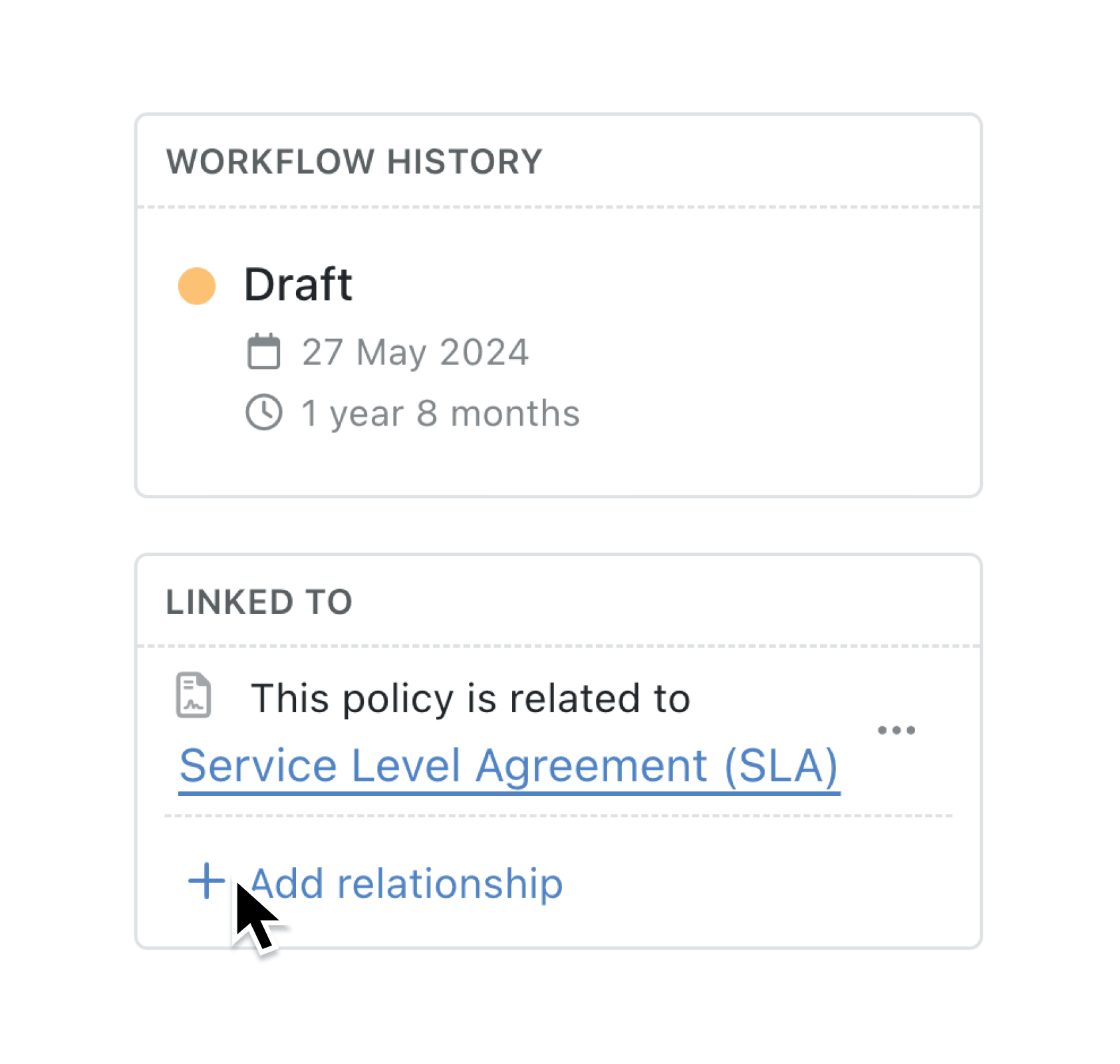
The new Relationships feature lets you create dedicated links between records in different collections. Unlike standard lookup fields that appear in forms and tables, relationship fields are purpose-built for capturing connections and displayed in a dedicated "Linked to" and "Linked from" section on each record. You can define custom verbs to describe each relationship in natural language, making the connections immediately understandable.
Why it matters:
- See connections at a glance with dedicated relationship cards on every record page, showing both outgoing links (records this one points to) and incoming links (records that point to this one)
- Keep forms uncluttered since relationship fields are hidden from data entry forms and list views, appearing only where they matter most
- Describe relationships naturally using custom verbs like "is led by" and "leads" instead of generic field labels, so anyone can understand the connection
- Add and manage links easily through a simple modal interface that lets you search and select related records without navigating away
How it works:
- Open the collection you want to configure and go to Settings
- Select Relationships from the Setup section in the left sidebar
- Click Add to create a new relationship
- Enter a name for the relationship and select the target collection
- Optionally, enable Multiple Records to allow linking to multiple records, and configure custom outgoing and incoming verbs
- Save your changes and open any record to see the new relationship cards in the sidebar
When to use it:
- Project managers can link team members, suppliers, and deliverables to projects, instantly seeing all stakeholders when reviewing project details
- Account managers can connect contacts to companies and track which deals relate to which clients, with clear verbs like "works at" and "employs"
- Operations teams can map dependencies between assets, processes, and locations, viewing both upstream and downstream connections from any record
Explore the Relationships feature in your collection settings today.
Try it now in Kinabase → Collections → Settings → Relationships
If you have questions or feedback, we would love to hear from you. Email support@kinabase.com — we’re listening.