
When linking records to multiple related items, scrolling through a dropdown list can slow you down, especially when you need to select several options at once. This is particularly frustrating when you already know exactly which items you want, but have to search for each one individually.
What's New:
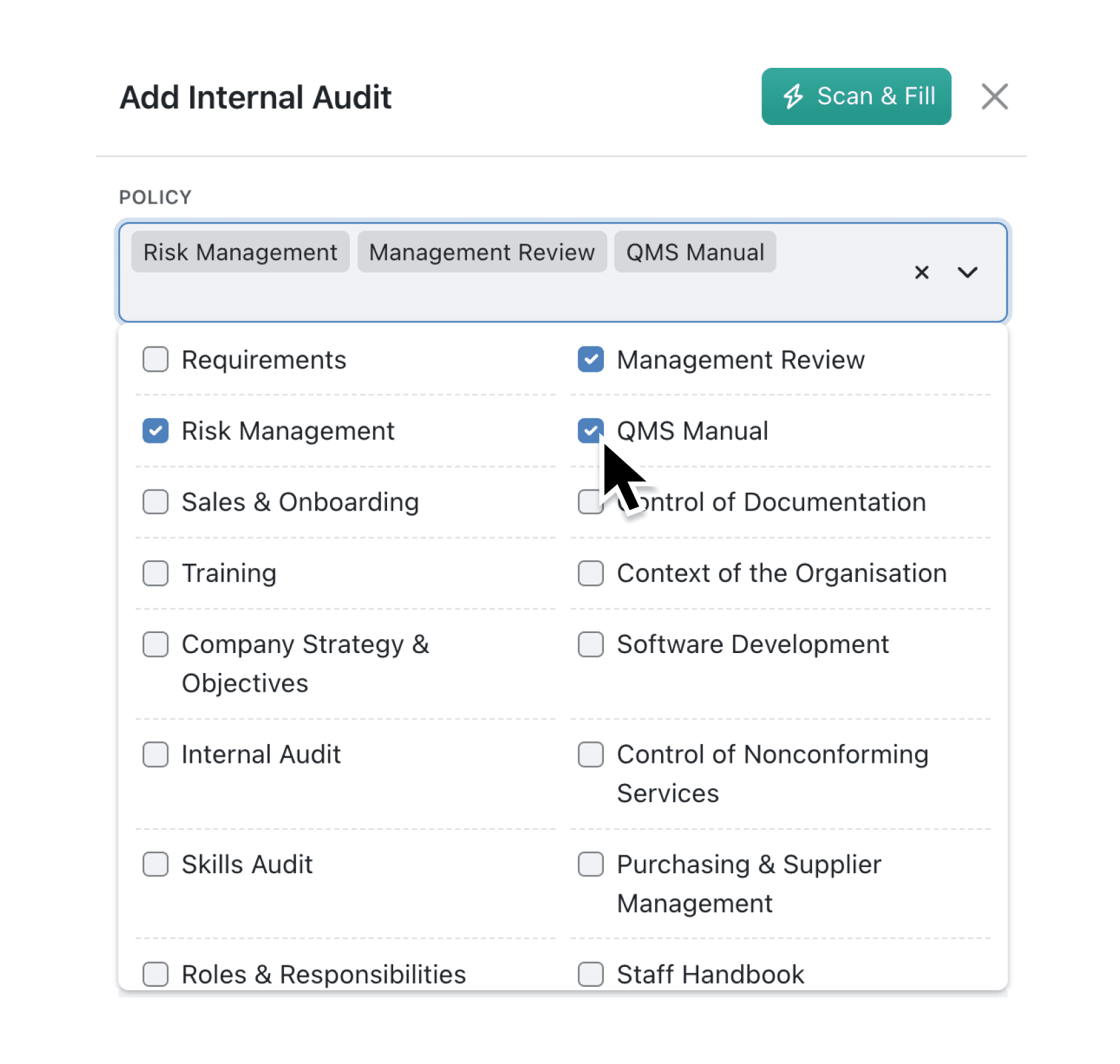
Multi-record fields now offer a checkbox display mode as an alternative to the standard dropdown list. When configured, all available options appear as checkboxes in a grid layout, letting you tick multiple selections without opening a dropdown or typing search terms. This brings multi-record fields to parity with multi-option fields, which already support checkbox display.
Why it matters:
- Select multiple records instantly by clicking checkboxes rather than searching and clicking each option separately in a dropdown
- See all available options at a glance, making it easier to ensure you haven't missed any relevant linked records
- Reduce data entry time when regularly selecting from a known set of linked records, such as assigning team members or tagging categories
- Configure the experience per field, choosing the display mode that best suits how your team works with each relationship
How it works:
- Navigate to the Collection configuration page and select the Fields tab.
- Edit an existing multi-record field or create a new one.
- Expand the field settings and select the Input tab.
- Choose between List (the default dropdown) or Checkboxes using the Input Type selector.
- Save the field to apply your changes.
Note: The Image Thumbnail option for dropdowns is only available when using List mode, as checkboxes display text labels only.
When to use it:
- Project managers assigning multiple team members to a task can see the full team roster as checkboxes, quickly ticking the relevant people without searching for each name
- Sales teams tagging opportunities with multiple product categories can select all applicable tags in one view, ensuring comprehensive categorisation
- Operations staff linking orders to multiple suppliers or inventory items benefit from the at-a-glance visibility, reducing the chance of missing a selection
Start using checkbox mode today
Visit your Collection settings to try the new checkbox display on your multi-record fields. This option works across both the main application and client portals, giving your team and external collaborators a consistent experience.
Try it now in Kinabase → Collections → Fields → Multi-record
If you have questions or feedback, we would love to hear from you. Email support@kinabase.com — we’re listening.