
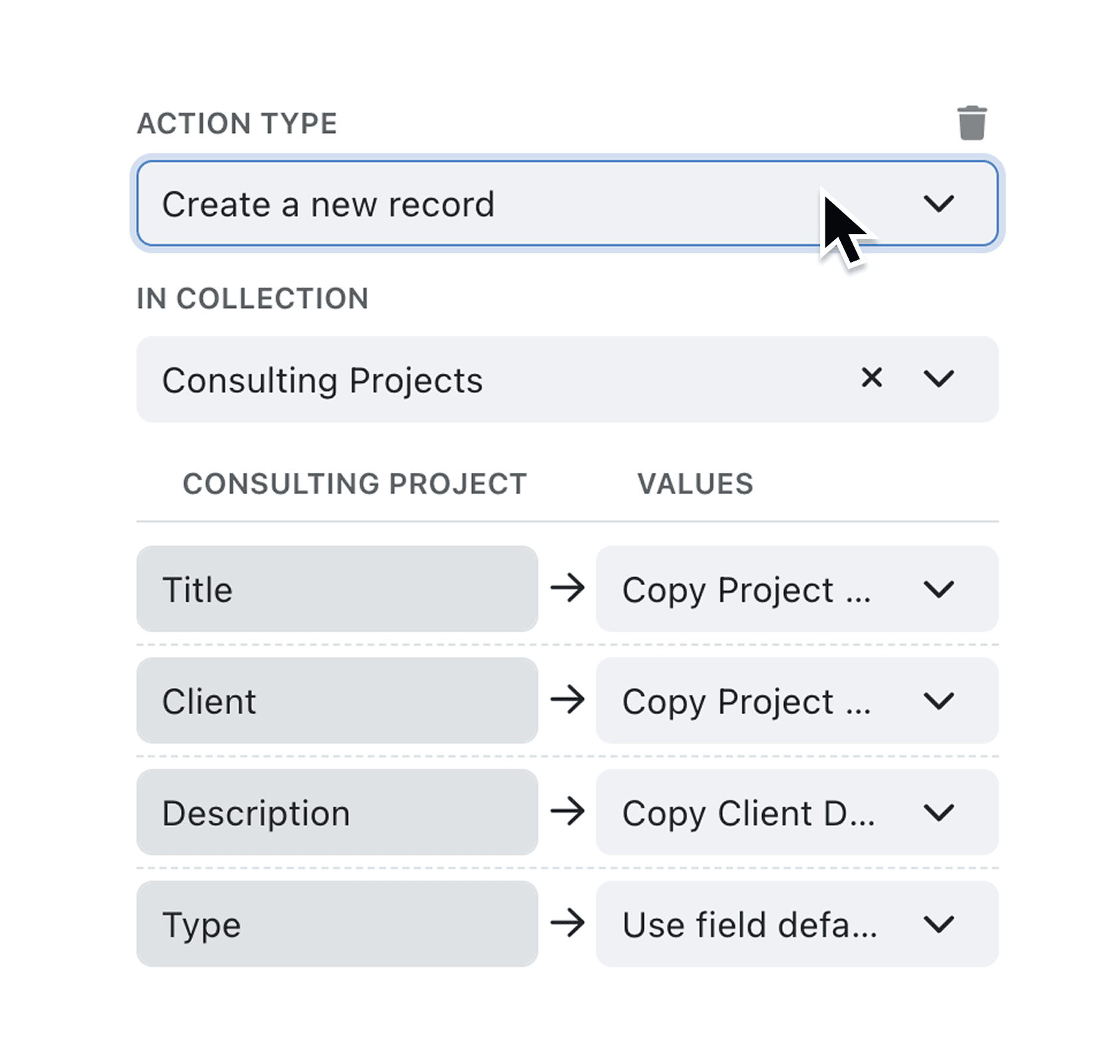
Managing hierarchical data often requires creating records that belong to a parent record. Until now, automations could only create standalone records, forcing you to manually add related child records or build complex workarounds.
What's New:
The "Create a new record" automation step now supports subcollections. When you select a subcollection as your target in the In Collection dropdown, the parent field appears with a "(Parent)" label and is automatically marked as required. You can link the new record to the triggering record, copy a value from context, or set a fixed value. The system validates your configuration and prevents saving incomplete automations.
Why it matters:
- Automate hierarchical data entry by creating child records that are automatically linked to their parent, eliminating manual data entry for related records
- Reduce configuration errors with clear visual indicators showing which field connects the subrecord to its parent collection
- Build complete workflows that span multiple collection levels, creating parent records and their associated children in a single automation sequence
- Maintain data integrity through automatic validation that ensures every subrecord has a valid parent assignment before the automation can run
How it works:
- Navigate to the Automations page from the main menu
- Create a new automation or edit an existing one
- Add a "Create a new record" step to your automation
- In the In Collection dropdown, select a subcollection (these appear with their parent collection name, e.g. "Customer - Orders")
- Assign a value to the parent field (marked with "(Parent)" suffix) by linking to the current record, copying from context, or setting a fixed value
- Configure any additional field assignments and save your automation
When to use it:
- Operations managers can automate order line creation: when a new order is added, automatically create standard line items linked to that order
- Project coordinators can trigger task generation: when a project reaches a certain stage, create milestone records as children of the project
- Account managers can streamline onboarding: when a new client record is created, automatically generate linked contact records, contract records, or service agreement subrecords
Start automating your subrecords
Visit the Automations page to update your existing workflows or create new ones that take advantage of subcollection support.
Try it now in Kinabase → Automations → Create record
If you have questions or feedback, we would love to hear from you. Email support@kinabase.com — we’re listening.