
Managing portal access for external users often involves repetitive manual steps. Whether you're onboarding new clients, adjusting permissions when a project ends, or sending welcome emails at the right moment, these tasks add up quickly across hundreds of records.
What's New:
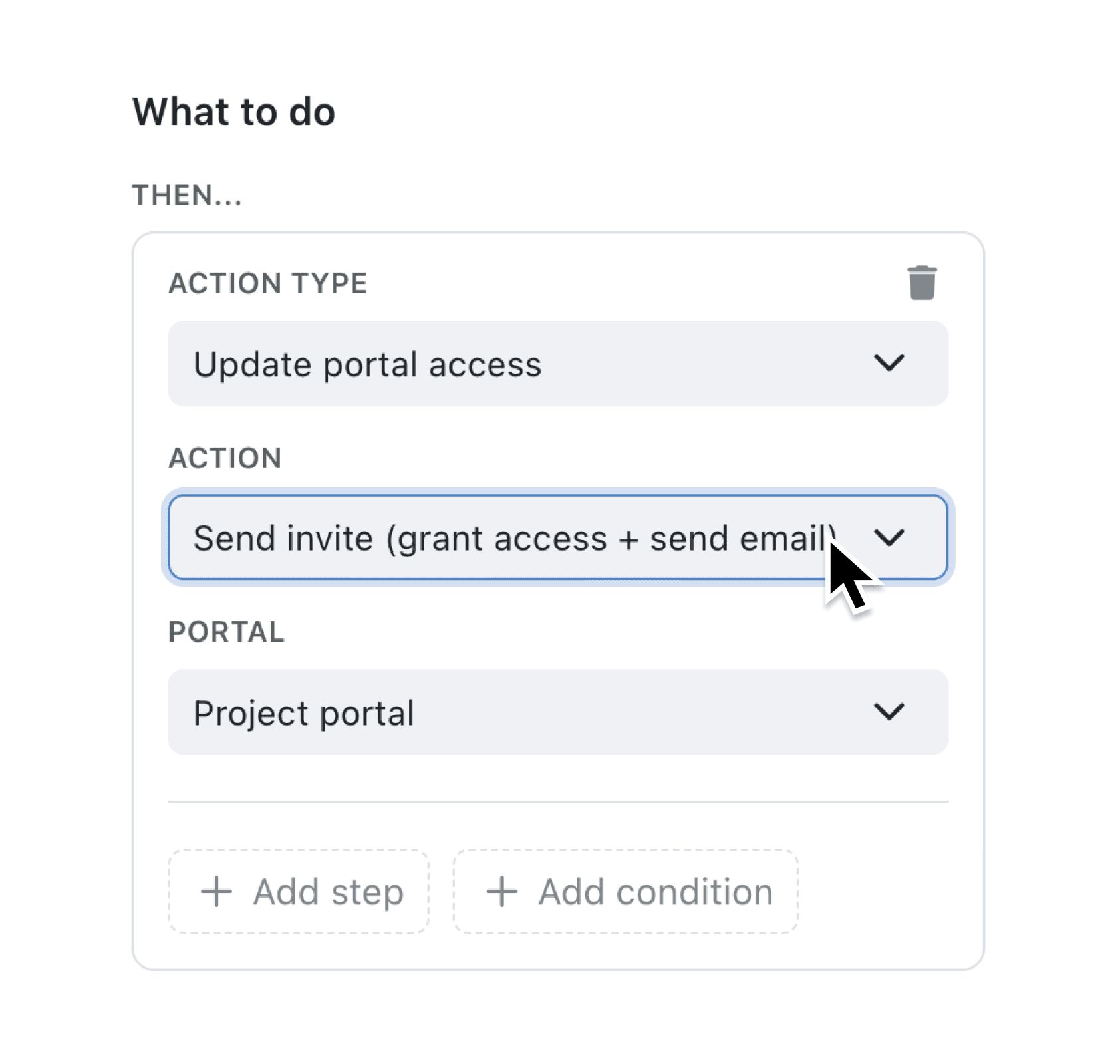
The new Update portal access automation step gives you three actions to control external user access automatically:
- Send invite grants access and sends the portal's configured invitation email
- Grant access enables access silently, without sending any email
- Revoke access removes access silently, without notification
Each action is designed to work reliably in automated workflows. If you grant access to someone who already has it, or revoke access from someone who doesn't, the automation continues smoothly rather than stopping with an error.
Why it matters:
- Eliminate manual onboarding steps by triggering portal invitations automatically when records reach specific workflow stages or match certain conditions
- Control the user experience precisely by choosing whether to send an email invitation or grant access quietly behind the scenes
- Build complete lifecycle automations that grant access when clients sign up and revoke it when contracts end, all without manual intervention
- Reduce support requests by ensuring external users receive their portal invitations at exactly the right moment in your process
How it works:
- Open the automation editor for any collection that serves as a portal's user collection
- Add a new step and select Update portal access from the Action Type dropdown
- Choose your action: Send invite (grant access + send email), Grant access (without invitation email), or Revoke access
- Select which portal the action applies to (if you have multiple external portals)
- Configure your trigger (workflow stage change, context menu button, or scheduled event) and save
Note: The Update portal access step only appears when your automation's collection is configured as the user collection for an external portal.
When to use it:
- Client onboarding managers can create automations that send portal invitations automatically when a client record moves to the "Active" stage, ensuring every new client receives timely access
- Operations teams can build context menu actions that let staff grant or revoke access with one click, complete with confirmation dialogs and audit trails
- Account managers can set up scheduled automations that revoke portal access 30 days after a contract end date, automating the offboarding process entirely
Explore the Update portal access step in your automation settings today.
Please note: Adding more than 50+ external users may affect your portal billing costs.
Try it now in Kinabase → Automations → Update portal access
If you have questions or feedback, we would love to hear from you. Email support@kinabase.com — we’re listening.