
When your team logs important client interactions or project updates, sometimes a quick acknowledgement is all that's needed. Previously, you'd have to add a follow-up note just to say "got it" or "great work"—adding noise to your activity timeline and taking time away from real work.
What's New
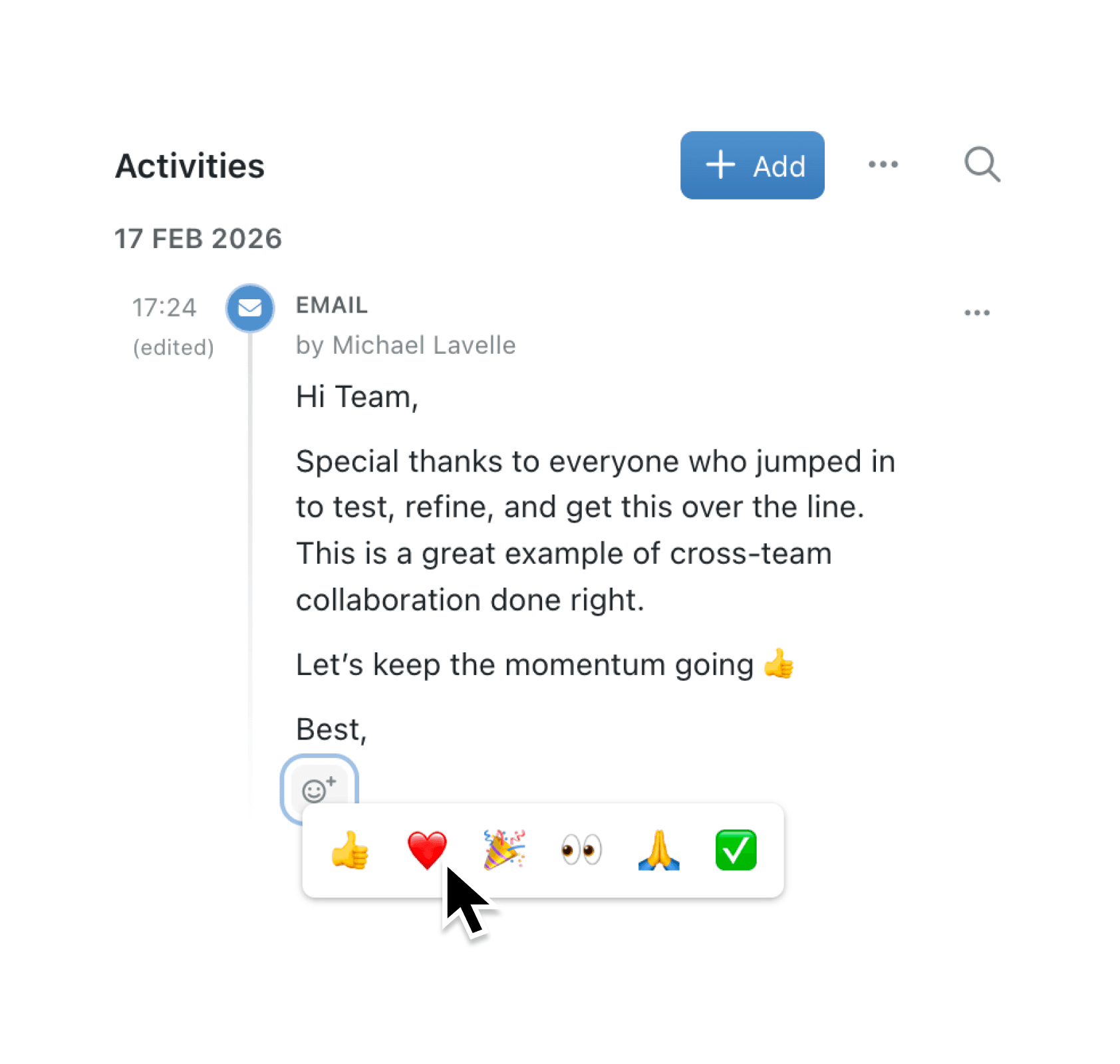
You can now react to activities with emoji. A curated selection of six reactions—thumbs up, heart, party popper, eyes, thank you, and check mark—lets you respond instantly to notes, emails, phone calls, and meetings. Reactions appear below each activity, showing who reacted and how many people joined in. Hover over any reaction to see exactly who's acknowledged an update.
Why it matters:
- Acknowledge updates instantly without creating additional activity entries that clutter your timeline
- See who's engaged by hovering over reactions to view the names of colleagues who responded
- Stay informed with notifications when someone reacts to your activities, with configurable priority settings
- Keep your timeline focused on meaningful notes and communications rather than acknowledgement messages
How it works:
- Open any record and navigate to the Activities tab.
- Find a note, email, phone call, or meeting you want to react to.
- Hover over the activity and click the smiley face icon that appears.
- Select an emoji from the picker to add your reaction.
- Click your reaction again to remove it if needed.
To manage reaction notifications, go to Settings > Account > Notifications and adjust the Activity Reaction priority to control how and when you're notified.
When to use it:
- Sales teams can use thumbs up to acknowledge a colleague has logged a client call, signalling they've seen the update without interrupting the timeline.
- Operations managers can react with a check mark to confirm they've reviewed important activity notes, providing visibility that updates have been seen.
- Project leads can use the party popper to celebrate team wins logged in meeting notes, building team morale without adding extra messages.
Get Started
Emoji reactions are available now across all your collections with activities enabled. Open any record's Activities tab and try reacting to your team's latest updates.
Have feedback? Email support@kinabase.com — we're listening.
If you have questions or feedback, we would love to hear from you. Email support@kinabase.com — we’re listening.