
You've built a sophisticated collection with aggregations that sum totals from linked records, lookups that pull customer details, and computed fields with complex formulas. But when your colleagues try to use it, they're left guessing what each field actually means. Until now, adding helpful descriptions to these advanced field types wasn't even possible.
What's New
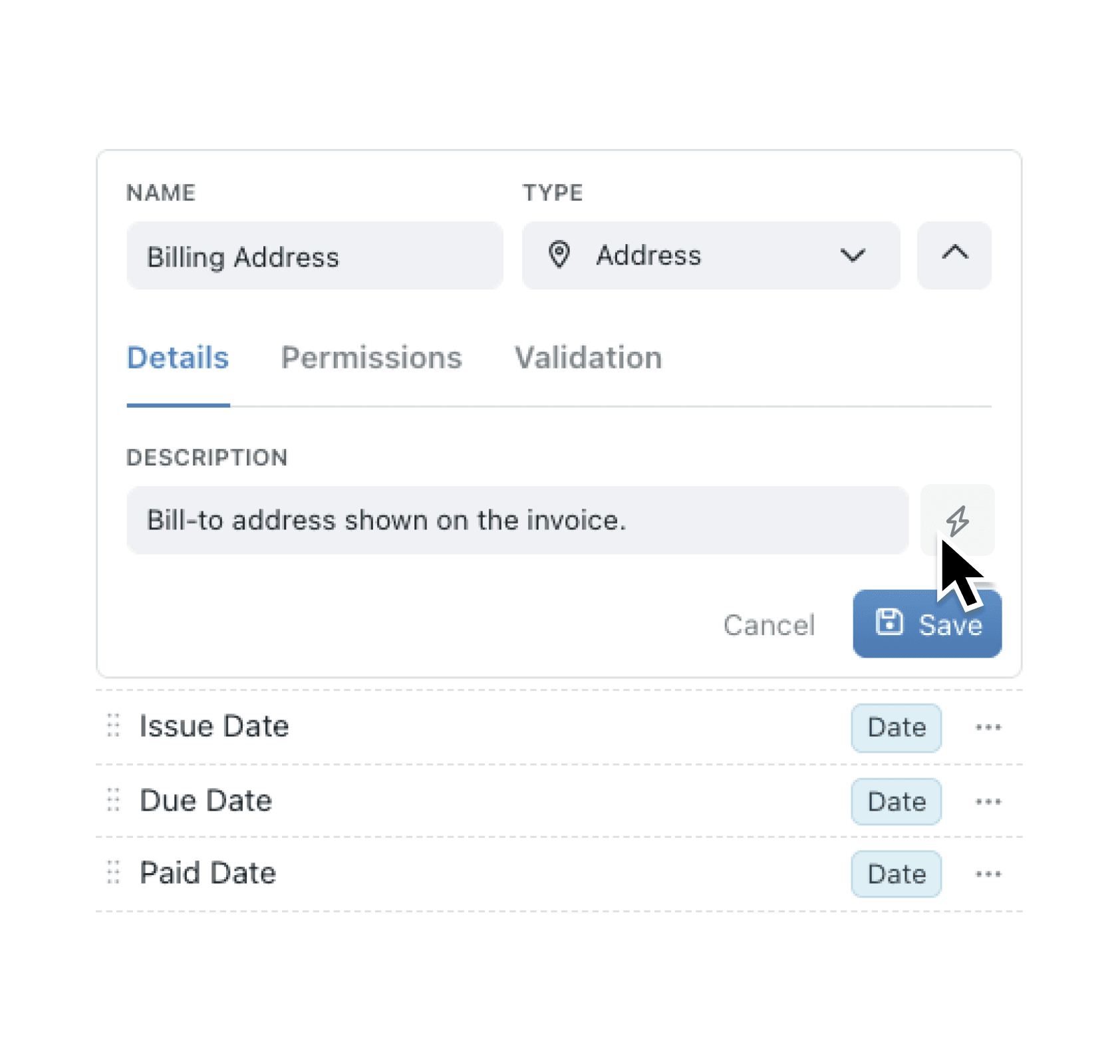
Every field type in Kinabase now supports descriptions, including aggregations, lookups, and datetime aggregations that previously couldn't have them. Better still, a new AI assistant can generate these descriptions for you automatically. Click the bolt icon next to any field's Description input, and AI analyses the field's configuration to write a clear, plain-language explanation in seconds.
Why it matters:
- Eliminate guesswork for your team by providing instant context on what each field calculates, fetches, or displays without needing to dig into configuration settings
- Save time documenting complex fields with AI that understands your aggregation modes, link relationships, and computed formulas to generate accurate descriptions automatically
- Maintain consistency across your workspace as AI-generated descriptions follow the same clear, jargon-free style throughout all your collections
- Onboard new team members faster with self-documenting fields that explain themselves right where users need the information most
How it works:
- Navigate to any collection and open the field editor
- Select the field you want to document (this works for aggregations, lookups, computed fields, and all other types)
- In the Details tab, find the Description input field
- Click the bolt icon to generate a description with AI
- Review the suggested description and save your changes
Note: The AI generation button appears only for collections that have been saved. New collections must be saved first before AI descriptions become available.
When to use it:
- Finance teams managing expense collections can document aggregation fields like "Total Approved Expenses" so approvers immediately understand this sums all linked expense items with an approved status
- Project managers can describe lookup fields that pull client contact details from a separate Customers collection, making it clear which linked data appears in project records
- Operations teams with datetime aggregations showing "Latest Activity Date" can generate descriptions explaining this displays the most recent activity timestamp from all linked activity records
Get Started
Open the field editor in any collection and look for the bolt icon next to the Description field. Your team will thank you for the clarity.
We'd love to hear how AI-generated descriptions are working for you. Share your feedback through the usual channels.
If you have questions or feedback, we would love to hear from you. Email support@kinabase.com — we’re listening.