
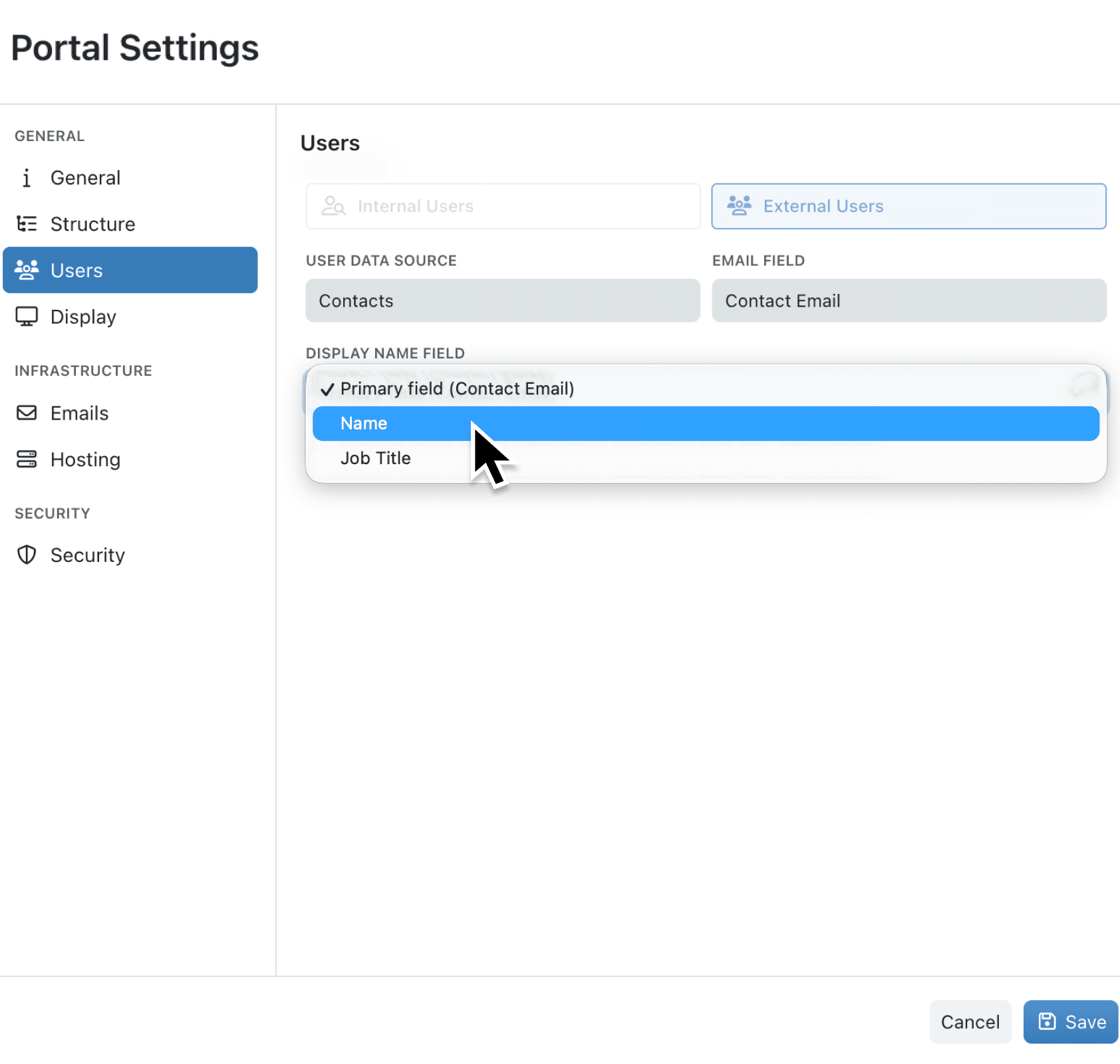
When external users log into your portal, they deserve a personal welcome. But if your user collection's primary field is a customer ID, company name, or email address, your portal greets visitors with "Welcome ACME-001!" instead of "Welcome Sarah!". This creates an impersonal experience that doesn't reflect the care you put into building your portal.
What's new:
Portal administrators can now configure a Display Name Field in the portal settings. This setting controls how user names appear throughout the portal, including the welcome message on the home page, the user menu in the sidebar, and invitation emails. You choose any suitable text field from your user collection, and Kinabase uses that field's value wherever a user's name is displayed.
Why it matters:
- Create warmer first impressions by greeting portal users with their actual name rather than an identifier or company name
- Keep your data structure intact without needing to change your primary field just to improve portal greetings
- Personalise invitation emails so recipients see their name in the welcome message when they're invited to your portal
- Maintain flexibility with an optional setting that defaults to your primary field if you prefer the current behaviour
How it works:
- Open Settings and select Portals from the navigation.
- Select the portal you want to configure and click to edit.
- Go to the Users tab.
- Locate the new Display Name Field dropdown below the Email Field selector.
- Choose a field from your user collection that contains the name you want displayed (such as a "Full Name" or "First Name" field).
- Save your changes. Users will now see the selected field's value as their name throughout the portal.
Note: If you don't select a display name field, the portal continues to use your collection's primary field as before.
When to use it:
- Customer service teams managing client portals can display first names for a friendlier experience, even when their primary field is an account number for internal tracking
- HR administrators running employee self-service portals can show full names while keeping employee IDs as the primary field for system integrations
- Partner managers can personalise supplier or vendor portals by displaying contact names rather than company names
Get started
Configure your portal's display name field in Settings → Portals. Edit your portal, go to the Users tab, and select the field you want to use for greetings and user names.
If you have questions or feedback, we would love to hear from you. Email support@kinabase.com — we’re listening.