
When building a portal for your external users, every navigation item should lead somewhere useful. Reference data collections like Countries, Categories, or Tax Codes are small lookup lists that support your main data, not standalone pages worth navigating to. Until now, these collections appeared alongside your standard collections in the portal structure editor, making it easy to add one unintentionally.
What's new:
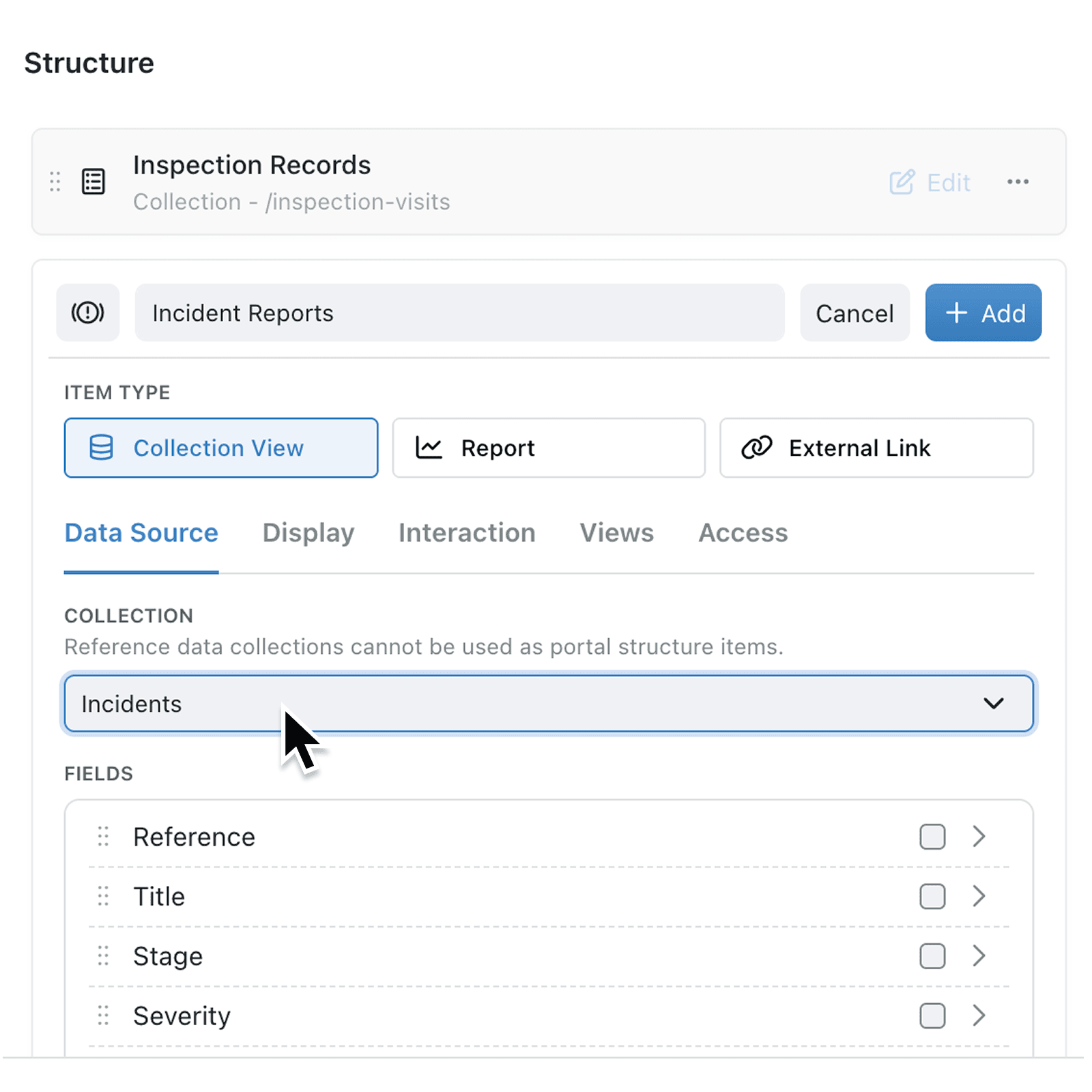
Reference data collections are now automatically excluded from the portal navigation item picker. When you configure a Collection View or Report navigation item for your portal, only standard collections appear in the dropdown.
Why it matters:
- Prevent confusing portal experiences by ensuring external users only see meaningful navigation items that lead to real working data.
- Reduce configuration mistakes since admins no longer need to remember which collections are reference data and which are standard when building portal navigation.
- Maintain consistency across your platform as the main application already excludes reference data from its own navigation sidebar, and portals now follow the same logic.
How it works:
- Navigate to Settings > Portals and open the portal you want to configure.
- In the Structure pane, click Add item to create a new navigation item.
- Select Collection View or Report as the item type.
- Choose from the collection dropdown, which now only shows standard collections. You will see a note below the dropdown: "Reference data collections cannot be used as portal structure items."
- Save the portal. If an existing navigation item references a reference data collection, you will see an error asking you to update it.
When to use it:
- Implementation consultants rolling out portals for new clients benefit from fewer configuration pitfalls, as the system guides admins toward the right choices.
- Operations managers reviewing portal structure can trust that every navigation item serves a purpose and leads to meaningful data for their customers.
Get started
Open any portal in Settings > Portals and review your navigation structure. The collection picker will now only show eligible collections, and you will see helpful descriptions guiding your choices.
If you have questions or feedback, we would love to hear from you. Email support@kinabase.com — we're listening.