
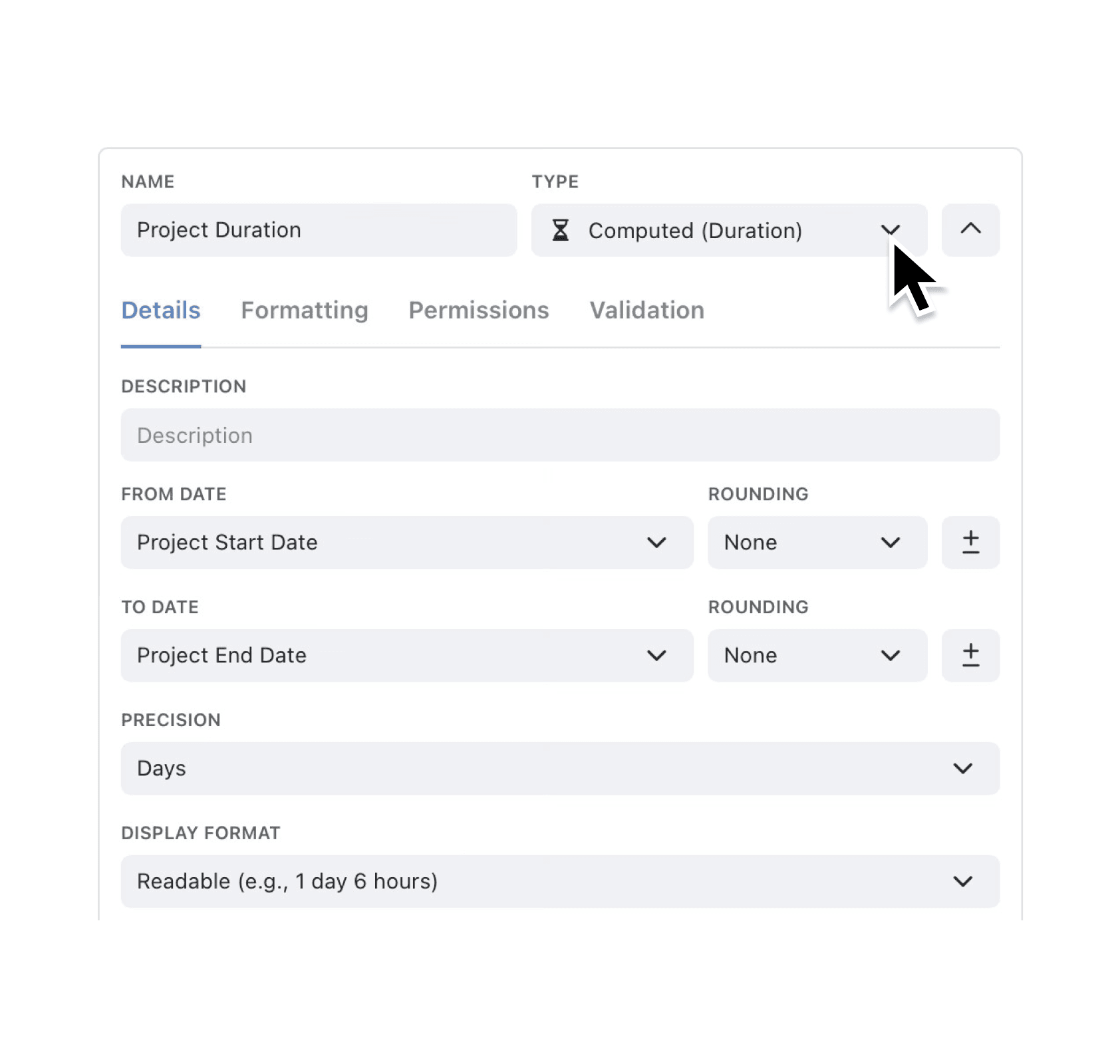
Tracking turnaround times is now effortless. The new Computed Duration field measures the gap between any two date or datetime expressions in real time, so you always see accurate cycle-time, downtime, or tenure figures without spreadsheets.
Need to show lead time in days, machine downtime in hours, or employee tenure in years? Just add a Computed Duration field and let Kinabase keep every record up-to-date.
Why it matters:
- Slash manual maths – Kinabase calculates durations automatically, freeing you from formulas in Excel.
- See the units you need – choose from seconds, minutes, hours, days, weeks, months, or years for precise insight.
- Format for clarity – show results as readable text (3 days 4 h) or as a clean decimal (3.17 days).
- Works everywhere – durations update instantly in Views, Dashboards, Reports, and Automations.
How it works:
- Open a Collection and click Add Field → Computed (Duration).
- Pick your "From" and "To" date fields; Kinabase previews the result.
- Select the precision (seconds to years) and display format, then save. Your records recalculate immediately.
When to use it:
- Manufacturing team measuring production cycle time between job start and completion dates.
- Operations manager tracking supplier lead times from order date to delivery date.
- Business teams analysing sales deal duration from first contact to contract close.
Try it now in Kinabase → Collections → Fields → Computed (Duration).
Have feedback? Email support@kinabase.com — we’re listening.