
When you're building a system that needs to categorise or visually distinguish records, having consistent colour values matters. Whether you're tracking product variants, managing brand assets, or creating a shared list of categories that other collections reference, you've likely resorted to workarounds like text fields with manual hex codes or separate option fields for colour names.
What's New:
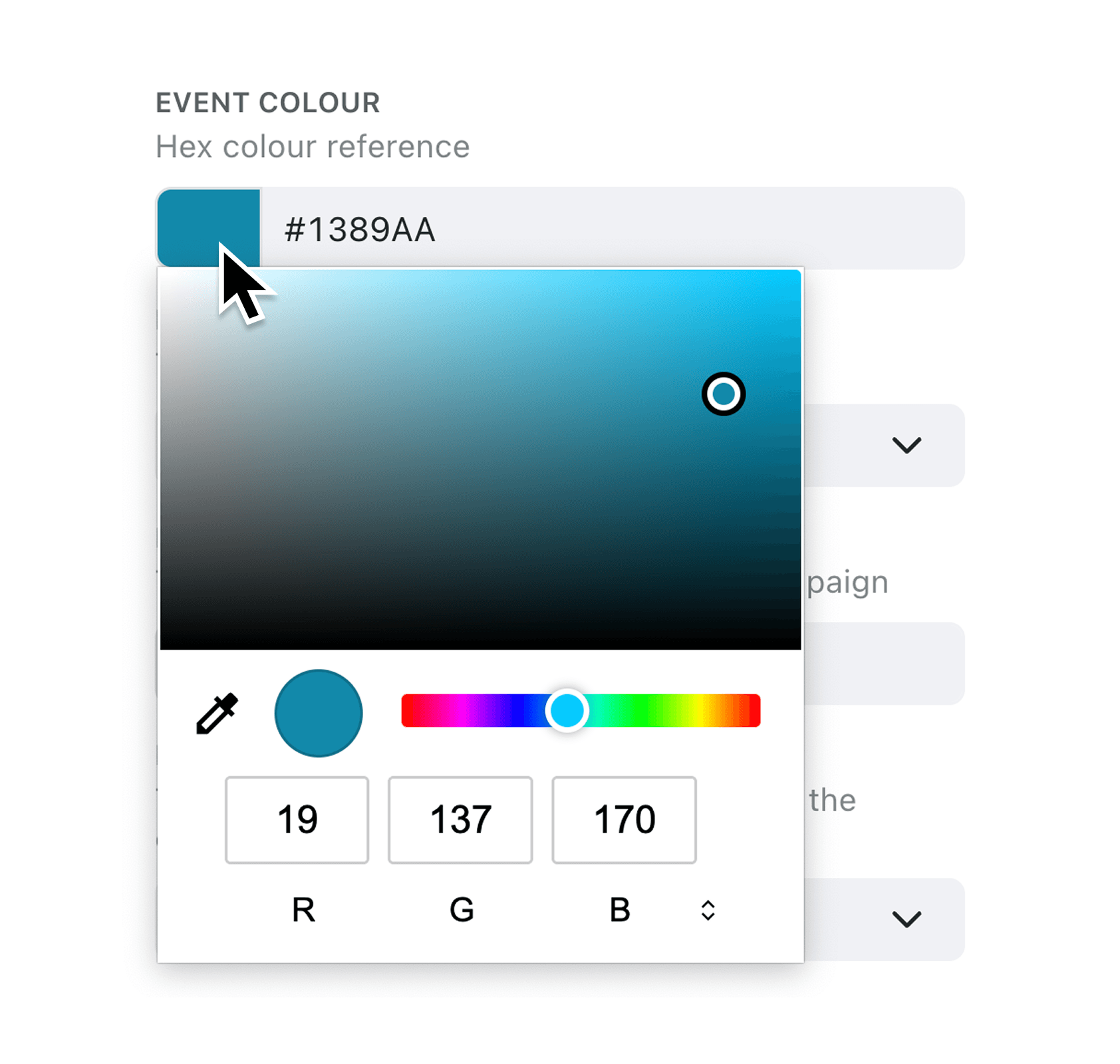
You can now add a Colour field to any collection in Kinabase. This field stores colours as hex codes (like #FF5733) and displays them with a visual swatch alongside the code. When entering colours, you can type the hex value directly or use the colour picker to select visually. The field automatically normalises your input, adding the leading hash symbol and converting to uppercase for consistency.
Why it matters:
- Store precise colour values directly in your records without text field workarounds or manual validation
- See colours at a glance with the built-in swatch display that shows the actual colour next to its hex code in tables and record views
- Import and export seamlessly via CSV, with automatic normalisation that handles values with or without the hash prefix
- Maintain data quality through built-in validation that only accepts properly formatted 6-digit or 8-digit hex codes
How it works:
- Open the collection where you want to add a Colour field
- Go to the Fields tab in collection settings
- Click Add field and search for "Colour" (you can also find it under hex, RGB, or palette)
- Give your field a name and save
- Start entering colours using the picker or by typing hex values like #FF5733
When to use it:
- Product managers tracking product variants can store exact brand colours for each SKU, ensuring consistency across catalogues and marketing materials
- Marketing teams building shared category lists can assign colours to categories once, then reference them across multiple collections for consistent visual coding
- Operations managers organising workflows can use colour values alongside stage colours to create richer visual hierarchies in their processes
Ready to try it?
Add a Colour field to one of your collections today. Visit any collection's settings, add a new field, and search for "Colour" to get started.
Try it now in Kinabase → Collections → Fields → Colour
If you have questions or feedback, we would love to hear from you. Email support@kinabase.com — we’re listening.