
Clicking through to every website link just to see what it contains wastes time and breaks your focus. When you're reviewing a list of suppliers, checking client portfolios, or scanning competitor websites stored in your records, plain URLs tell you nothing at a glance.
What's New
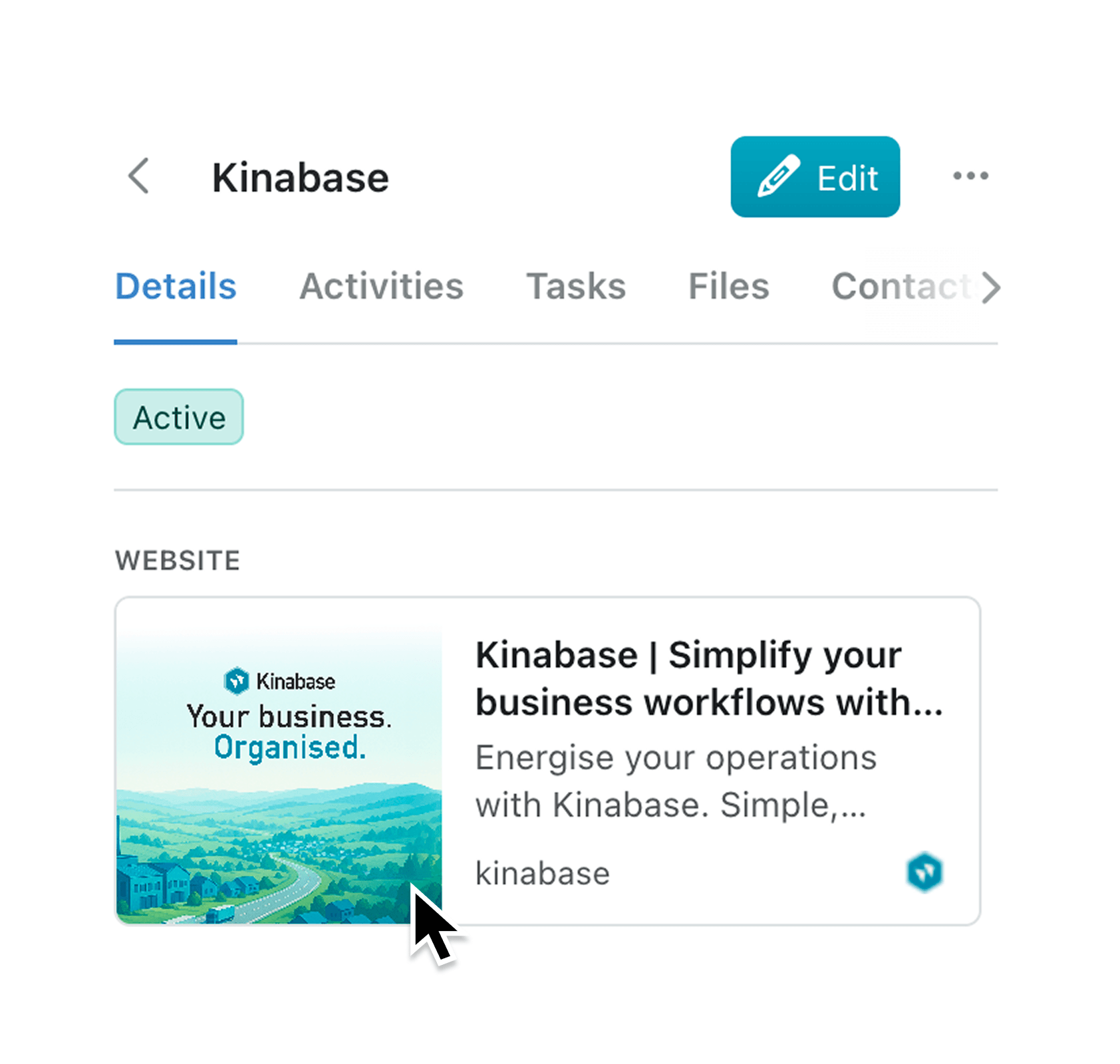
Website fields in record views now display rich link preview cards. When you view a record containing a website URL, Kinabase automatically fetches the page's metadata and shows you a visual preview card with the site's image, title, description, and favicon. This works for any website field across all your collections.
Why it matters:
- Understand links at a glance — See what a website contains without opening it in a new tab, saving time when reviewing multiple records
- Maintain context while working — Preview cards keep you in Kinabase rather than bouncing between browser tabs, helping you stay focused on the task at hand
- Identify sources quickly — Site names and favicons make it easy to recognise familiar sources and distinguish between similar links
- Handle gracefully when previews aren't available — If a site doesn't provide preview data, Kinabase shows a clean clickable link so you can still access the URL
How it works:
- Navigate to any record that contains a website field
- View the record details — website fields now show preview cards automatically
- Click the preview card to open the linked website in a new tab
No configuration is required. Link previews work automatically for all existing and new website fields across your workspace.
When to use it:
- Sales teams can quickly scan prospect website fields to understand a company's size, industry, and offerings before outreach calls
- Operations managers reviewing supplier records can verify vendor websites and assess their legitimacy without leaving Kinabase
- Marketing teams tracking competitor or partner links can identify content themes and branding at a glance when planning campaigns
Get Started
Open any record with a website field to see link previews in action. If you have feedback on this feature, we'd love to hear from you.
Also new: choose how website fields display
Website fields now support two display modes on record pages:
- Preview Card for rich metadata with image, title, and description
- Simple Link for a compact clickable URL
Admins can configure this per website field in Configure -> Fields so teams can balance context and screen space based on each use case.
If you have questions or feedback, we would love to hear from you. Email support@kinabase.com — we’re listening.