
Scrolling through a list of names to find the right person takes time. When you're assigning tasks, reviewing colleague activity, or checking who's responsible for a record, names alone don't always help you spot the person you need quickly.
What's New
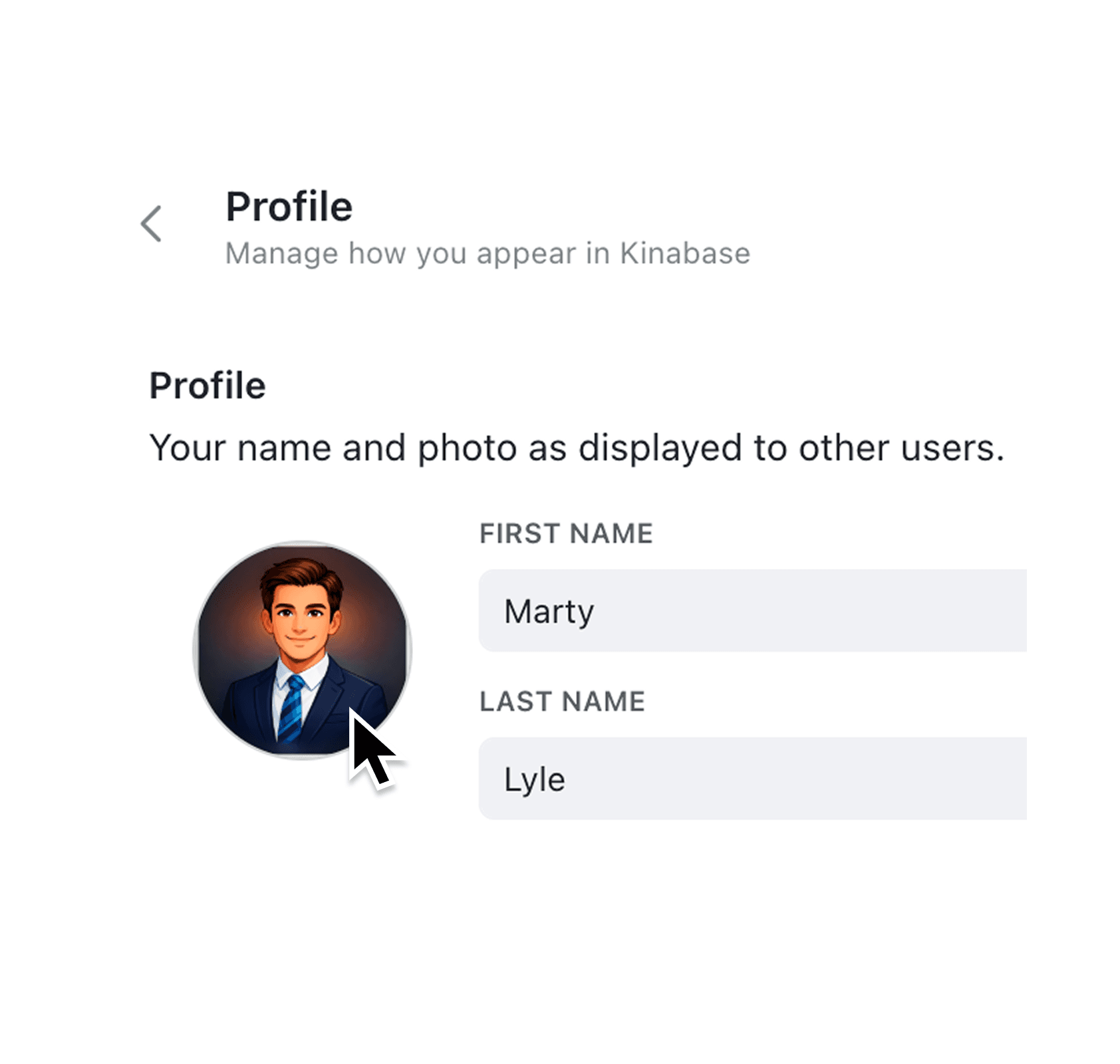
You can now upload a profile photo from your account settings. Your photo displays throughout Kinabase wherever your name appears: in the navigation sidebar, the Colleagues list, task assignments, and record tables. When you update your photo, changes appear instantly across the entire application without needing to refresh.
If your workspace uses Microsoft 365, profile photos can also be synced automatically. Kinabase fetches photos during Microsoft 365 user sync and for colleagues who sign in with Microsoft and do not yet have a photo set.
Why it matters:
- Identify colleagues at a glance — Photos make it faster to scan lists and find the right person, especially in larger teams where names might be unfamiliar
- Build team presence — See real faces alongside work activity, making digital collaboration feel more personal
- Maintain consistency — Your photo automatically appears everywhere your name does, from task assignee badges to the colleague directory
- Stay in control — Upload, change, or remove your photo at any time from account settings with a simple click
- Use Microsoft 365 photos automatically — Keep Kinabase aligned with your Microsoft directory without asking everyone to upload photos manually
How it works:
- Click your name in the bottom-left of the navigation sidebar to open the menu
- Select Settings and navigate to the Profile section
- Hover over the avatar circle and click the camera icon
- Choose an image file (maximum 5MB, any common image format)
- To remove your photo later, hover over the image and click the red delete button
- Optional: If Microsoft 365 sign-in is enabled, run Settings > Identity & Provisioning > Sync now to populate missing photos automatically
When to use it:
- Team leaders can quickly spot their direct reports when reviewing task boards or activity feeds
- New colleagues become recognisable to the wider team before meeting in person
- Anyone working across departments can put faces to names when collaborating on shared records
- IT administrators can onboard users from Microsoft 365 with profile photos populated automatically
Get Started
If you haven't added your photo yet, head to Settings and personalise your profile. Your colleagues will thank you for it.
If you have questions or feedback, we would love to hear from you. Email support@kinabase.com — we’re listening.