
Applying the same automation to many records one at a time wastes valuable time. Whether you're updating order statuses, sending notifications to a batch of customers, or transitioning multiple projects to a new stage, clicking through each record individually slows your team down.
What's new:
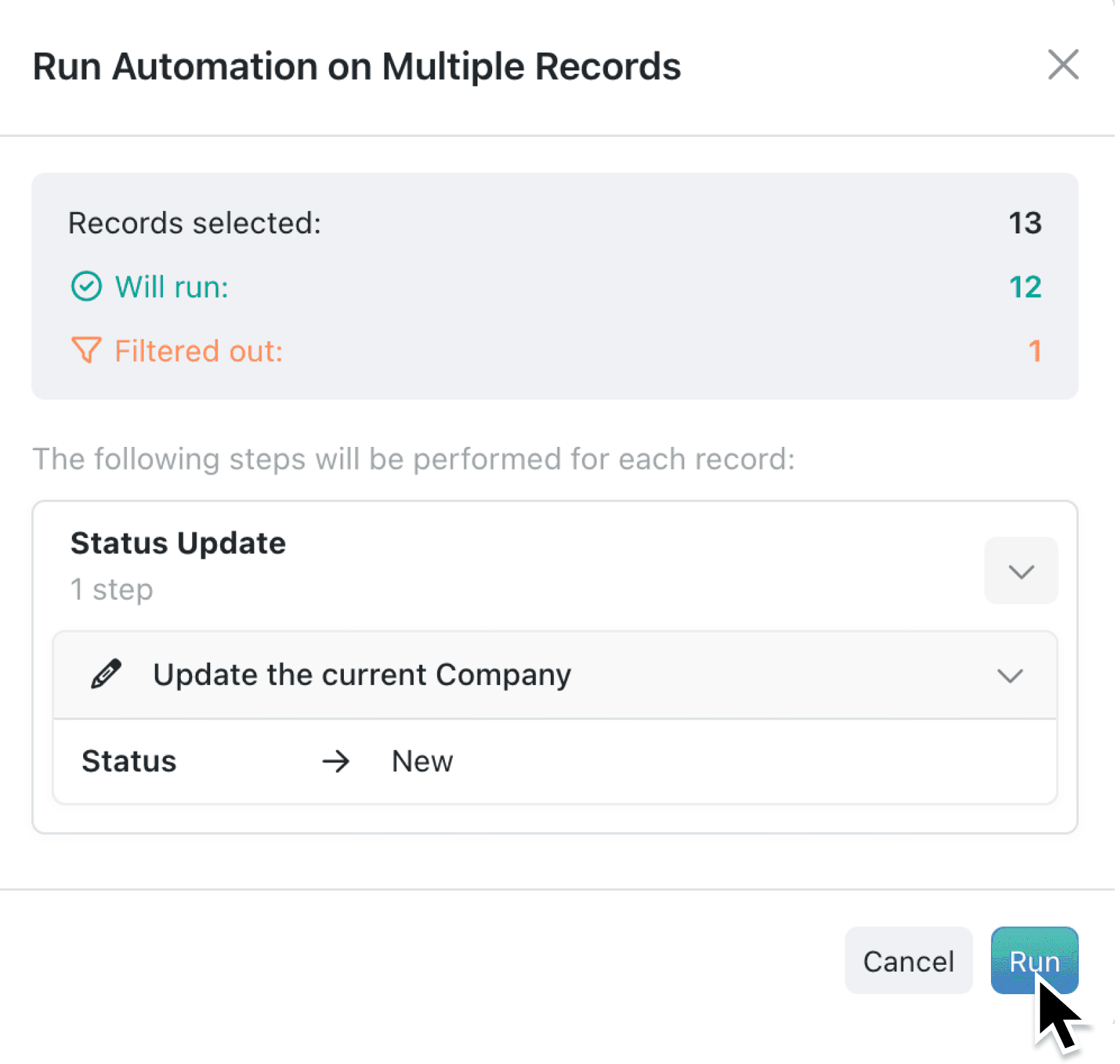
You can now run context menu automations on multiple selected records at once. Select your records, right-click, choose an automation, and Kinabase processes them all in a single operation. A preview modal shows you how many records will run and how many will be filtered out based on your automation's conditions before you commit.
Why it matters:
- Eliminate repetitive clicking by processing up to 100 records with one action instead of running the same automation dozens of times
- Preview before you run to see how many records match your automation's filter criteria and how many will be skipped
- Track results clearly with a summary showing successful vs failed totals, plus detailed error messages for any failures available in automation history
- Work with confidence knowing that automations requiring user input (like forms) are handled separately, so bulk operations only run fully automated processes
How it works:
- Navigate to a collection and select multiple records using checkboxes or Shift-click to select a range.
- Right-click to open the context menu and look for your automation under the available actions.
- Review the preview modal, which shows Records selected, Will run, and Filtered out counts based on your automation's conditions.
- Click Run to execute the automation across all matching records.
- Review the results summary showing how many records completed successfully vs failed. Details of failures, including the record name and error message, can be found in the automation history.
Note: Multi-record automations are available only for automations configured with a right-click trigger.
When to use it:
- Operations managers can update the status of all outstanding orders that meet specific criteria, such as marking all dispatched orders as complete in one action.
- Sales teams can trigger follow-up email automations for an entire batch of leads that have reached a particular stage, rather than processing each one individually.
- Project coordinators can select all completed projects and generate PDF project summary reports in one run, keeping reporting on track without manual effort.
Get started
Multi-record automations are available now on Pro, Charity, and Enterprise plans. Select multiple records in any collection and try running an automation from the context menu.
If you have questions or feedback, we would love to hear from you. Email support@kinabase.com — we’re listening.