
When your collections contain lists of related items, referencing a specific list item can be tricky without a clear identifier. Until now, unique IDs were only available on top-level collections, leaving list items without a quick way to be distinguished or referenced.
What's new:
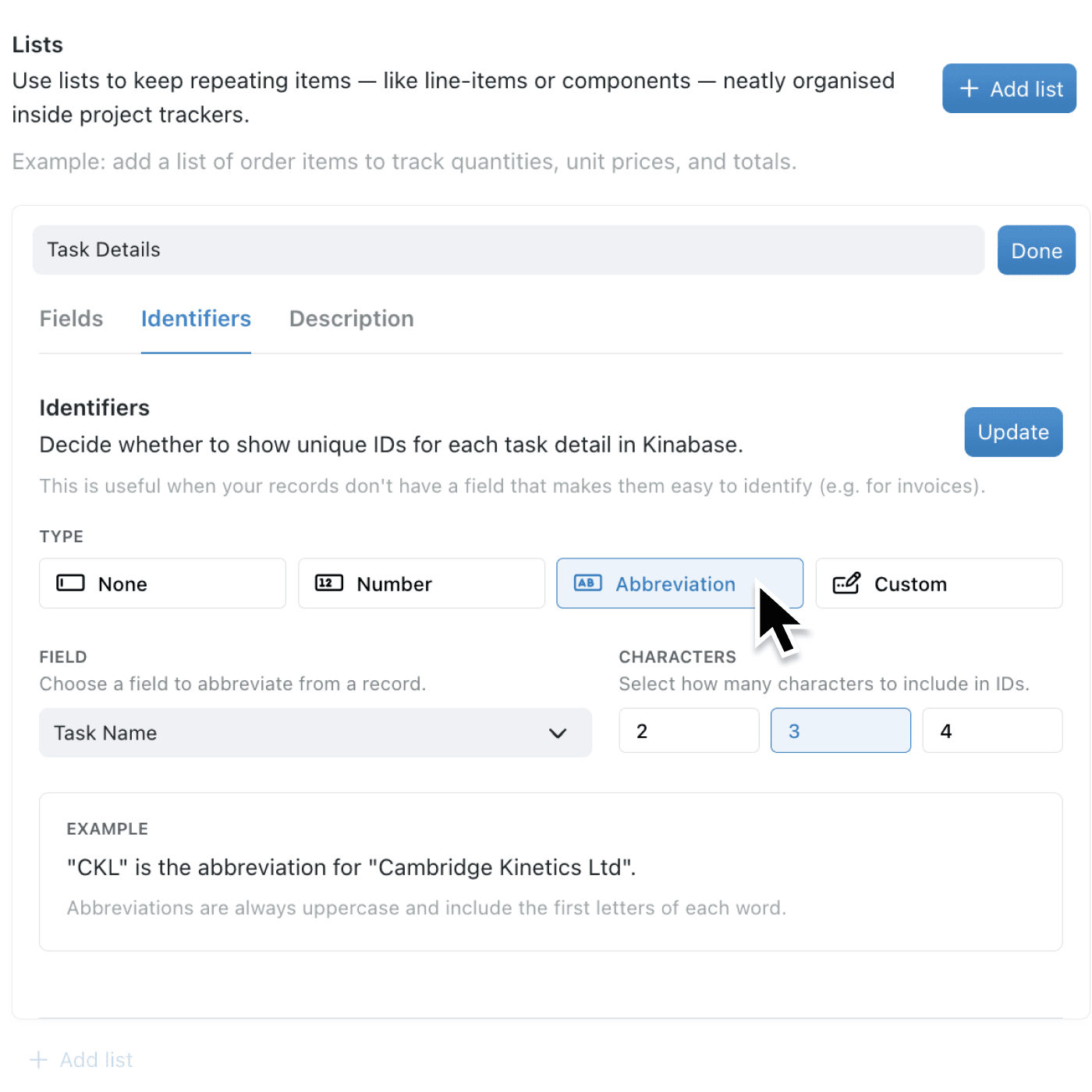
You can now configure unique identifiers directly on lists. The same identifier options available for collections are now fully supported on lists: sequential numbers, abbreviations, and custom formats. Once configured, ID columns appear automatically in your list tables, and the identifiers are generated by the server whenever you add a new item.
Why it matters:
- Reference list items with confidence by giving each one a clear, formatted identifier such as "PRT-001" or "INV-0042", making it straightforward to discuss specific items in emails, meetings, or reports.
- Configure IDs to match your workflow by choosing from sequential numbers with optional prefixes, abbreviations derived from a field value, or fully custom formats combining text, expressions, and numbers.
- Maintain consistency across your platform as list IDs now behave identically to collection IDs, appearing in tables, print views, and portal displays wherever they are configured to be visible.
How it works:
- Open the collection that contains the list you want to configure.
- Navigate to the collection's configuration and select the Lists section.
- Click on the list you want to edit.
- Select the Identifiers tab (this appears for existing lists).
- Choose your preferred ID type (Number, Abbreviation, or Custom), configure the options, and click Update.
Note: The Identifiers tab only appears for lists that have already been created. If you are creating a new list, save it first, then return to configure its identifiers.
When to use it:
- Operations managers tracking parts or components within a project record can assign sequential IDs like "PRT-001" to each part, making it easy to reference specific items in purchase orders or maintenance logs.
- Finance teams managing line items on invoices or expense claims can use custom ID formats to give each line item a clear reference number, simplifying audit trails and cross-referencing.
- Customer service teams using portals to collect information from clients benefit from automatically generated IDs on submitted list items, allowing both internal staff and portal users to reference specific entries without confusion.
Get started
Open any collection with a list, head to the list's configuration, and try out the new Identifiers tab.
If you have questions or feedback, we would love to hear from you. Email support@kinabase.com — we’re listening.