
When results are easy to see, it is easier to recognise progress and keep teams motivated. Whether you are tracking sales figures, support tickets closed, or tasks completed, you can now turn those numbers into a visual ranking your team can understand at a glance in Kinabase.
What's new:
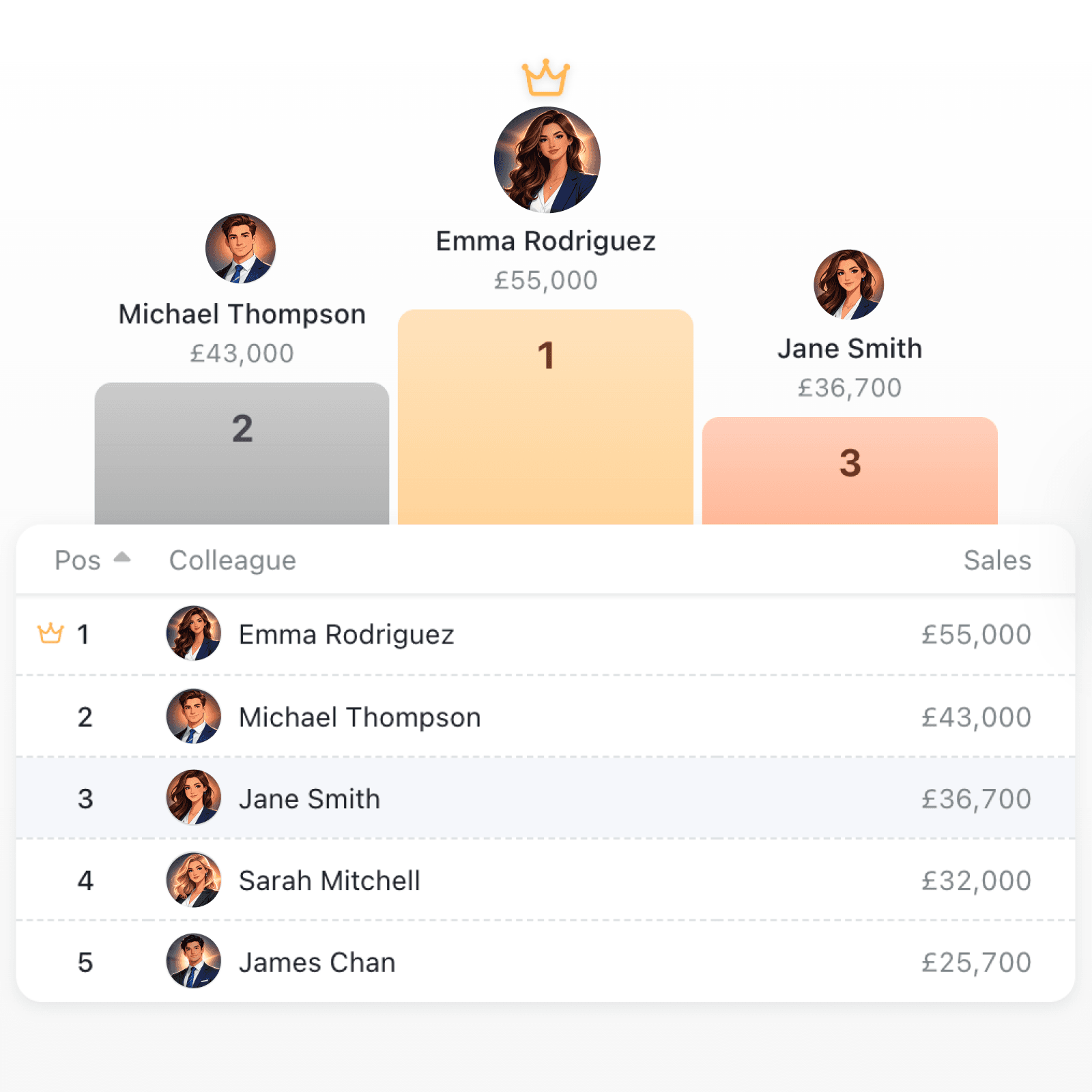
Collections now include a Leaderboard tool that ranks your colleagues by any numeric field and displays the results in an animated podium and sortable table. Open it from the toolbar on any collection that has a colleague field and at least one number, currency, or computed number field. The top three places are shown on a colour-coded podium with profile photos, while the full ranking appears in a clean, sortable table below. Each row shows the position, the colleague name, and the values you have selected.
Why it matters:
- Visualise performance instantly by seeing who is leading at a glance without leaving Kinabase or exporting data.
- Track up to five metrics at once by adding multiple value columns (number, currency, or computed number fields) so you can compare across different measures in a single view.
- Navigate to profiles quickly by clicking any podium entry to see their score in a popover and jump straight to their colleague profile with the "View profile" button.
- Configure ranking to suit your goal by choosing which value field determines the ranking and whether to sort from highest to lowest or lowest to highest.
How it works:
- Open a collection that contains a colleague (person or people) field and at least one numeric field.
- Open collection configuration menu and navigate to Display > Tools.
- Toggle on the Leaderboard tool and click the cog icon to open its settings.
- Select the Colleague Field that identifies who each record belongs to and choose up to five Value Fields (number, currency, or computed number) to display as columns.
- Pick the Rank Field that determines the overall ranking and set the Sort Direction to "Highest to lowest" or "Lowest to highest".
- Close settings and click the Leaderboard button in the collection toolbar to see the live ranking.
When to use it:
- Sales managers can rank their team by revenue closed, deals won, or calls made, and display the leaderboard during team meetings to celebrate top performers.
- Operations leads can track productivity metrics such as orders fulfilled or tickets resolved, and use the podium to recognise high achievers.
- Project managers can monitor task completion across team members, with multiple value columns showing tasks completed, hours logged, and milestones hit side by side.
Get started
Open any collection with colleague and numeric fields, enable the Leaderboard tool in your collection configuration, and watch your team's rankings come to life.
If you have questions or feedback, we would love to hear from you. Email support@kinabase.com — we’re listening.