
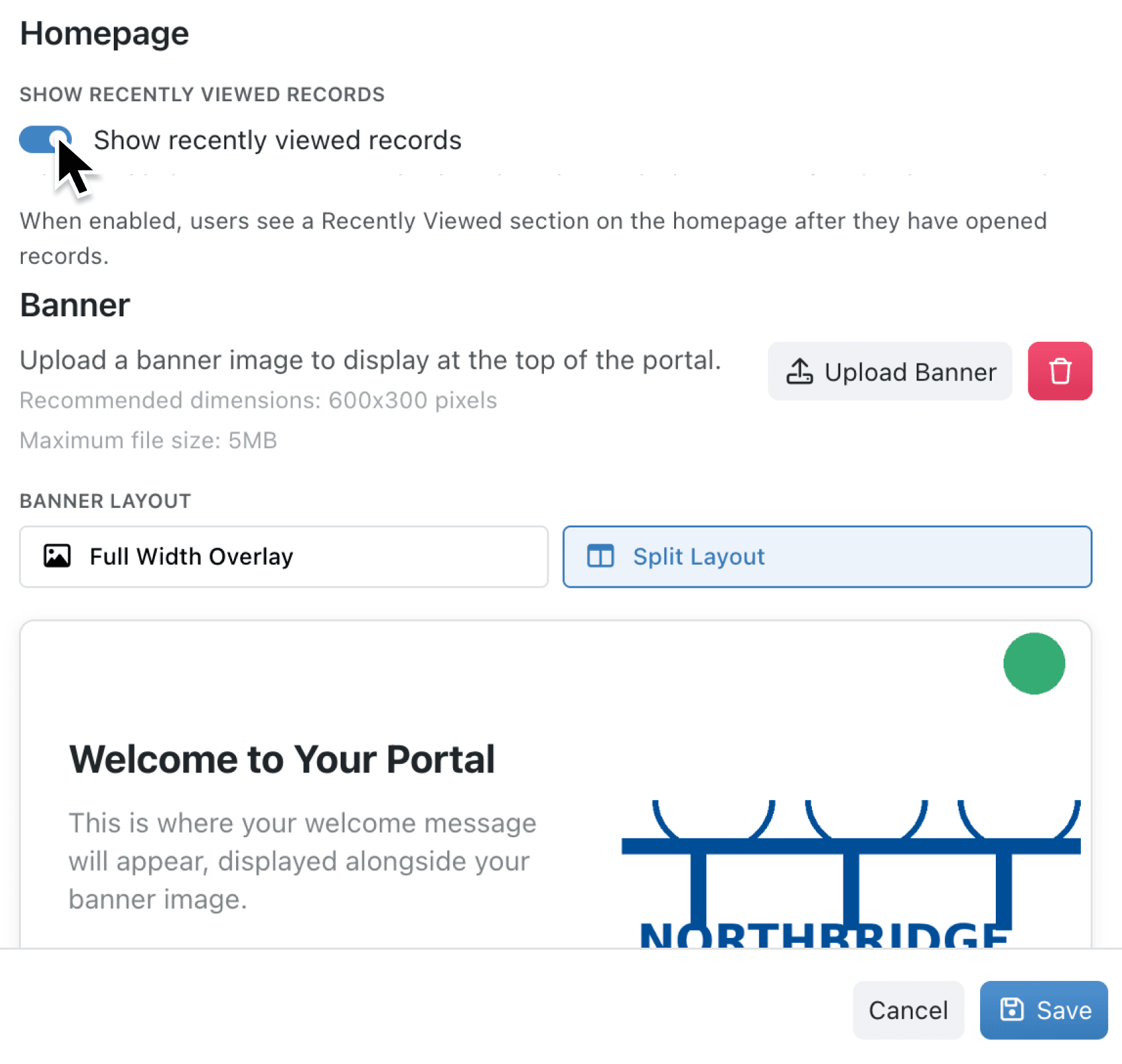
When you share a portal with external or internal users, you want the homepage to feel purposeful and relevant. For some portals, "Recently Viewed" section may not be necessary if the users only need to complete a single task. Now, you can tailor the homepage to fit the specific needs of your users and the purpose of each portal.
What's New:
You can now toggle the Show recently viewed records setting on or off for each portal's homepage. A new setting in the portal's Display tab gives administrators full control over whether portal users see their recently viewed records when they land on the homepage. The toggle defaults to enabled, so your existing portals continue to work exactly as before.
Why it matters:
- Simplify focused portals by hiding the recently viewed section on portals designed for a single task, such as submitting a form or checking a status.
- Keep the homepage tidy for portal users who don't need to revisit previous records, reducing visual noise and making navigation clearer.
- Maintain full flexibility with a per-portal setting that lets you show recently viewed records on one portal while hiding them on another.
How it works:
- Open Settings and select Portals from the navigation.
- Choose the portal you want to configure and click to edit.
- Navigate to the Display tab within the portal settings.
- Scroll down to the Homepage section.
- Toggle Show recently viewed records on or off depending on your preference.
- Save your changes — the portal homepage will update immediately for all users.
Note: Even when enabled, the recently viewed section only appears once a portal user has opened at least one record. It will not show an empty section.
When to use it:
- Customer service teams share a portal where clients submit and track tickets. Hiding recently viewed records keeps the homepage focused on the ticket submission form and quick access links, so clients aren't distracted by previous visits.
- Events teams create a portal for attendees to register and view schedules. Since attendees typically complete registration once, disabling recently viewed records removes unnecessary content and keeps the experience streamlined.
- Procurement teams run a portal where suppliers upload documents and update their details. Keeping recently viewed records enabled helps suppliers quickly return to the records they were last working on.
Get started
Open your portal settings to try the new homepage toggle. Try it now in Kinabase → Settings → Portals → Display
If you have questions or feedback, we would love to hear from you. Email support@kinabase.com — we're listening.