
When a record's type is set in Kinabase, it stays that way. That works well for collections where types are fundamentally different, but not when the real world changes. A contact who starts as a supplier might become a client, or a project that begins as internal might shift to external.
What's new:
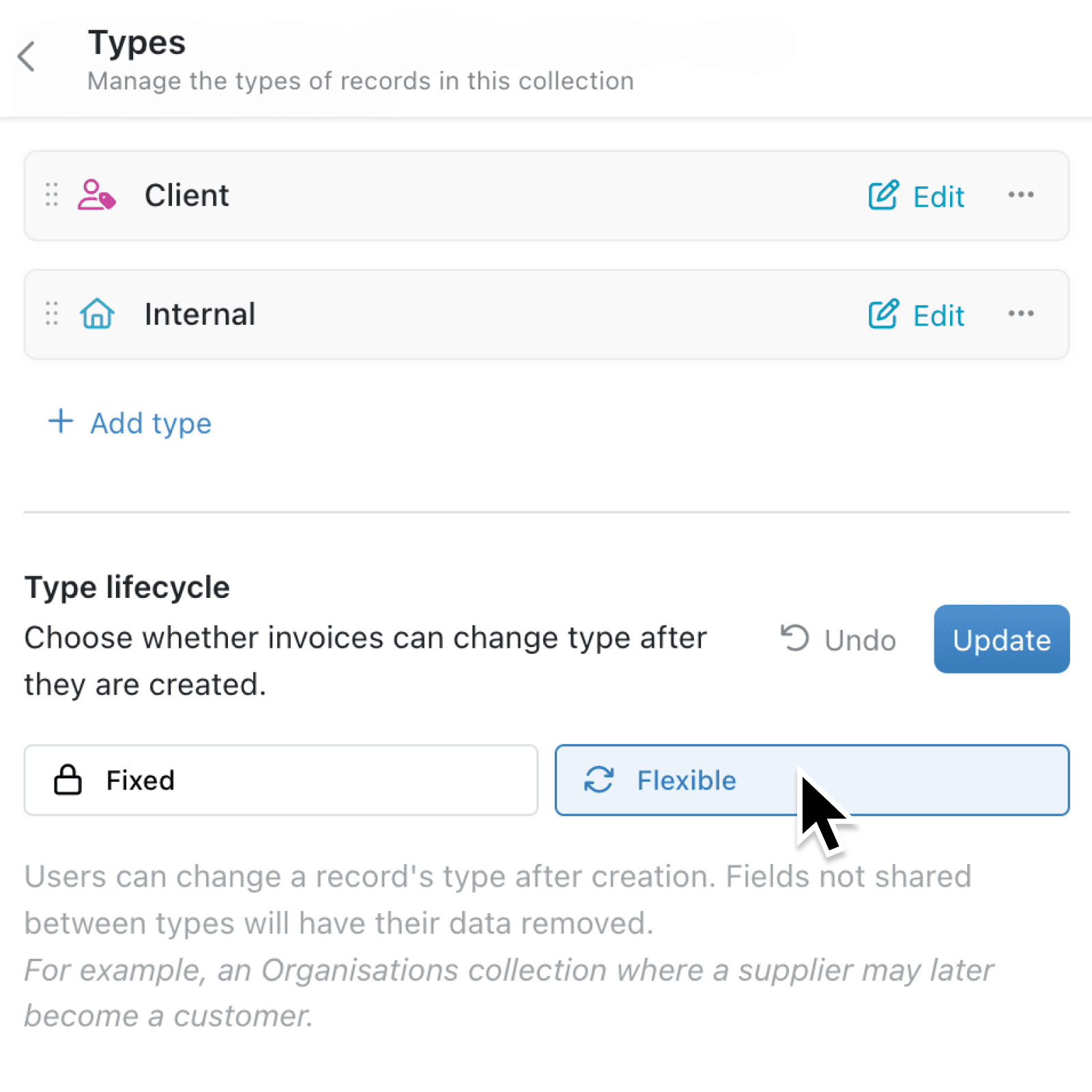
Collections now have a Type lifecycle setting that controls whether records can change type after creation. Admins can choose between two modes: Fixed (the default, where types are permanent) and Flexible (where users can update a record's type at any time). When a type change would remove field data, Kinabase shows a confirmation listing exactly which fields will be affected, so nothing is lost without your knowledge.
Why it matters:
- Keep your data in one place instead of splitting records across multiple collections when categories naturally evolve over time.
- Stay informed before changes take effect with a clear confirmation step that lists every field that will lose data, along with an explicit warning that the change cannot be undone.
- Control the setting at the collection level so admins can enable flexible types only where it makes sense, while keeping types locked down everywhere else.
How it works:
- Navigate to your collection's Configure page and open the Types tab.
- Below your list of types, find the Type lifecycle setting. Choose Flexible to allow type changes, or leave it as Fixed to keep types permanent.
- Click Update to save your choice.
- When editing a record in a Flexible collection, the type selector now appears in the editor window.
- Choose a new type and, if any fields would lose data, review the confirmation message listing the affected fields before clicking Change type to proceed.
Note: The same confirmation flow applies when editing multiple records at once.
When to use it:
- Consultancies and professional services firms managing contacts who change roles over time, such as a supplier becoming a client or a freelancer joining as a full-time employee, can now update the type on a single record.
- Operations managers overseeing project or asset collections where items occasionally shift category, like an internal project that becomes client-facing, can reclassify records without losing their history and activity trail.
- Procurement and supplier teams handling companies with evolving relationships, such as a vendor becoming a strategic partner, can change the record type without losing past activity.
Get started
Open any collection with types, head to Configure > Types, and set the Type lifecycle to Flexible. Then edit a record and try changing its type.
If you have questions or feedback, we would love to hear from you. Email support@kinabase.com — we're listening.