
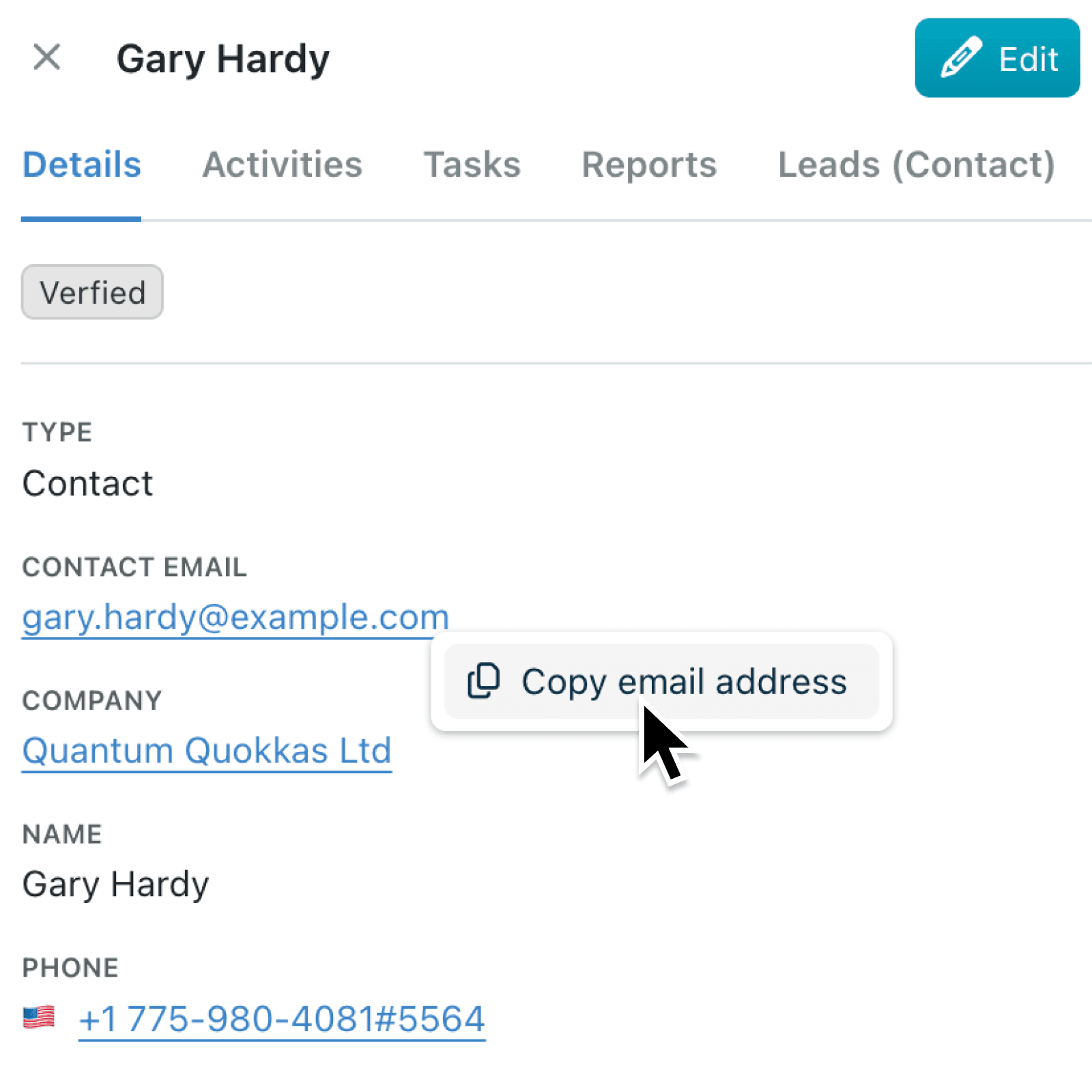
Grabbing a contact's email address or phone number from a record shouldn't require highlighting text, hoping you've selected exactly the right characters, and using Copy shortcuts. It's a small friction that adds up when you're working through a list of contacts or chasing responses.
What's new:
Email and phone fields throughout Kinabase now support a dedicated right-click copy menu. Right-click any email address to see a Copy email address option, or right-click any phone number to see Copy phone number. The value is placed straight onto your clipboard, and an alert confirms it worked, showing "Email address copied" or "Phone number copied" along with the value itself. This feature is available everywhere email and phone fields appear, including the client portal.
Why it matters:
- Copy contact details in one click instead of carefully selecting text, avoiding partial selections or accidentally grabbing extra characters.
- Work seamlessly across contexts with right-click copy menu available in record views, list displays, and the external portal, so every user benefits regardless of where they access data.
- Stay confident with instant feedback with an alert appears after copying, confirming the value is on your clipboard before you switch to another application.
How it works:
- Open any record that contains an email or phone field types.
- Right-click the email address or phone number displayed in the field.
- Select Copy email address or Copy phone number from the menu.
- Paste the copied value wherever you need it. An alert confirms the copy was successful.
When to use it:
- Sales teams working through a pipeline can right-click to copy a prospect's email and paste it straight into an external email client or CRM without switching back and forth.
- Operations managers compiling supplier contact lists can quickly copy phone numbers, including international prefixes and extensions, directly from records without manual formatting.
- Portal users accessing shared data externally can copy contact details just as easily as internal colleagues, keeping the experience consistent across audiences.
Get started
The right-click copy menu is live on all email and phone field types across your workspace. Next time you need a contact's details, skip the highlight-and-copy routine, and try right-click.
If you have questions or feedback, we would love to hear from you. Email support@kinabase.com — we're listening.