
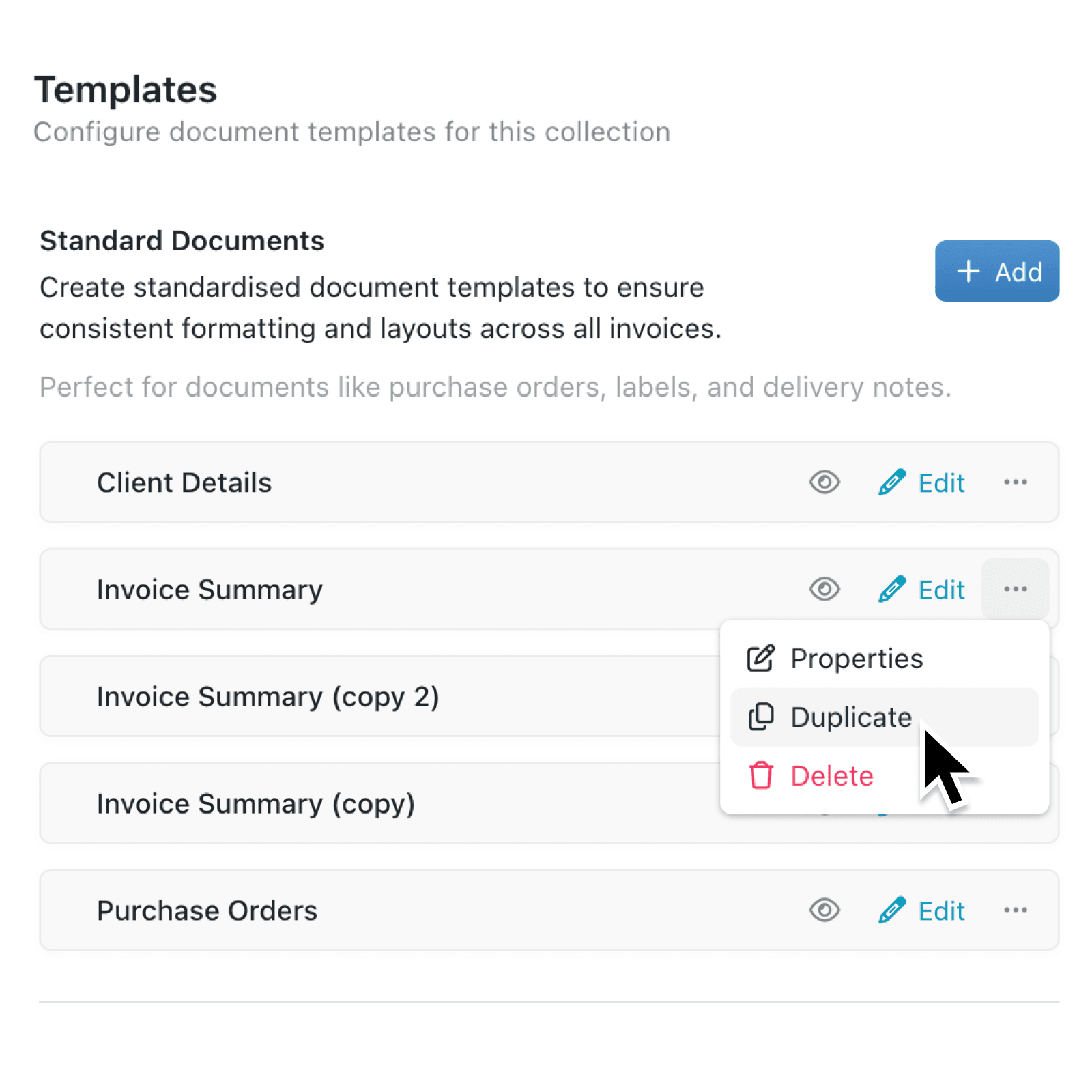
Building a library of document templates often means creating several variations of the same layout. Until now, every new template had to be built from scratch, even when it only differed slightly from one you already had.
What's new:
You can now duplicate any document template directly from its options menu. The new copy includes all content, formatting, icons, descriptions, and brand settings from the original. Kinabase automatically names the duplicate with a "(copy)" suffix and picks the next available number if copies already exist, so you never end up with naming conflicts.
Why it matters:
- Create variations faster by starting from an existing template rather than rebuilding layouts, headers, and formatting from scratch every time.
- Preserve your latest edits because the duplicate captures your most recent changes from the active version of the template.
- Stay organised automatically with smart naming that appends "(copy)" or "(copy 2)" and truncates long titles to keep everything within 50 characters.
- Maintain control over who can duplicate through existing collection Configure permissions, so only authorised colleagues can create new templates.
How it works:
- Navigate to the collection where your document templates live and open Configure.
- Select Templates under the Documents section to see your list of standard documents.
- Right-click on the template you want to copy, or click its options menu icon (⋯).
- Select Duplicate from the menu.
- A success message confirms the new template has been created, showing its name. The list refreshes automatically so you can start editing your copy straight away.
Note: You need Configure permission on the collection to duplicate templates. If you do not see the option, contact your workspace administrator.
When to use it:
- Operations managers maintaining purchase order templates for different suppliers can duplicate a master layout and adjust only the supplier-specific details.
- Sales teams managing proposal templates can copy a proven format to create region-specific or product-specific variations without losing the original.
- Project managers running similar projects across clients can duplicate a standard project brief template and tweak only the client-specific sections, keeping the structure consistent.
Get started
Head to any collection's template settings and try duplicating a template today. You will find the option by right-clicking or by clicking the options menu icon (⋯) next to each template in your list.
If you have questions or feedback, we would love to hear from you. Email support@kinabase.com — we're listening.