
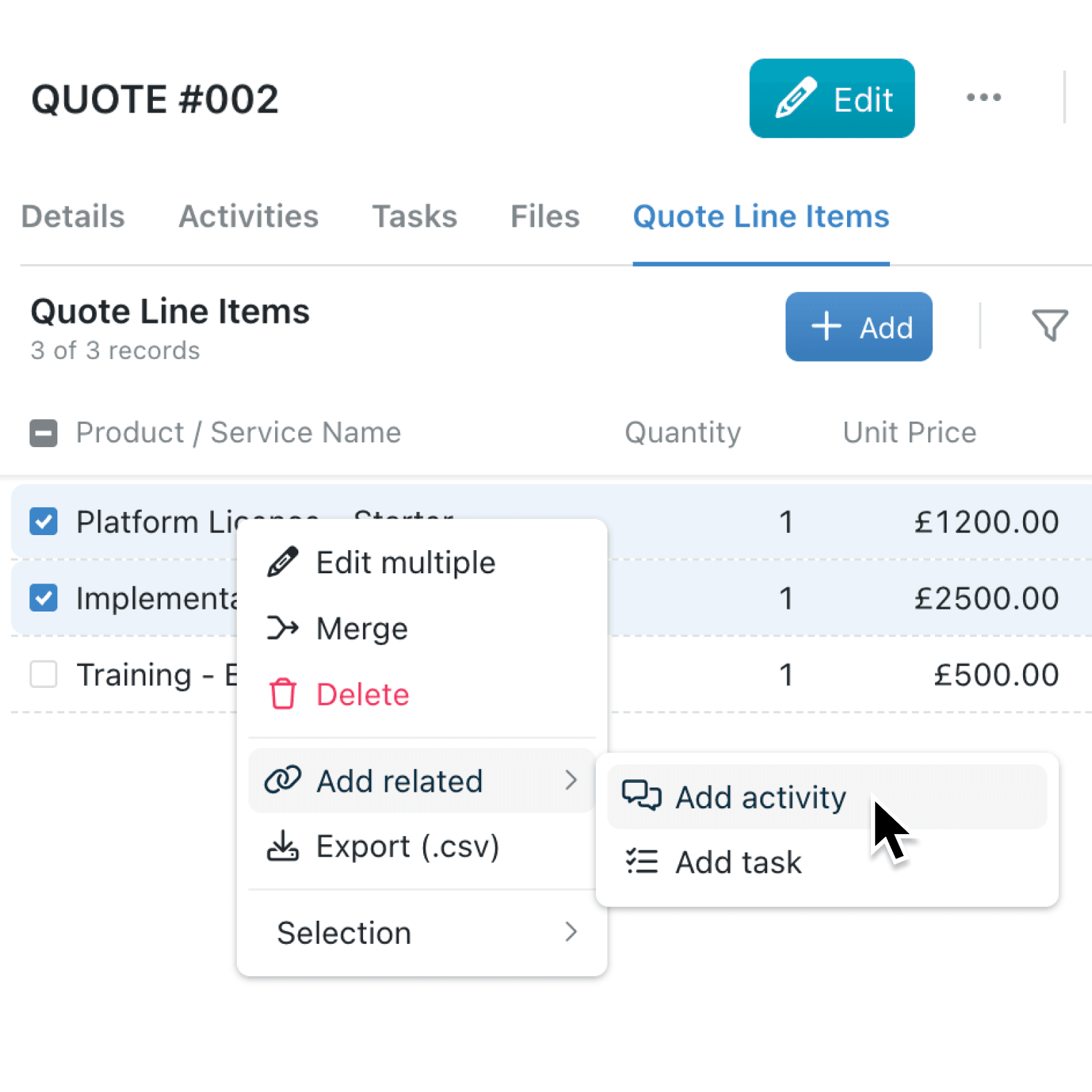
When you're viewing records through an associated collection tab on a parent record, you have not been able to quickly add a related activity or task from the right-click menu. You had to open each record or jump to the main collection view to use the same shortcut that is already there.
What's new:
The Add related option is now available in the right-click menu when you are viewing records through an associated collection tab. Whether you select a single record or several at once, you can open a new activity or task directly from that context. The option only appears when activities or tasks are turned on for the target collection, so the menu stays tidy.
Why it matters:
- Stay in flow by logging an activity or creating a task without leaving the parent record you are working on.
- Save clicks by avoiding the detour through the main collection view just to reach the same shortcut.
- Work in bulk by selecting several associated records and adding a related task or activity to all of them in one go.
How it works:
- Open any record that has an associated collection tab, such as a project's linked tasks or a contact's linked deals.
- Switch to the associated collection tab to see the list of related records.
- Right-click a single record, or tick several records and right-click the selection.
- Choose Add related, then pick Add activity or Add task.
- Fill in the details and save to link the new item to the selected records.
When to use it:
- Account managers reviewing a client record can log a call or schedule a follow-up task against a linked deal without navigating away from the client.
- Project leads viewing the associated deliverables on a project record can assign a task to several deliverables in one action.
- Support teams looking at a customer's linked tickets can quickly add a note or create a follow-up task without losing context.
Get started
Open any record with an associated collection and right-click a linked record to add a related activity or task.
If you have questions or feedback, we would love to hear from you. Email support@kinabase.com — we're listening.