
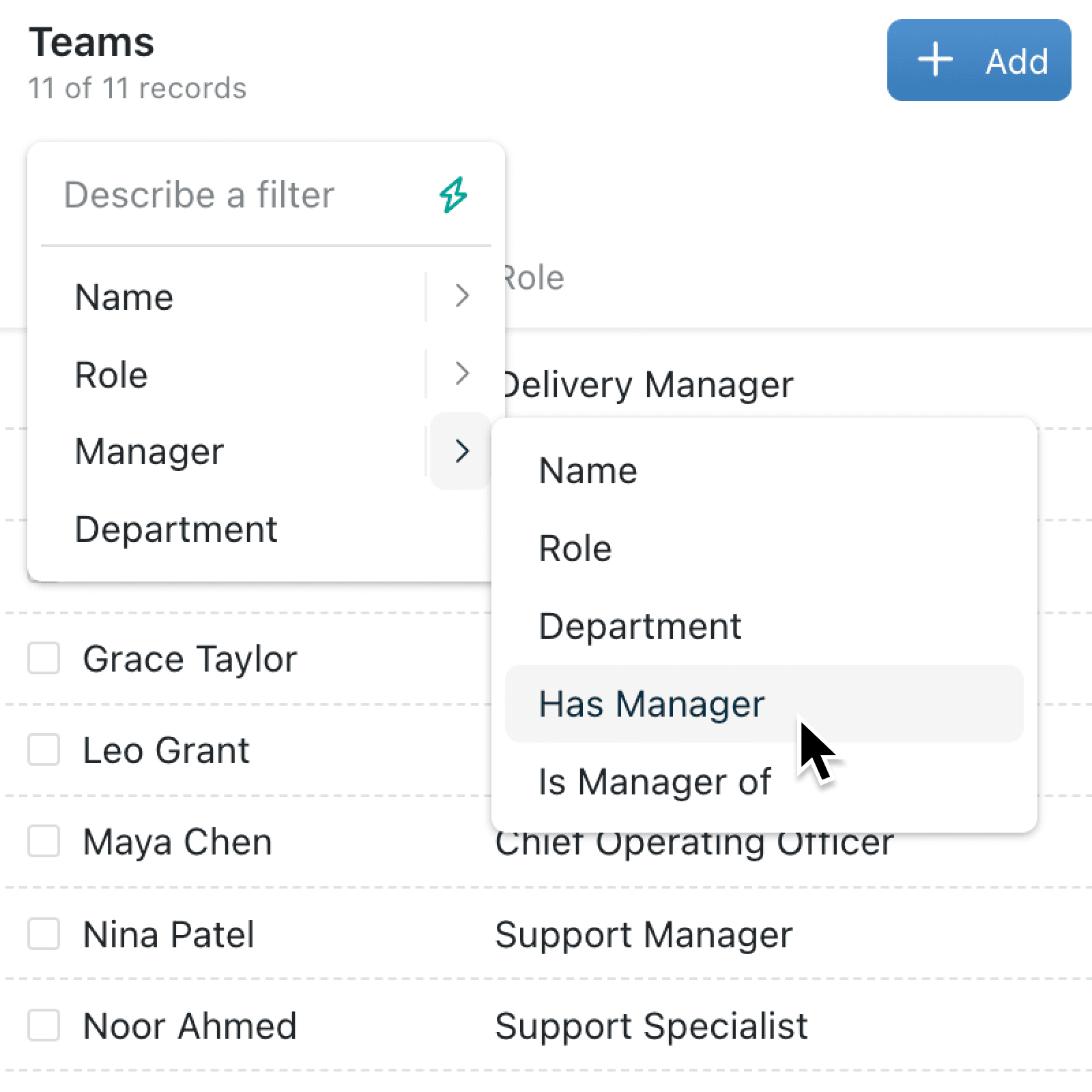
Finding every project under a parent initiative, or every person who reports up to a particular manager, used to mean exporting data or building awkward chains of filters. When your records are organised in a hierarchy, those connections matter, and now Kinabase can follow them for you.
What's new:
Kinabase now supports hierarchical filters, a new way to find conected records based on where they sit in a hierarchy. Choose the record you want to start from, such as a top-level project, manager, category or team, and Kinabase can find the related records above or below it. This works with fields that link records in the same collection (self-linking fields), such as Parent Project, Manager or Parent Category.
Why it matters:
- Find everything in a hierarchy and see all the records under a chosen parent, or all the records above a chosen item, without building several filters by hand.
- Start from the record that matters by choosing the project, person, category or team you care about, then letting Kinabase find the related records for you.
- Use the structure you already have since hierarchical filters work with self-referencing fields like Parent Project, Manager or Parent Category, so there is no need to change how your data is organised.
How it works:
- Open any collection filter, view, report, field-level or automation condition and click Add filter.
- Search for self-linking field, and select an option from the available dropdown options like Has Parent or Is Parent of.
- Pick one or more starting records in the picker that opens.
- Tick Match at any level to follow the self-link through every level of the hierarchy.
- Click Add to create the filter, or Save when editing one.
When to use it:
- Operations managers can find every project or task under a top-level programme, even when the work is split across several layers of sub-projects.
- HR teams can see everyone who reports up to a chosen leader, across the full management chain.
- Sales teams can filter products under a category and its sub-categories, keeping views focused on the right part of the catalogue.
Get started
Open any collection or saved view, click Add filter, and look for the new Has and Is of options for your self-linking fields.
If you have questions or feedback, we would love to hear from you. Email support@kinabase.com — we're listening.