
When someone leaves your team, the reports and tasks they owned shouldn't leave with them. Until now, deactivating a Colleague risked leaving reports stranded, where only that deactivated person had edit access and nobody else could pick them up.
What's new:
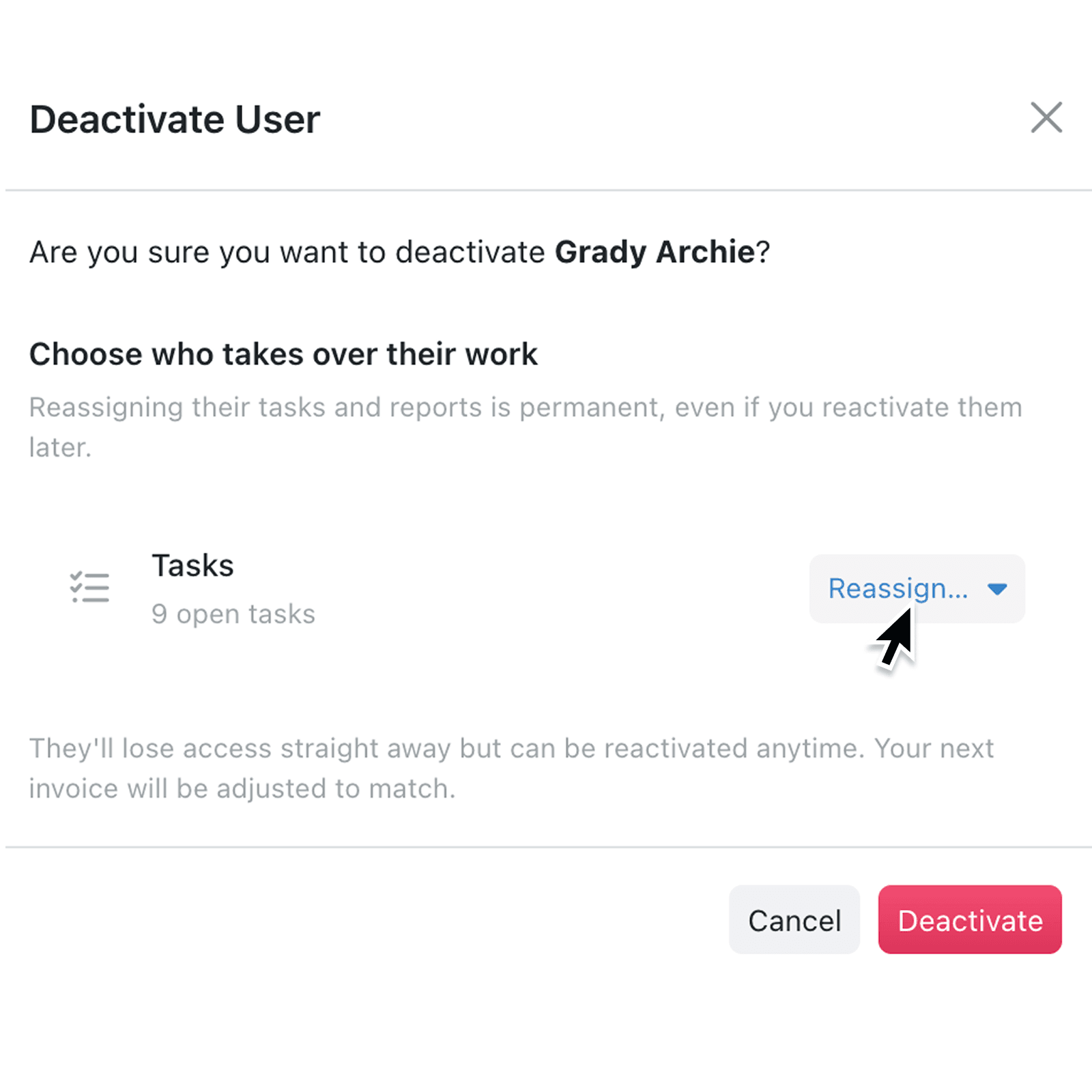
Deactivating a user now checks what they own first. Before you confirm, Kinabase shows their open tasks and any reports that only they can edit, then asks you to choose who takes over their work. You can hand reports to a specific Colleague or make them editable by everyone, and reassign their open tasks at the same time.
Why it matters:
- Protects your reporting so dashboards and reports an owner alone could edit never become read-only after they leave.
- Keeps work moving by letting you reassign a leaver's open tasks to the right person in the same step.
- Removes the guesswork by showing the exact tasks and reports affected before you deactivate, not after.
- Gives admins clear control with a required choice for owned reports, plus clear messages if a recipient is invalid or is the person being deactivated.
How it works:
- Go to Settings → Users and choose the Colleague you want to deactivate.
- Select Deactivate. Kinabase checks their tasks and reports and shows a short summary of what is affected under Choose who takes over their work.
- For Tasks, click Reassign to pick a person to reassign them to, or leave them unassigned.
- For Reports only they can edit, choose a specific Colleague to take ownership, or choose Everyone to make them editable by your whole team. This choice is required before you can continue.
- Select Deactivate to confirm. Access is removed straight away, and the handover is recorded in your activity log. You will need administrator access to do this.
When to use it:
- Operations managers can offboard a leaver in one pass, moving their open tasks and report ownership to a replacement without chasing down loose ends later.
- IT and workspace admins can deactivate accounts confidently during staff changes, knowing shared reporting stays editable for the team.
- Team leads can hand a departing analyst's dashboards to everyone, so the whole team keeps full access to the insights they rely on.
Get started
Open Settings → Users to manage your team and try the new deactivation flow. The handover options appear automatically whenever a user owns tasks or reports that need a new home.
If you have questions or feedback, we would love to hear from you. Email support@kinabase.com - we're listening.