
Connecting your Kinabase records to Xero or QuickBooks has meant manually creating contacts and products in your accounting system, then linking them one at a time. Now, automations can handle that entire process the moment a record is created or updated.
What's new:
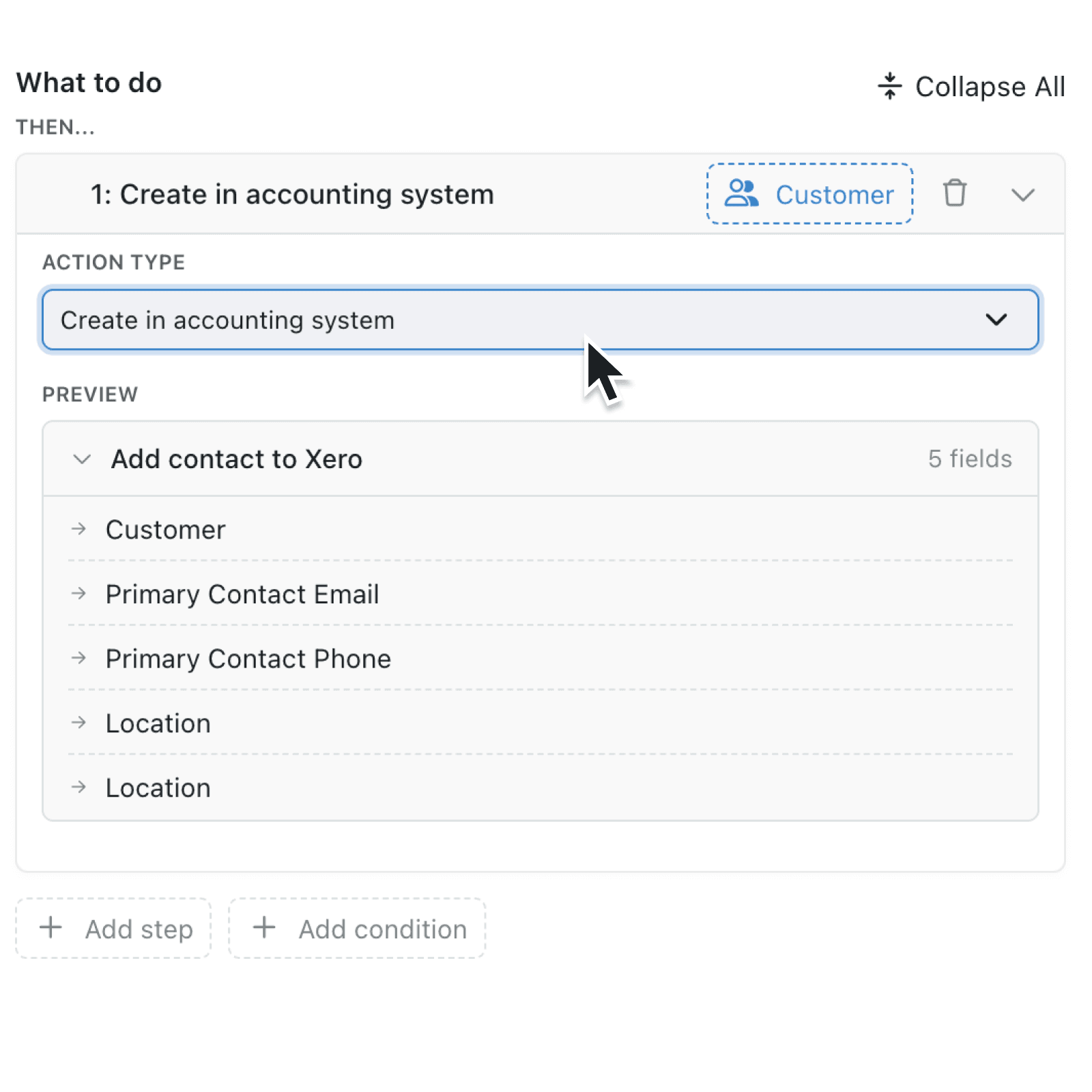
A new automation action, Create in accounting system, lets you automatically create a contact or item in Xero or QuickBooks and link it back to your Kinabase record. If the record is already linked to your accounting system, Kinabase skips the step instead of creating a duplicate.
Why it matters:
- Eliminate repetitive data entry by letting automations add new contacts and items to your accounting system when a record is created, with no manual steps required.
- Prevent duplicate records with built-in checks that verify whether a record is already linked before creating a new one.
- Run your usual automations while seamlessly keeping operations and accounting in sync.
How it works:
- Check that your Xero or QuickBooks account is connected in Settings and synced fields are configured on the collection you want to sync.
- Open Settings, then Automations, and create or edit an automation triggered by record creation or update.
- Add a new action step and select Create in accounting system from the Action Type dropdown.
- Review the Preview panel, which shows exactly which fields will be synced to your accounting system. If no fields have been set up to sync, you will see a validation message prompting you to configure them first.
- Save the automation. When a matching record is created or updated, Kinabase will automatically create the corresponding contact or item in your accounting system and link it back to the record.
Note: You can only add this step to automation that runs on a collection with accounting record type configured.
When to use it:
- Operations leads who onboard new suppliers or clients can set up an automation so that every new contact record in Kinabase instantly appears in Xero or QuickBooks, ready for invoicing.
- Sales teams adding new products or services can ensure each item is created in the accounting system automatically, keeping the product catalogue in sync without switching between tools.
- Supplier managers can automatically create and link supplier records in the accounting system when new suppliers are added to Kinabase, ensuring that purchase orders and invoices are correctly associated.
Get Started
Open the automation editor on any collection with accounting record type configured and add the Create in accounting system step.
If you have questions or feedback, we would love to hear from you. Email support@kinabase.com — we're listening.