
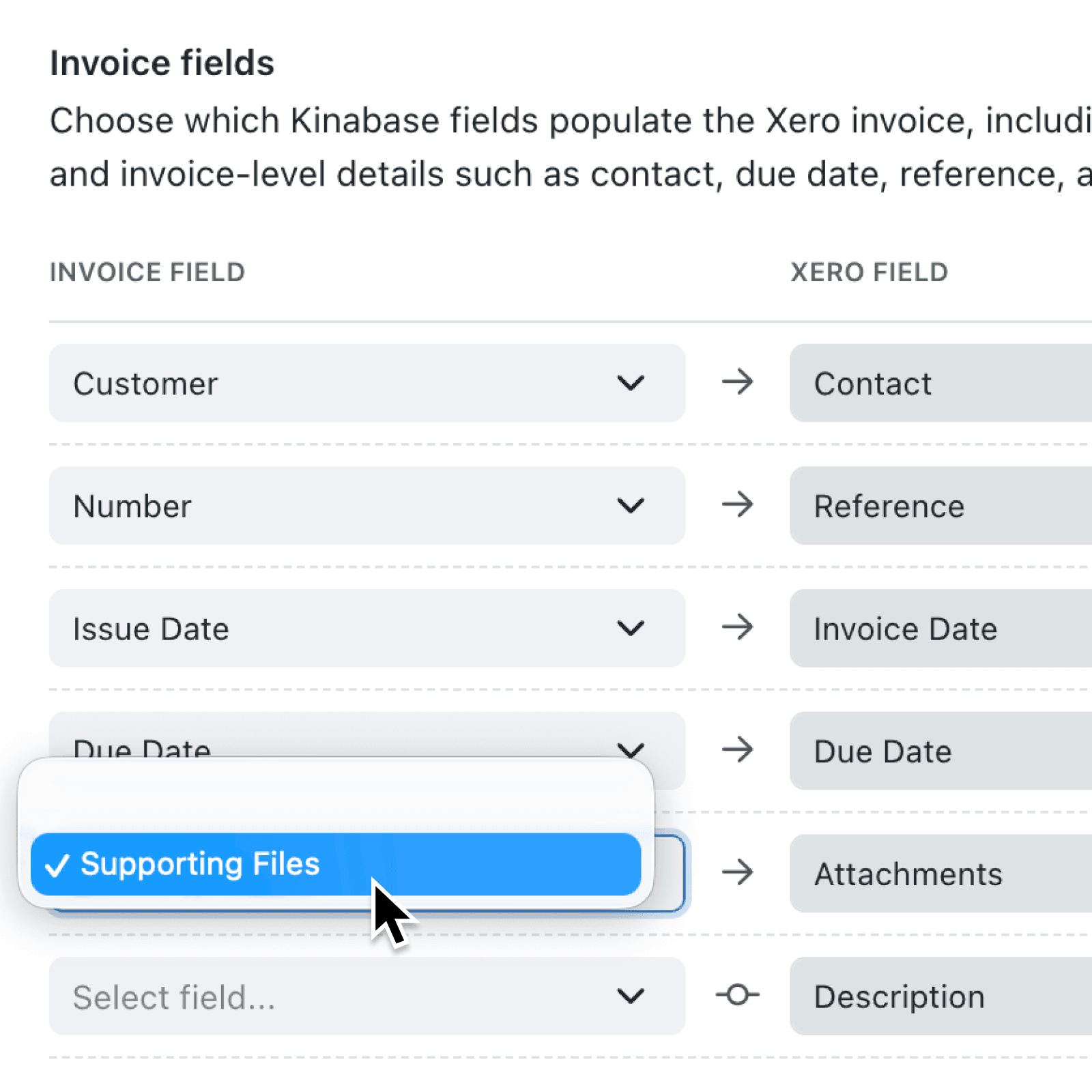
Supporting documents often need to accompany a bill or invoice, but downloading them from Kinabase and uploading them again creates unnecessary work. You can now send these files automatically when you create the accounting transaction.
What's new:
You can map a Kinabase field containing one or more files to the new Attachments option for Xero and QuickBooks invoices and bills. When the transaction is created and linked, Kinabase uploads the files from the record to your accounting provider.
Why it matters:
- Remove repetitive file handling by sending receipts, purchase orders, contracts and other evidence without downloading and uploading each document yourself.
- Keep accounts complete by storing the transaction and its supporting documents together, making approval, reconciliation and audit work easier.
- Configure files consistently by using the familiar accounting field mapping screen, with fields of the File or Files type filtered automatically for Attachments.
How it works:
- Go to Settings → Integrations → Accounting & Payments and connect Xero or QuickBooks. Existing Xero connections may need to be reconnected to grant attachment access.
- Open the relevant collection's options menu, select Configure, then select Accounting & Payments.
- Choose Invoices or Bills, find Attachments under Invoice fields or Bill fields, and select a field of the File or Files type. Select Update to save the mapping.
- Add the documents to the record file field before creating the invoice or bill from its accounting card.
- Attachments are also included when a transaction is created through the Create in accounting system automation step.
Note: Attachments are sent at creation time and are not added retrospectively to transactions that are already linked.
When to use it:
- Accounts payable teams can send receipts, purchase orders and supplier documents with newly created bills.
- Finance teams can include timesheets, delivery notes or signed agreements when raising customer invoices.
Get started
Open accounting integration settings, then configure the invoice or bill attachment fields on your chosen collection.
If you have questions or feedback, we would love to hear from you. Email support@kinabase.com - we’re listening.