
Sometimes the form you need is on one record, but the information it should actually change lives on a different, related record. Forms can now reach across that connection for you, so users keep working from the record they're already on.
What's new:
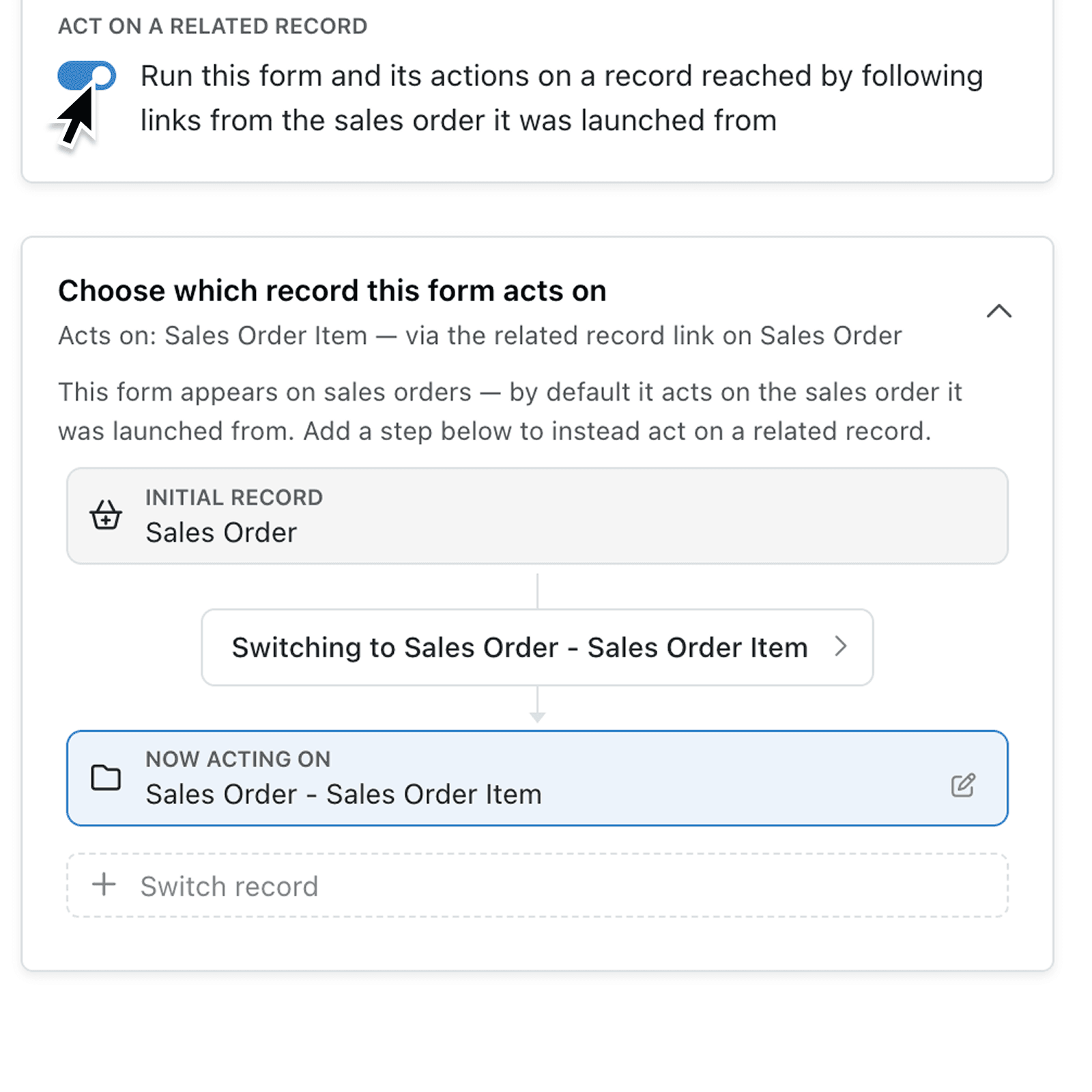
Forms can now open on one record but update a different, related one. Kinabase works out the connection automatically, wherever it sits in your data. Once configured, every part of the form works against the related record, not the one where the form was opened.
The form editor shows a plain-language summary of exactly what the form will affect, such as "Acts on: Purchase Order — via the Purchase Order link on Works Order." Forms wait until the related record has been found before they open, so there's never any doubt about what's being updated.
Why it matters:
- Reduce navigation by letting users update the right information without leaving the record where they are already working.
- Build forms around real processes by following several links, adding filters, and choosing which matching record to use.
- Fewer surprises after publishing Kinabase checks the setup as you build it, so problems are caught while you're configuring the form rather than after it's already in use.
How it works:
- Go to Settings → Forms, then add a form or edit an existing one.
- On the Form tab, set Open from to From a record page, choose a collection under Show on record pages in, then enable Act on a related record.
- Expand Choose which record this form acts on, select Switch record, then use Select a record from and Relates to Record via to choose the collection and link.
- When a link can return several records, add filters and set Selection Criteria and Mode to choose the matching record.
- Open the Preview tab and choose a launch record under Selected Record. Check that the form displays information from the intended related Record, then select Save.
When to use it:
- Operations managers can open an inspection form from a works order while recording the result straight onto its linked asset.
- Sales teams can start a renewal form from an opportunity while updating the related customer record.
- Finance teams can open a supplier review form from a purchase order and update the linked supplier record's approval status.
Get started
Visit Settings → Forms and update a form to act on a related record. Start with a common process where users currently have to open another record before entering information.
If you have questions or feedback, we would love to hear from you. Email support@kinabase.com — we're listening.