
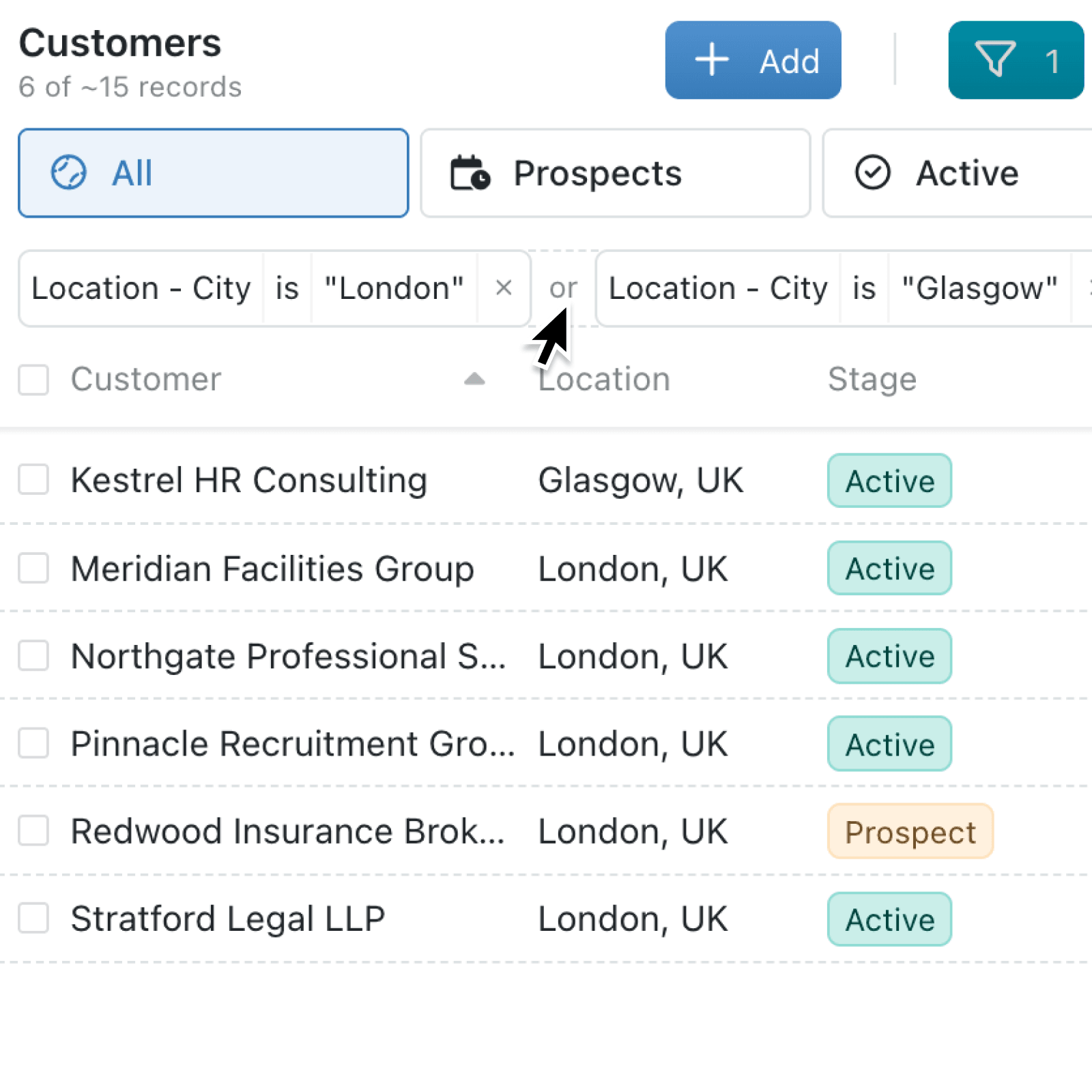
Complex filtering often means choosing between alternatives while still requiring other conditions to be true. You can now build these rules visually, without duplicating filters or working around limited choices.
What's new:
Grouped filters let you combine AND and OR conditions in the same rule. Each condition remains separately editable, while visible connectors show whether every condition must pass or whether any condition can pass.
The improved editor is available across views, custom permissions, automations, workflow rules, document tables, alerts and portal visibility. It also adds Search for a field and new is one of and is none of choices for select, stage, type, linked record and person fields.
Why it matters:
- Match real working rules by building combinations such as "Region is North AND (Stage is Qualified OR Account Owner is Alex)".
- Reduce repeated setup by selecting several acceptable options, stages, linked records or people in one filter instead of creating a separate condition for every value.
- Configure access precisely for a permission or portal item, while still keeping required conditions grouped together.
- Work confidently in busy collections by searching field names and their source groups using one or more words. Long values are shortened neatly, with the full value available when you hover.
How it works:
- Open a collection and its view filters, or go to automations editor, workflow settings, permissions or portal navigation.
- Select Add filter, Add condition or the action shown in that area. Use Search for a field, choose an operation and enter or select its value.
- Hover over an existing filter group and select its or or and control. Use OR when either condition can be true, and AND when both must be true.
- Select Add filter again to create another group. View filter groups must all pass, while permission, automation and other rule groups provide alternative routes that can pass.
- Choose is one of or is none of for a supported select, stage, type, linked record or person field, select all relevant values, then select Add.
When to use it:
- Operations managers can create a view showing records that are urgent or overdue, while still limiting the results to their region.
- Client services teams can control which portal items appear for a customer or partner, based on one complete set of conditions or another.
- Sales and service teams can send a notification when any qualifying situation occurs, while requiring extra checks within each situation.
Get started
Open Kinabase and try grouped conditions in a collection view, automation or configuration rule today.
If you have questions or feedback, we would love to hear from you. Email support@kinabase.com — we're listening.