
Related work often starts inside a parent record, but important items can become hard to find when they can only be opened from that record. Teams may also need to review the individual items behind a relationship, not just the parent records.
What's new:
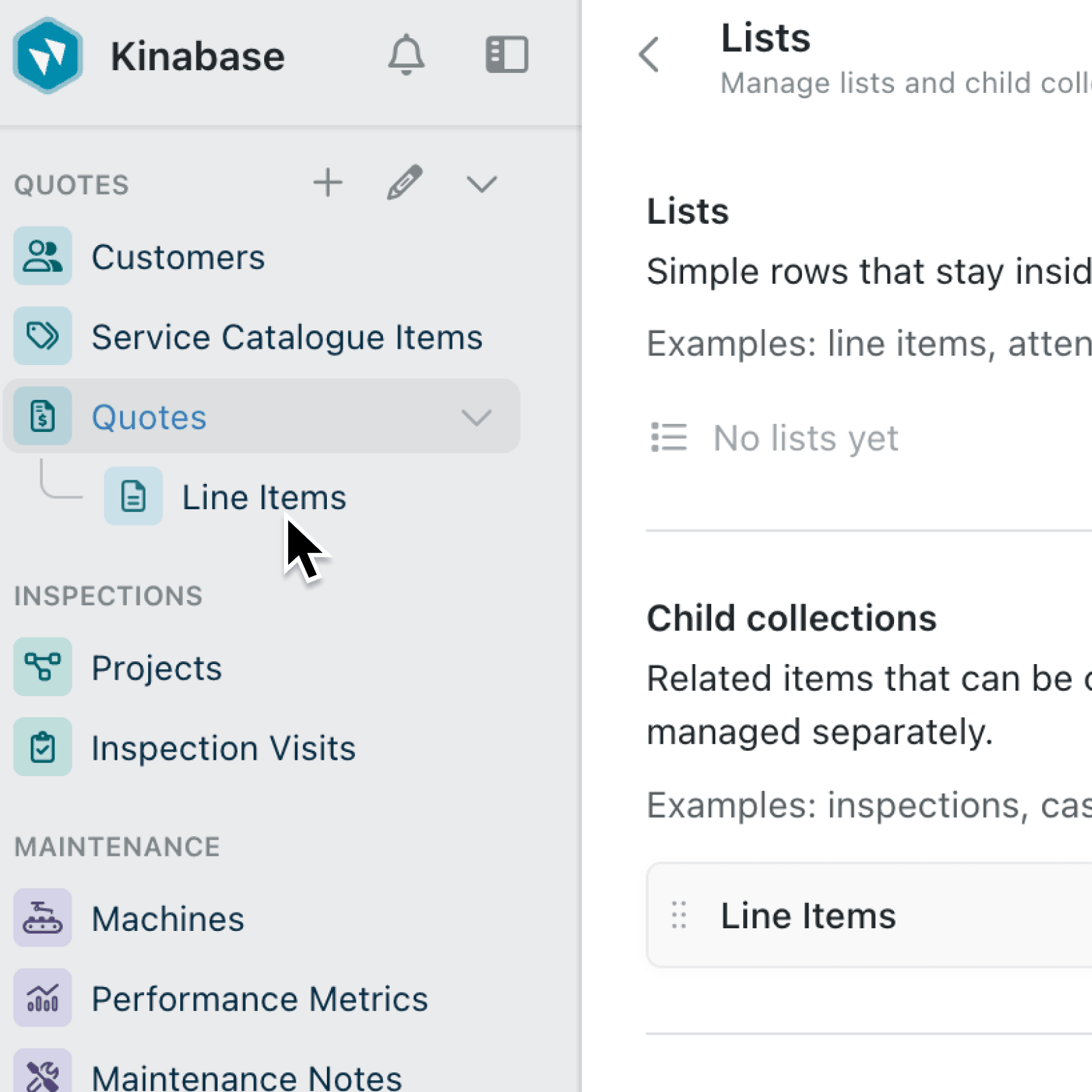
Kinabase now lets you create a child collection or convert an existing embedded list into one. Child collections appear beneath their parent collection in the sidebar, have dedicated collection and record pages, and remain connected to their parent records.
Association tabs linked through a list or child collection also have two display choices. You can show the parent records, as before, or show the individual linked items grouped by parent.
Why it matters:
- Open related work directly by using sidebar links, global search, row menus, and deep links to reach a child record without first finding its parent.
- Keep important context visible as child collection pages group records by parent, while each child record page includes a breadcrumb back to its parent record.
- Choose the clearest related view by showing parent records for a summary, or choosing Items grouped by parent when people need to inspect the underlying work.
- Protect the parent relationship as Kinabase prevents the field that links a child record to its parent from being removed, redirected, or made optional.
How it works:
- Open the parent collection's Configure page and select Lists.
- Select Add under Child collections to create one, including its initial fields. Alternatively, open an existing list's menu and select Convert to child collection.
- Review the confirmation and select Convert. Existing embedded records remain available, while the child collection gains its own pages and a nested sidebar entry.
- Expand the parent collection in the sidebar and select the child collection. Its default view groups records by their parent unless you choose a different grouping.
- To change an eligible association tab, open the tab's context menu, select Display, then choose Parent records or Items grouped by parent. Kinabase saves the choice for that tab.
Note: colleagues with configure permission for the parent collection automatically get the same permission for its child collections.
When to use it:
- Operations managers can manage inspections or site visits as separate records while keeping each one connected to its site or job.
- Project teams can convert line items into a child collection when those items need their own search results, links, and detailed pages.
- Sales or service teams can use Items grouped by parent to review the specific linked items behind an association without losing the customer, case, or project context.
Get started
Open a collection's Configure page, select Lists, and create or convert your first child collection.
If you have questions or feedback, we would love to hear from you. Email support@kinabase.com - we're listening.