
Checking an attachment used to interrupt your work. You often had to open another browser tab or download a file before you could confirm that it was the document or image you needed.
What's new:
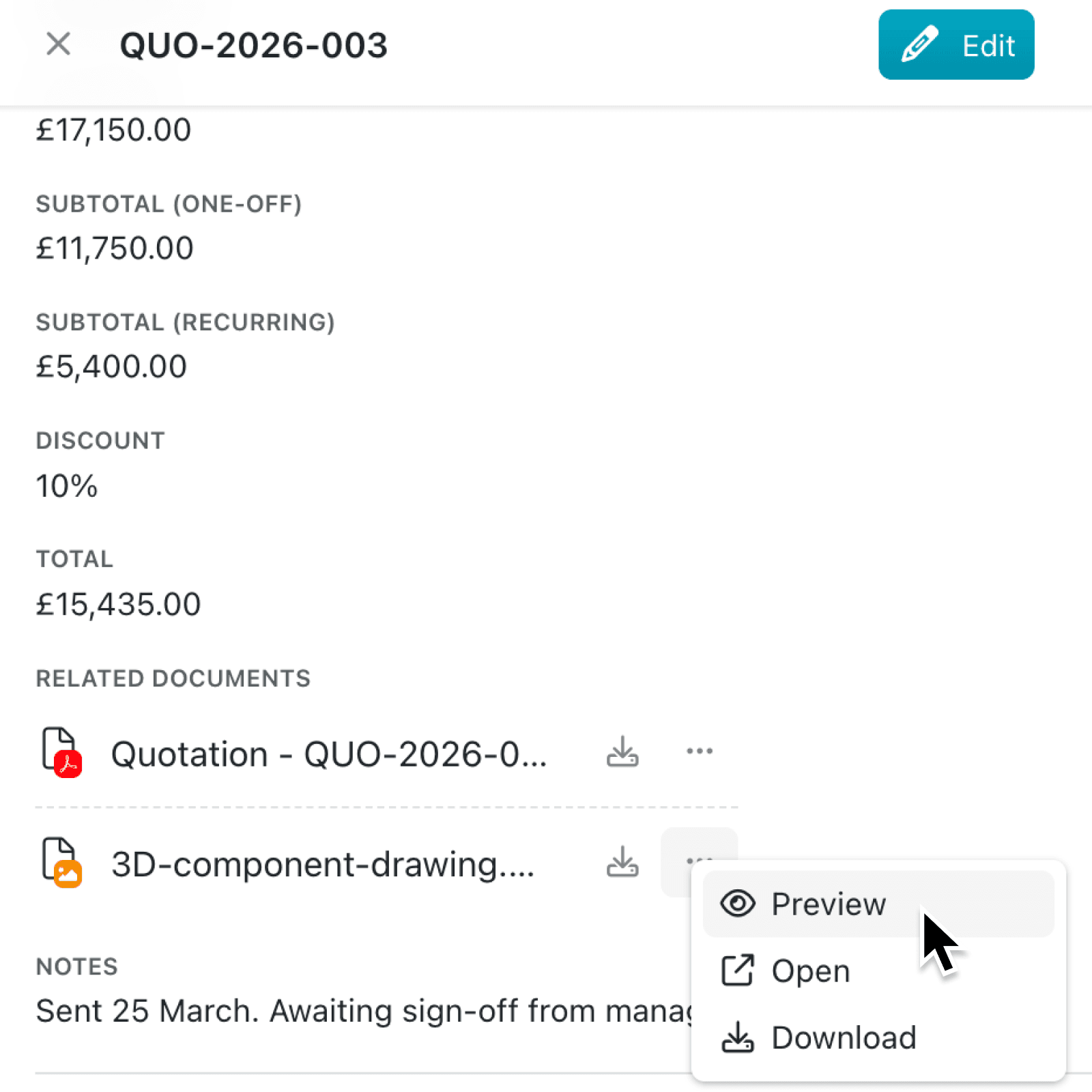
You can now preview files from a record without leaving Kinabase. Select a file shown in a file field to see supported images and PDFs in a focused preview, including files presented in an image carousel.
The same experience is available in the Files tab and in portals. If a file cannot be displayed, Kinabase shows its name and clear options to download or open it elsewhere.
Why it matters:
- Check files faster by reviewing an image or PDF while keeping the record and its surrounding information close at hand.
- Move through attachments efficiently using the < (Previous file) and > (Next file) controls, or your arrow keys, to inspect several files without repeatedly closing the preview.
- Choose the right destination by downloading the file, opening it in a new browser tab, or using available SharePoint and desktop app actions.
How it works:
- Go to a record containing a file field, or open the record's Files tab.
- Select a file in the field to open its Preview option from the ⋯ menu.
- In the Files tab, click on a file and press Space, or choose Preview from its ⋯ menu.
- Move between attachments with the < (Previous file) and > (Next file) controls or your keyboard arrow keys. Press Space again to close a preview opened from the Files tab.
- Choose Download, Open in new tab, or an available provider action such as Open in SharePoint.
Note: Files that cannot be opened safely are downloaded instead. In-app previews are available for supported files up to 20 MB.
When to use it:
- Operations managers can review site photographs and attached PDF reports while checking a job record.
- Sales teams can move through proposals, specifications and signed documents before a customer call.
- Quality leads can quickly assess compliance documents and inspection reports without leaving the record.
Get started
Open a record with attached files and select one to try the new preview, or use the Files tab for keyboard navigation and access to every file linked to that record.
If you have questions or feedback, we would love to hear from you. Email support@kinabase.com — we're listening.