
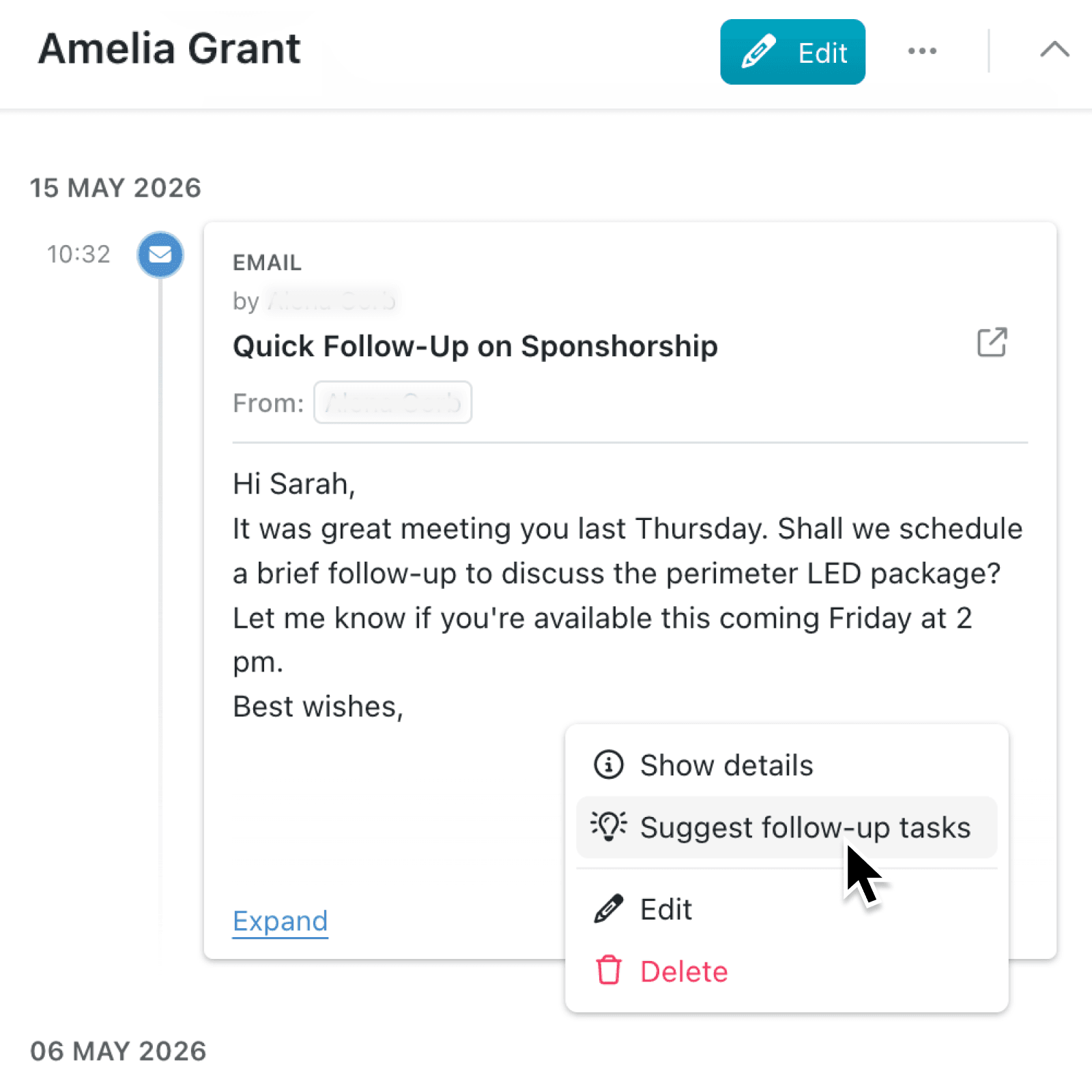
Important next steps can be buried in emails, meeting notes, and call records. Kinabase now helps you turn that activity history into tasks with a few clicks and AI assistance.
What's new:
From an activity's tab, you can now select Suggest follow-up tasks. Kinabase uses the activity's text, including an email subject and body where available, to generate useful suggestions for review.
The review window separates Suggestions from Tasks to add.
Why it matters:
- Capture next steps sooner by turning conversations and updates into practical tasks while their context is still clear.
- Keep people in control by editing, accepting, or removing each suggestion, and adding your own tasks before saving anything.
- Apply existing controls because Kinabase checks the workspace plan, collection settings, permissions, activity content, and owning record before generating or saving tasks.
- Keep task lists orderly as new tasks appear below existing work, while the sticky editor and toolbar action make adding another task easier in longer lists.
How it works:
- Make sure tasks are enabled for the collection.
- Navigate to a record, open its Activities tab, select the activity's ⋯ menu or right-click on the activity, and click Suggest follow-up tasks.
- Wait while Kinabase displays Getting suggestions using AI... and prepares possible next steps based on what you wrote.
- Click a suggestion to edit its name, description, due date, or assignees. Accept only the suggestions you want, remove the others, select Generate again if needed, or use Add task to create one manually.
- Click Add tasks to add everything under Tasks to add to the activity's owning record.
When to use it:
- Sales teams can turn a customer email about pricing, approvals, and renewal dates into reviewed follow-up tasks.
- Operations managers can extract agreed actions from meeting notes and assign each one to the right colleague.
- Client service teams can convert call notes into a controlled handover list in seconds.
Get started
Open a record with tasks and activities enabled, and try Suggest follow-up tasks from an activity's menu.
If you have questions or feedback, we would love to hear from you. Email support@kinabase.com — we're listening.