
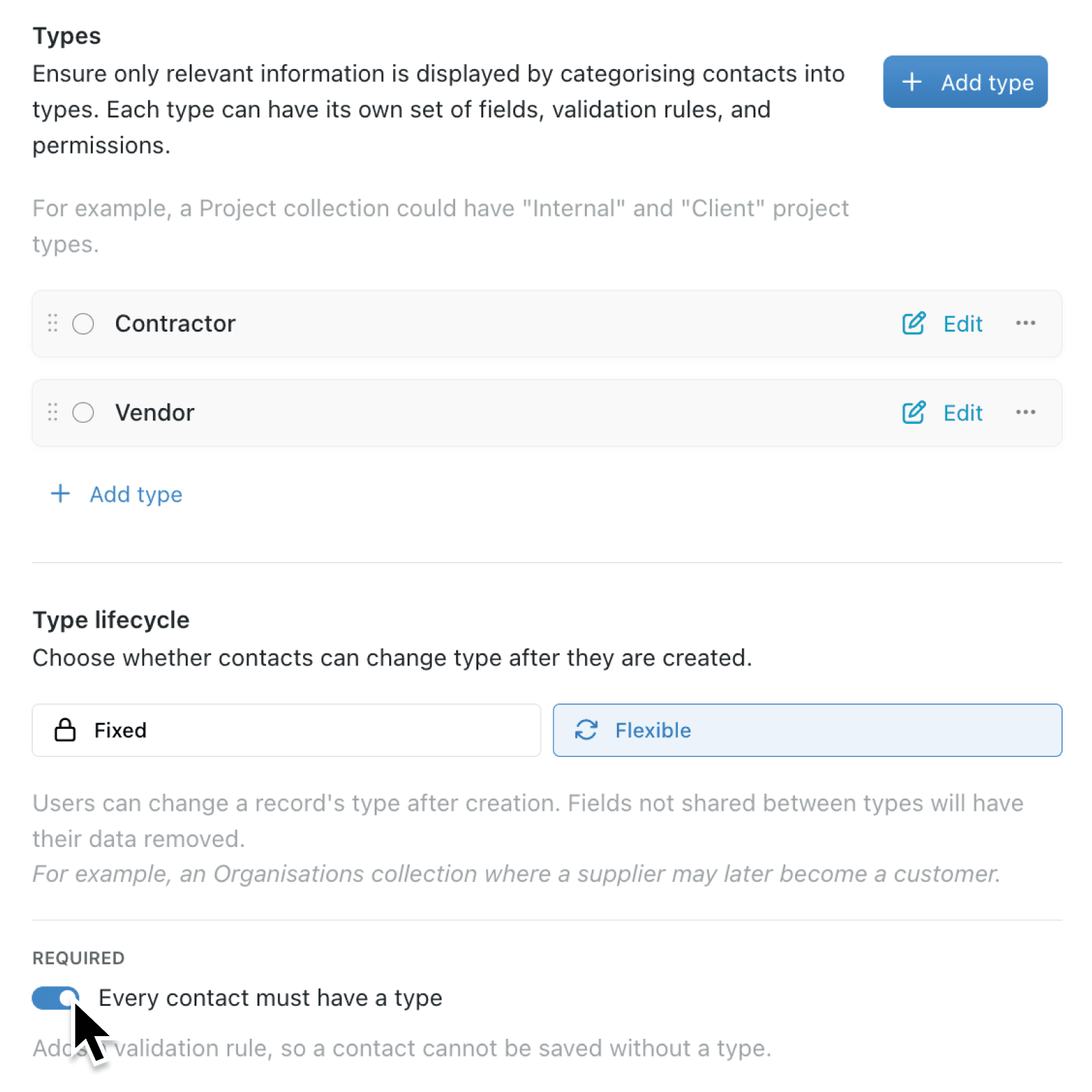
Collections can split records into types so each one shows the right fields, follows the right rules, and uses the right permissions. A Project collection might use Internal and Client types. If a record has no type, it can still be saved, and the fields, rules, and permissions for a type do not apply.
What's new:
You can now require a type, so every record is classified before it can be saved. Required sits in Type lifecycle under Types in collection configuration, and the label uses the collection's own singular name - on a Project collection it reads Every project must have a type.
Once Required is on, Type must be completed whenever a record is saved. While type is optional, you can leave it blank or select No type.
Why it matters:
- Classify every record so the right fields, rules, and permissions apply from the first save.
- See the gap first with a count of how many records have no type before the rule takes effect.
- Stop incomplete saves by blocking a record without a type, including records that already exist.
How it works:
- Open the collection, click the options menu (⋯), and select Configure.
- Under Setup, open Types. Add types if the collection does not have any yet. Type lifecycle appears once at least one type exists.
- Turn on Required. The label uses the collection's singular name, for example Every project must have a type.
- If records have no type, read the Require a type warning. Click Continue to apply the rule, or Cancel to leave Required off.
- Open any record that still has no type and set one so it can be saved again.
When to use it:
- Property managers can require every building to be saved as freehold or leasehold, so the right compliance fields and permissions apply before anyone can save.
- Manufacturing teams can stop a new component being saved without choosing resistor or capacitor, keeping specification fields from being left blank on the shop floor.
- Professional services firms can make sure each engagement is classified as fixed-fee or time-and-materials, so billing rules never depend on someone remembering to set the type later.
Get started
Open Configure → Types on a collection you manage and turn on Required under Type lifecycle.
If you have questions or feedback, we would love to hear from you. Email support@kinabase.com — we're listening.