
A phone number without its country code is hard to call. People often type only the local digits, and contact lists imported from elsewhere often leave the code out. A phone field can now start with the dialling code you expect, so every number is ready to dial.
What's new:
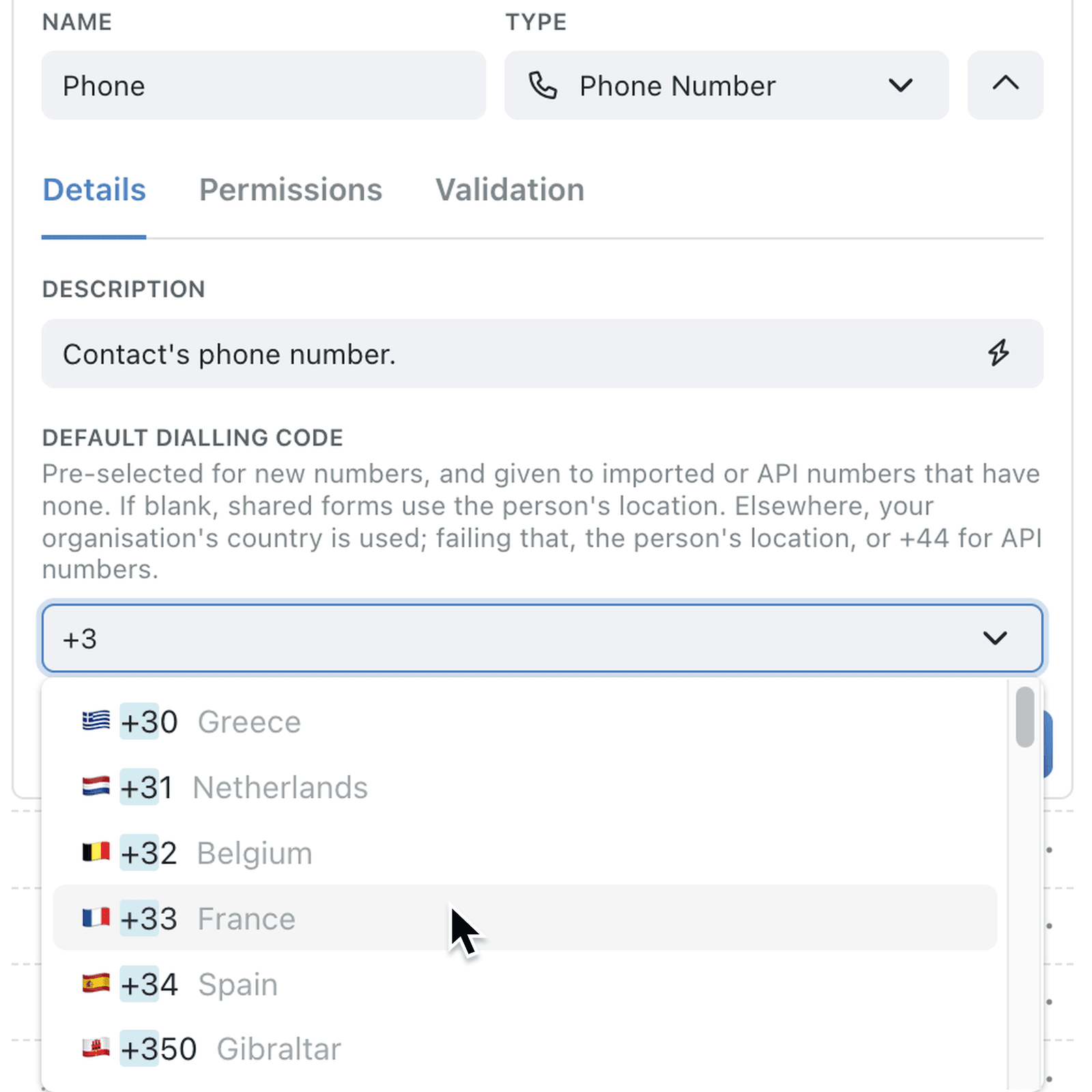
A Phone Number field now has a Default Dialling Code, set on the field's Details tab. It's pre-selected in the Code box whenever someone adds a number - in the app, in a portal or on a shared form - and it's given to numbers that arrive without a code from a CSV import or the API.
If you leave it blank, Kinabase uses your organisation's Country instead, or the location of the person entering the number. Numbers that already include a code, such as +33, keep it, and numbers already saved don't change until someone edits them.
Why it matters:
- Start on the right country with the code pre-selected for every new number.
- Make imported numbers callable by adding the code to local numbers in a CSV file.
- Keep international contacts accurate as a code typed or selected for a number always takes priority.
- Leave existing data alone with saved numbers unchanged until someone edits them.
How it works:
- Open the collection, click the options menu (⋯) and select Configure.
- Under Setup, open Fields, click the ⋯ menu on a Phone Number field and select Edit.
- On the Details tab, select a Default Dialling Code, then click Save.
- Add or edit a record and type a local number - the Code box shows the default, and you can select another code for a number from a different country.
Note: If Default Dialling Code is blank, your organisation's Country under Settings → Organisation → Organisation Details is used instead.
When to use it:
- Estate agencies in Ireland can set +353 on their applicant phone field, so local mobile numbers typed by negotiators are ready to call.
- Event organisers importing a delegate list of local numbers can have the right code added to every number on import.
- Charities collecting volunteer sign-ups through a portal can have the form start on their home country's code, while overseas volunteers can still select their own.
Get started
Open Configure → Fields on a collection with a Phone Number field and set its Default Dialling Code.
If you have questions or feedback, we would love to hear from you. Email support@kinabase.com — we're listening.