
A long name is clear on a record, but awkward in a reference, a file name or a tight column. When people shorten names by hand, two colleagues rarely pick the same letters, and the short form is left behind when the name changes. Kinabase can now shorten text for you, the same way every time.
What's new:
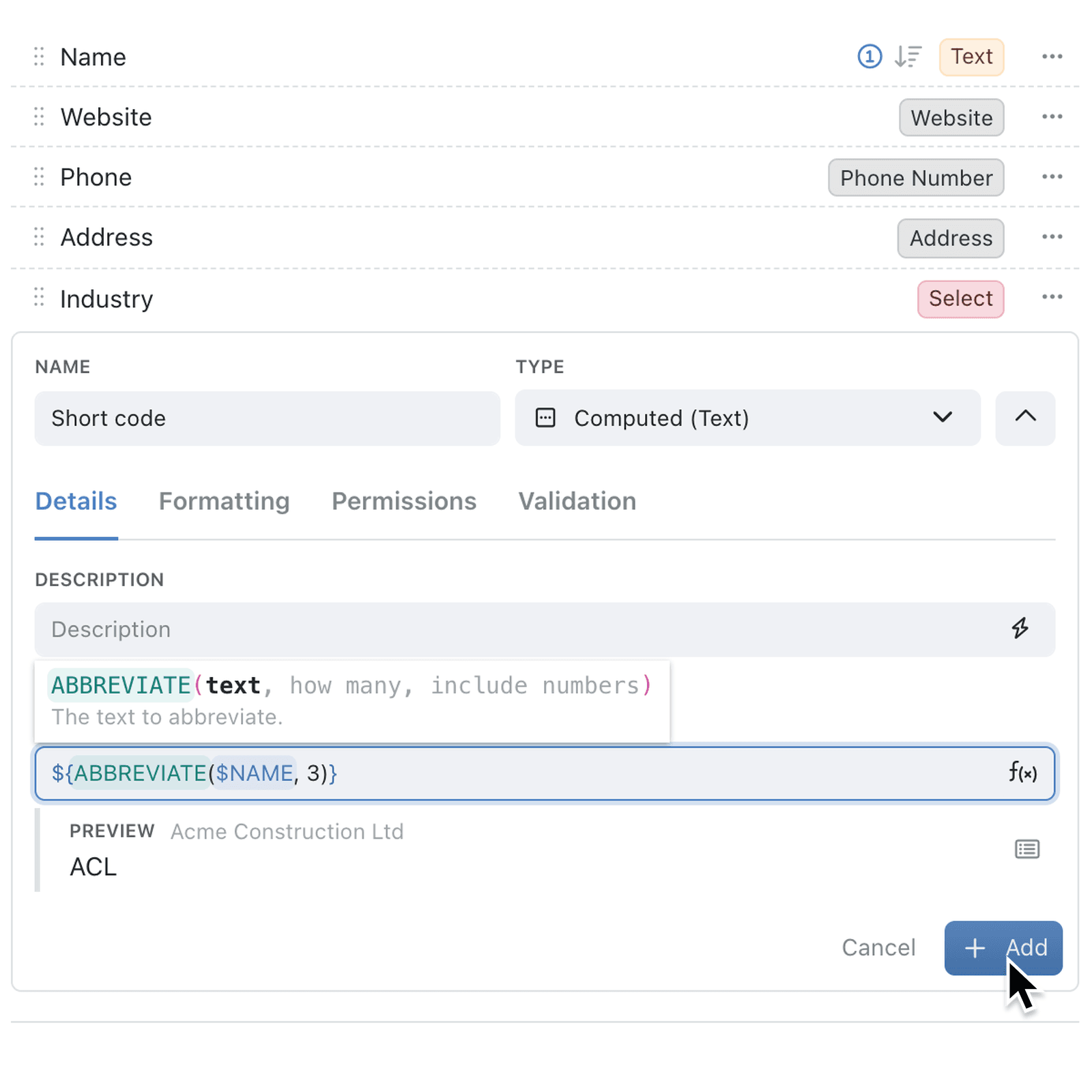
Computed (Text) fields have a new Abbreviation formula in the formula browser, written as ABBREVIATE(text, how many). It turns text into a short code in capitals, using the same letter rules as an identifier abbreviation - so Acme Construction Ltd kept to 3 characters becomes ACL, and North Field Depot becomes NFD.
The code favours the start of each word and any capitals already in a word, leaves out punctuation and turns accents into plain letters. Add true as a third part to keep digits too, so Unit 7 becomes U7. The code updates whenever the name changes.
Why it matters:
- Keep codes consistent as the same name always gives the same code.
- Stay in step with your IDs as abbreviations follow the same rules as identifier abbreviations.
- Save space in columns, labels, email subjects and file names.
- Never update codes by hand because the code follows the name when it changes.
How it works:
- Open the collection, click the options menu (⋯) and select Configure.
- Under Setup, open Fields, click Add field, enter a name and set the type to Computed (Text).
- Click fx beside Template, select Text, then Abbreviation, and click Insert.
- Replace
textwith the field to shorten, such as$NAME, and set how many characters to keep. - Check the result under Preview, then click Add.
When to use it:
- Logistics companies can give every depot a short code, such as NFD for North Field Depot, to use on labels and in route sheets.
- Architecture practices can build drawing references from the client's name, so every file from the same client starts with the same letters.
- Training providers can show a compact course code next to long course titles in their schedule views.
Get started
Open Configure → Fields on a collection, add a Computed (Text) field, and insert Abbreviation from the formula browser.
If you have questions or feedback, we would love to hear from you. Email support@kinabase.com — we're listening.