
Line items, milestones and measurements make most sense in a particular order - by date, by value or simply as they were entered. Until now, a collection list kept its rows in the order they were added, with no way to change it. You can now choose how each list is sorted.
What's new:
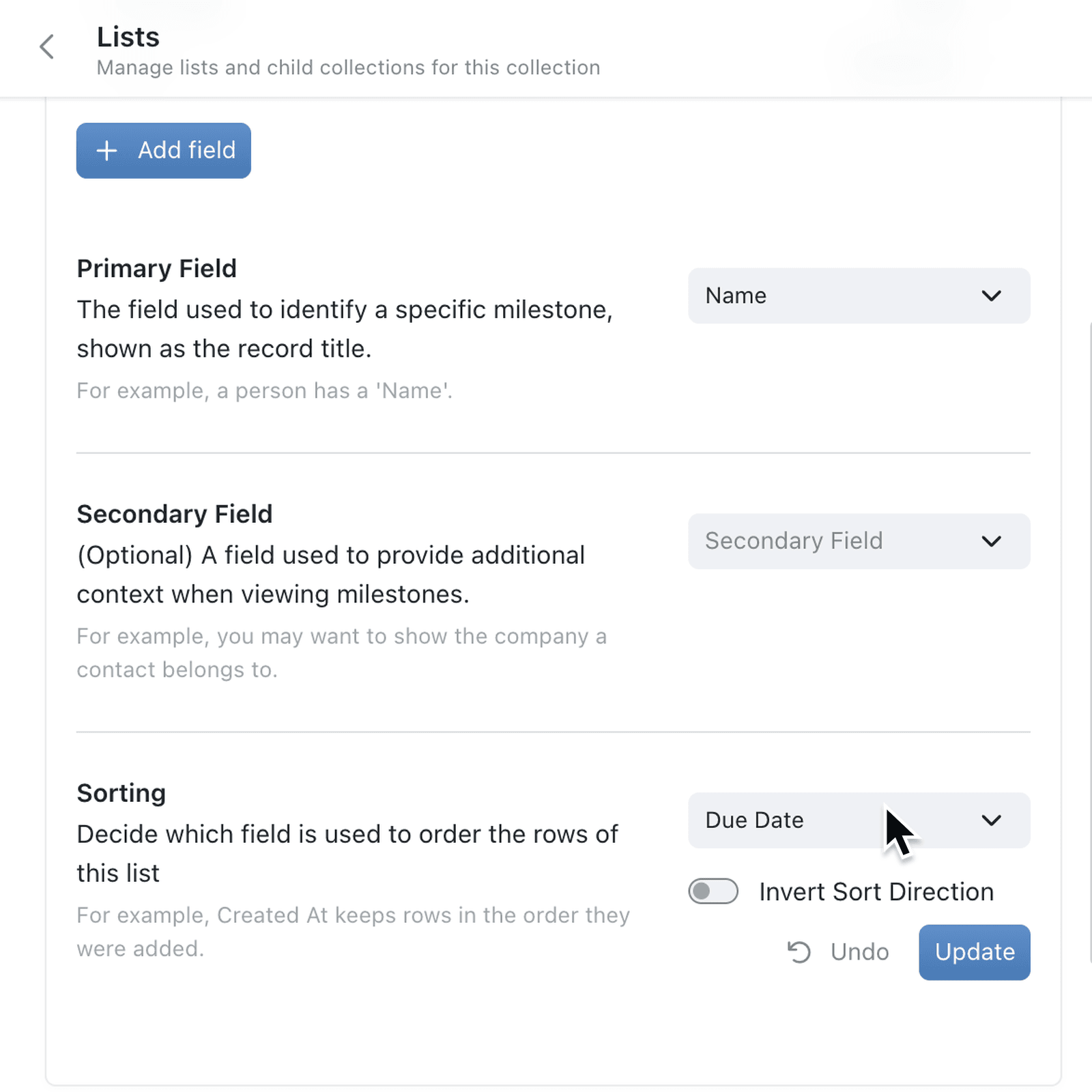
A collection list now has its own Sorting setting, next to its Primary Field and Secondary Field. Select the Sort Field - such as a due date or a cost - and turn on Invert Sort Direction to reverse it, or select Created At to keep rows in the order they were added.
Rows on the record follow the saved order, and so does the printed record. A row you add or edit moves straight into place. Created At is now also available as a sort for collections and child collections.
Why it matters:
- Read records at a glance with milestones in date order or line items by value.
- Match the screen and the printout as both follow the same order.
- Keep entry order when it matters by sorting on Created At.
- Stay in order as you work because new and edited rows move into place straight away.
How it works:
- Open the collection, click the options menu (⋯) and select Configure.
- Under Setup, open Lists and click Edit on a saved list.
- On the Fields tab, under Sorting, select the Sort Field.
- Turn on Invert Sort Direction if you want the order reversed, then click Update.
- Open a record to see its rows in the new order.
Note: Clicking a column header on a record still re-sorts that table for you only - it doesn't change the saved order.
When to use it:
- Construction firms can list each project's milestones by due date, so the next deadline is always at the top.
- Wholesalers can sort an order's line items by value, putting the biggest lines first on the printed quote.
- Laboratories can keep test readings in the order they were taken by sorting on Created At.
Get started
Open Configure → Lists on a collection, click Edit on a list and choose its Sort Field under Sorting.
If you have questions or feedback, we would love to hear from you. Email support@kinabase.com — we're listening.