
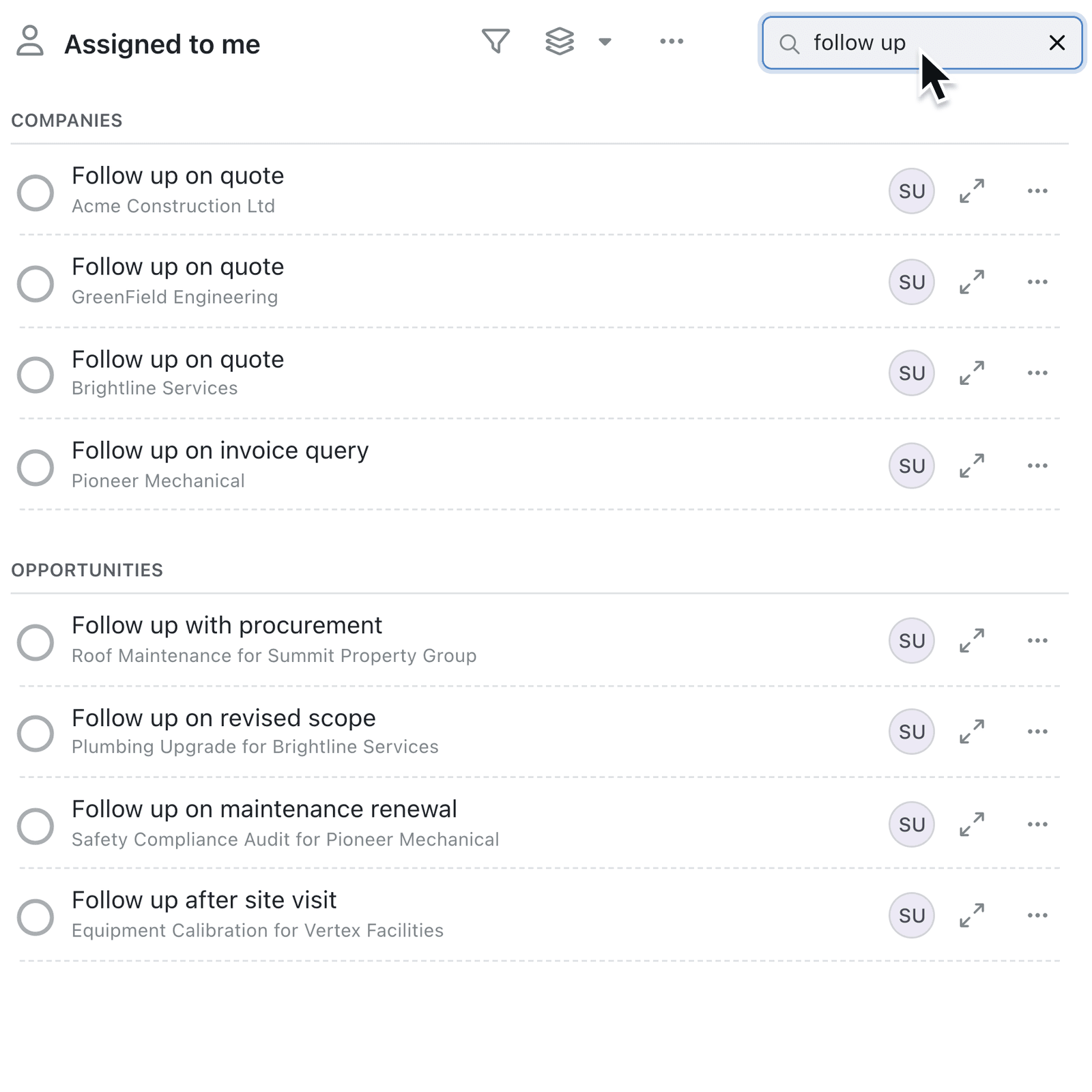
Task names are often short, such as "Follow up" or "Send quote", so the name alone isn't always enough to find the one you mean. You can now search your task lists and find a task from the words in its description or the record it belongs to.
What's new:
The Tasks tab of your Dashboard now has a Search box. It narrows the view you have open, such as Assigned to me, a collection or a saved view, and matches each task's name, its Description and the record it belongs to. A record or colleague's Tasks tab has the same Search box, for finding one task among everything logged there.
Global search finds tasks the same way, with the record's name shown under each result so you can tell similar tasks apart.
Why it matters:
- Find a task by what you remember, whether that's a phrase from its description or the customer it's for.
- Stay in your view as the search only looks inside the view you have open.
- Tell similar tasks apart with the record name shown under each one.
How it works:
- Open your Dashboard and select the Tasks tab.
- Choose a view, such as Assigned to me or a collection.
- Type in Search in the toolbar to narrow the list.
- If nothing matches, click Show completed tasks to include finished tasks.
- To search every task you can see, click the search bar in the navigation bar, or press Command + K (Mac) / Ctrl + K (Windows), and open a result from the Tasks group.
When to use it:
- Account managers can find the follow-up for a client by typing the client's name, even when the task is just called "Call back".
- Facilities teams can search for "boiler" to find every task whose description mentions a boiler service.
- Project managers can narrow a busy project's tasks down to the one about the snagging list.
Get started
Open the Tasks tab on your Dashboard, select Assigned to me and type the name of a client in Search.
If you have questions or feedback, we would love to hear from you. Email support@kinabase.com — we're listening.