
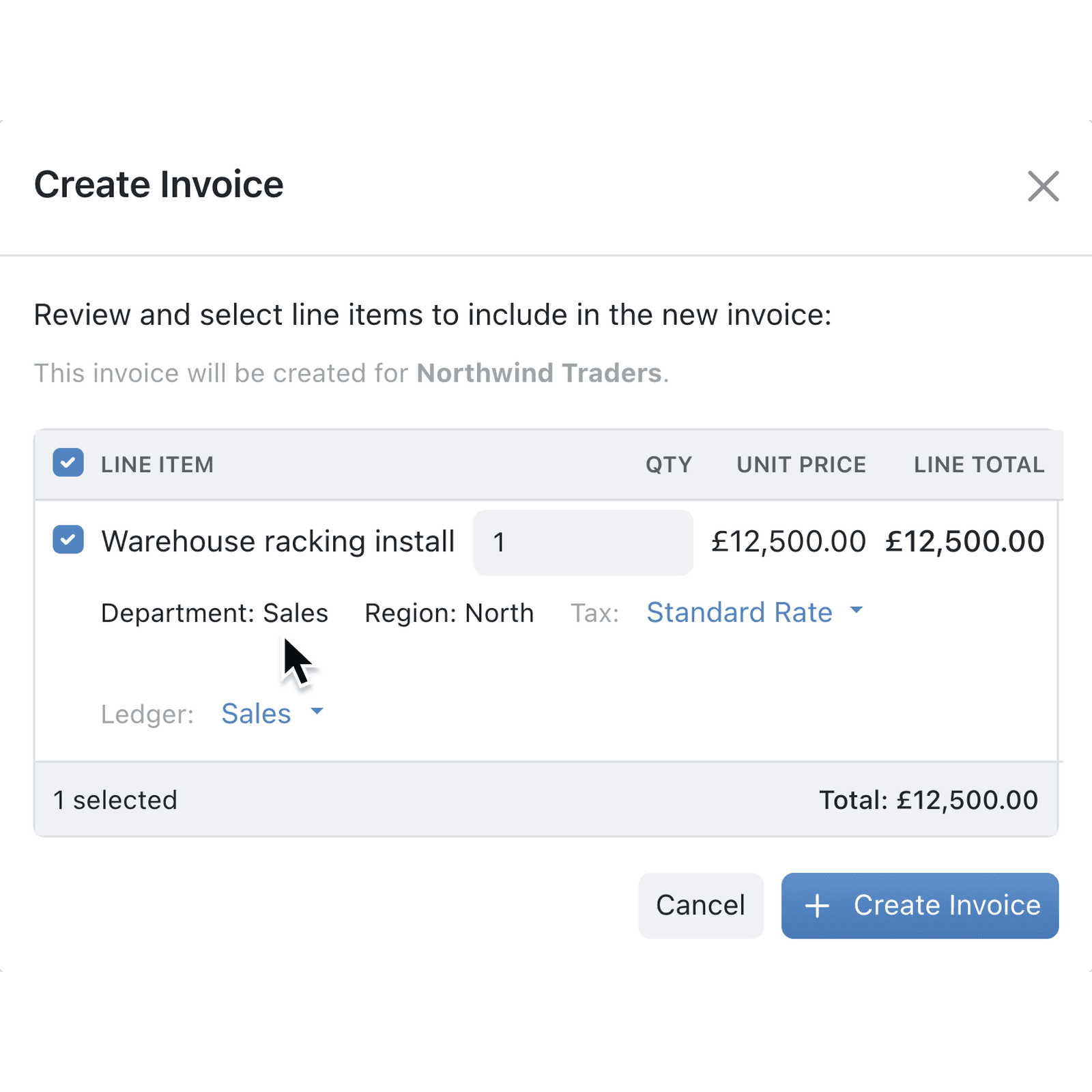
Many finance teams code each invoice line in Xero by department, region or cost centre, so their reports add up. Until now, lines created from Kinabase arrived without those categories, and someone had to add them in Xero afterwards. Now they go across with the line.
What's new:
Xero's tracking categories, called reporting categories in Kinabase, now appear in a collection's Invoice fields and Bill fields under Accounting & Payments. Map each category to a Tracking Option field, and the option set on a record is sent with every new line.
The Create Invoice and Create Bill windows show each line's categories, such as Department: Sales, so you can check them before anything reaches Xero. If an option belongs to the wrong category or is no longer active, the window highlights it and won't create the transaction until it's fixed.
Why it matters:
- Code each line once with the department or region already on every new invoice or bill line.
- Keep Xero reports accurate without editing transactions after they're created.
- Catch mistakes early with a wrong option flagged before the transaction is created.
How it works:
- Go to Settings → Integrations → Accounting & Payments, click the options menu (⋯) on the Xero row and select Sync Reference Data to bring in your Tracking Options.
- In the collection you invoice from, add a Tracking Option field for each category, such as Department and Region.
- Click the options menu (⋯), select Configure, then Accounting & Payments.
- Under Invoice fields or Bill fields, select the matching field next to each category and click Update.
- Set the options on a record, click Create invoice or Create bill on its Xero card, and check the categories on each line.
Note: Xero accepts up to two reporting categories per line, and they're set when the line is created.
When to use it:
- Construction firms raising stage payments can code each invoice to the right region, so Xero shows revenue by area.
- Charities paying suppliers can code each bill to the fund or programme it belongs to, ready for restricted-funds reporting.
- Multi-site retailers invoicing trade customers can tag every line with the branch that made the sale.
Get started
Open Settings → Integrations → Accounting & Payments and select Sync Reference Data on the Xero row to bring in your tracking options.
If you have questions or feedback, we would love to hear from you. Email support@kinabase.com — we're listening.