
A field often does more than hold a value on its own collection. A filter, a formula, a chart or an automation may all read it, and until now there was no way to see that before renaming, changing or deleting it. Now you can check every place a field is used, and Kinabase stops a delete that would leave something broken.
What's new:
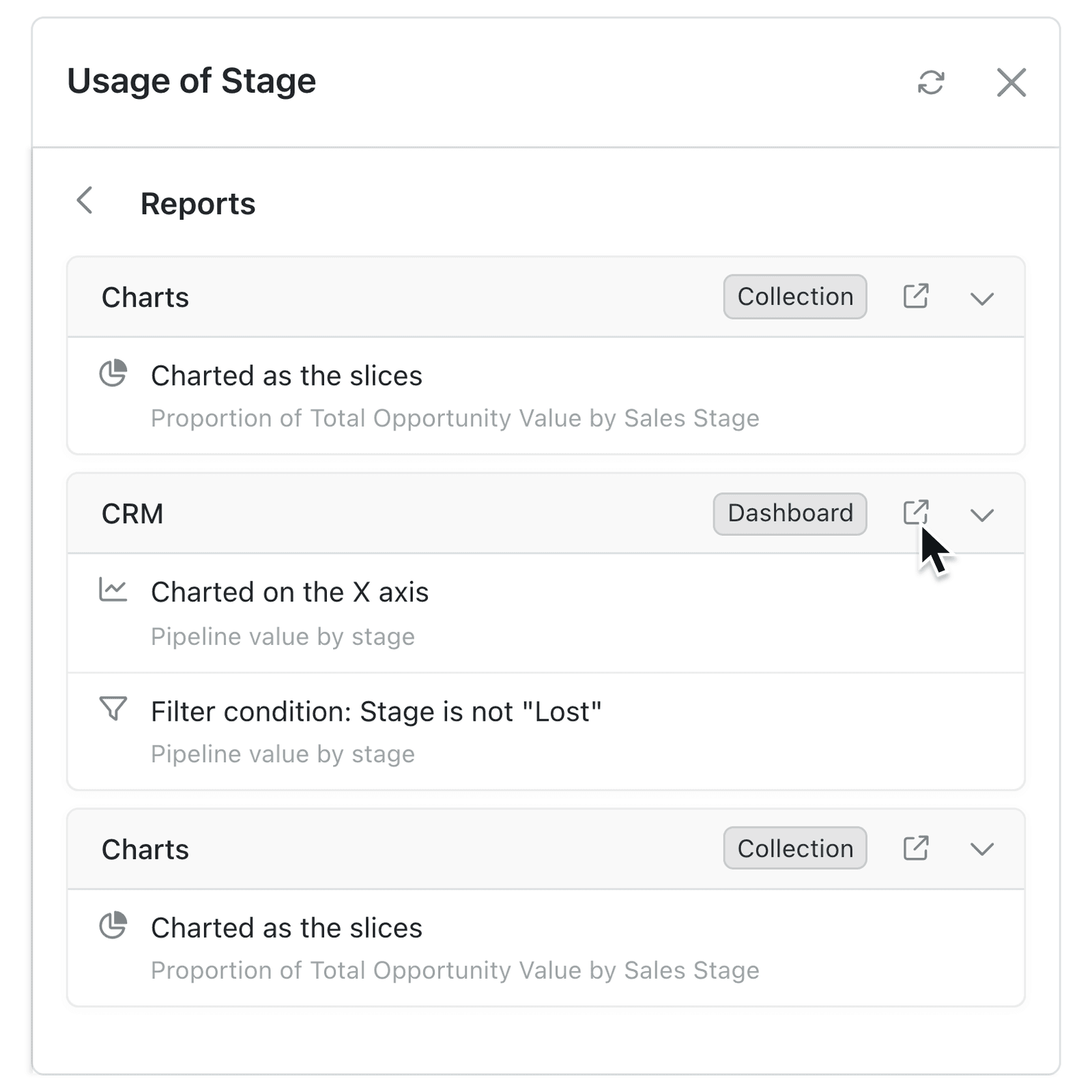
Check usage is a new option in each field's options menu (⋯) in a collection's Fields pane, and on the fields of a collection list. It lists every place that relies on the field, grouped by kind - Views, Reports, Automations, Forms, Portals and more - and opens each one in a new tab so you can update it.
Delete now runs the same check. If a chart, filter, formula, form, automation or portal still needs the field, the confirmation lists it and Delete stays unavailable until the use is removed.
Why it matters:
- Change fields with confidence by seeing what reads a field before you edit it.
- Avoid broken reports and automations as a delete is stopped while something still depends on the field.
- Fix each use quickly with every place one click away in a new tab.
How it works:
- Open the collection, click the options menu (⋯) and select Configure.
- Under Setup, select Fields.
- Click the field's options menu (⋯) and select Check usage.
- Select a group, such as Reports or Automations, to see how each place uses the field.
- Click the arrow beside a place to open it in a new tab, update it, then click Refresh.
- To delete the field, select Delete from its options menu (⋯), remove any uses the confirmation lists, then click Check again and Delete.
Note: Places you can't configure are counted, not named. Ask a colleague who can configure them to make those changes.
When to use it:
- Property management teams replacing a Lease Type field with a new one can find every lease report and renewal automation that still reads the old field.
- Manufacturing teams tidying up a parts collection can see which assembly formulas use a Tolerance field before they remove it.
- Membership organisations renaming a Tier field can check which portal pages and renewal forms show it to members first.
Get started
Open a collection's Configure settings, go to Fields and select Check usage from a field's options menu (⋯).
If you have questions or feedback, we would love to hear from you. Email support@kinabase.com — we're listening.